WhatsApp Shared Inbox 2026: Multi-Agent Messaging Guide (Setup, Features & Best Practices)
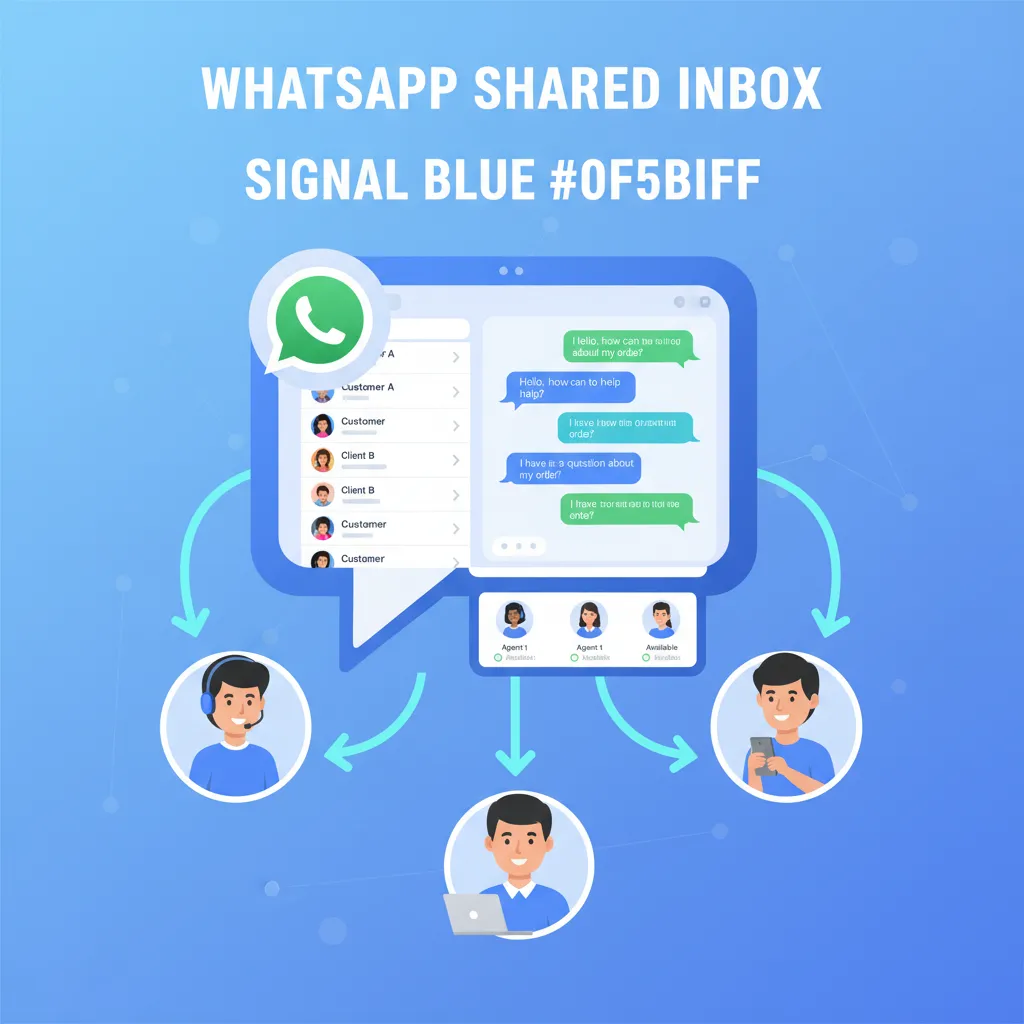
When your business runs on WhatsApp, one phone is never enough. Customers message at all hours, team members step on each other's toes, and leads vanish into personal chats. A WhatsApp shared inbox solves this by letting your entire team manage conversations from a single WhatsApp number — no more missed messages, no more "who's handling this?" confusion, and no more lost sales.
In this guide, you'll learn what a WhatsApp shared inbox is, why growing teams need one, how to set it up step by step, and how leading platforms compare. Over 23,500 businesses already use ChatDaddy to process more than 10 million messages per day through shared inboxes — and most of them were up and running in under 20 minutes.
Table of Contents
- What Is a WhatsApp Shared Inbox?
- Why Your Team Needs a WhatsApp Shared Inbox
- Key Features of an Effective Shared Inbox
- How to Set Up a WhatsApp Shared Inbox in 15 Minutes
- Use Cases: How Teams Use Shared Inboxes Daily
- WhatsApp Shared Inbox Platform Comparison
- Best Practices for Managing Your Shared Inbox
- Common Mistakes to Avoid
- Frequently Asked Questions
What Is a WhatsApp Shared Inbox?
Think of it as a team email inbox, but for WhatsApp. Every message from every customer lands in one centralized dashboard. Any agent can pick up a conversation, see the full history, leave internal notes, and hand it off to a colleague — all without the customer ever knowing they spoke to multiple people.
The standard WhatsApp Business App caps you at four linked devices. That's a dead end for any team larger than four, and even at four it's messy: no assignment rules, no collision detection, no analytics. A shared inbox built on the WhatsApp Business API removes these limits entirely.
With a platform like ChatDaddy, there is no cap on agents. Your entire sales team, support department, and operations crew can work from the same number — with each person seeing only the conversations assigned to them, or the full queue if they prefer.
Why Your Team Needs a WhatsApp Shared Inbox
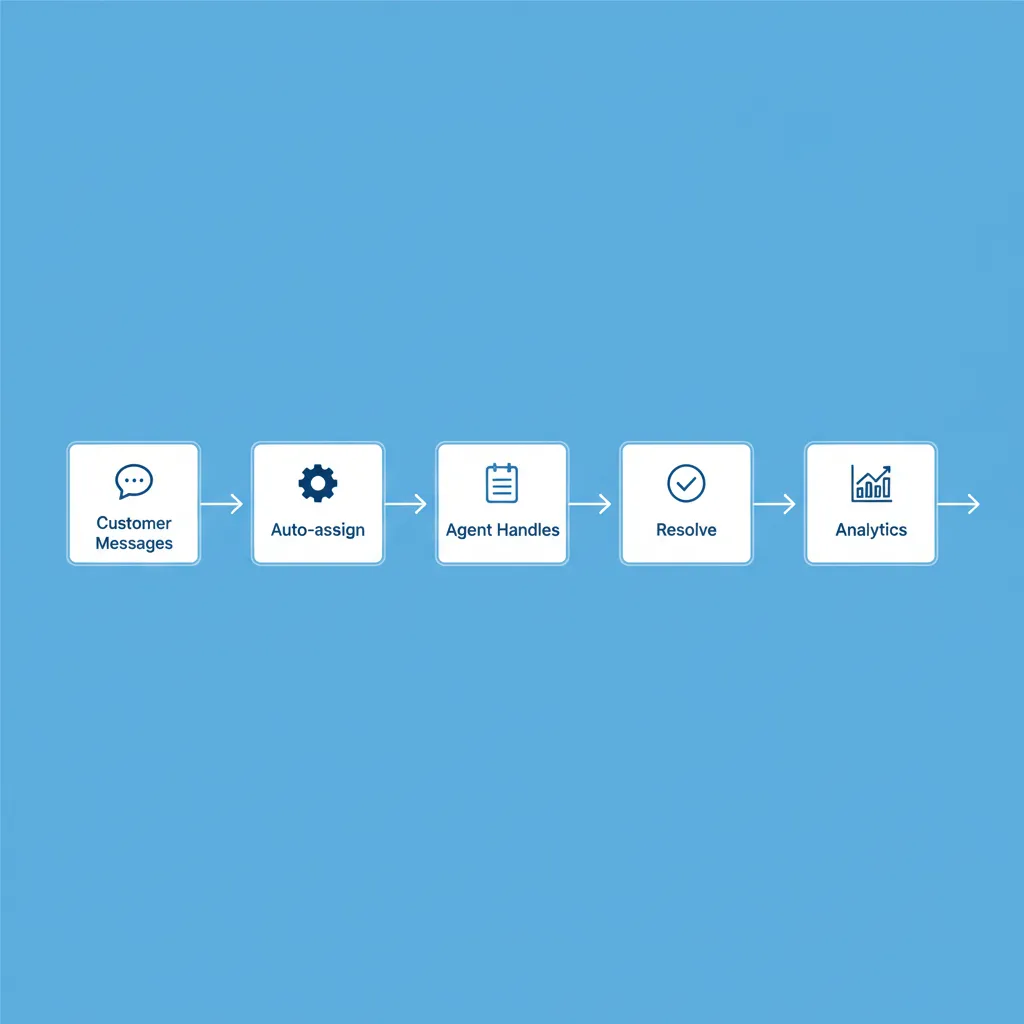
Here's why single-phone WhatsApp breaks down as teams grow:
- Missed messages cost money. A study by HubSpot found that responding within five minutes makes you 21x more likely to qualify a lead. When messages sit unread on someone's personal phone, response time balloons from minutes to hours.
- Duplicate replies confuse customers. Without collision detection, two agents reply to the same customer with different answers. That's unprofessional and erodes trust.
- Zero accountability. Who handled which conversation? How long did they take? Without a shared system, there's no way to measure agent performance or identify bottlenecks.
- Staff turnover kills continuity. When an agent leaves, their entire conversation history is trapped on a personal device. A shared inbox retains every message permanently.
- Scaling means adding numbers. Without a shared inbox, the only way to add capacity is to add WhatsApp numbers. Customers hate juggling multiple numbers for one business.
A shared inbox solves all five problems. Messages are routed automatically, agents claim conversations to prevent collisions, every interaction is logged with timestamps, and you can generate reports on response time, resolution rate, and agent productivity.
The ROI of a Shared Inbox
Businesses switching from individual WhatsApp phones to a shared inbox typically see 40-60% faster response times, 25-35% higher customer satisfaction, and 15-20% more conversions — simply because no lead falls through the cracks. For a team handling 200 conversations per day, even recovering 5% of previously lost leads can mean thousands in additional monthly revenue.
Key Features of an Effective Shared Inbox
1. Up to 15 Teammate Seats
Most platforms cap agents at 5 or 10 per plan. ChatDaddy's shared inbox includes 5 teammates on the Basic plan (up to 15 on Max) — so your team grows without your bill multiplying.
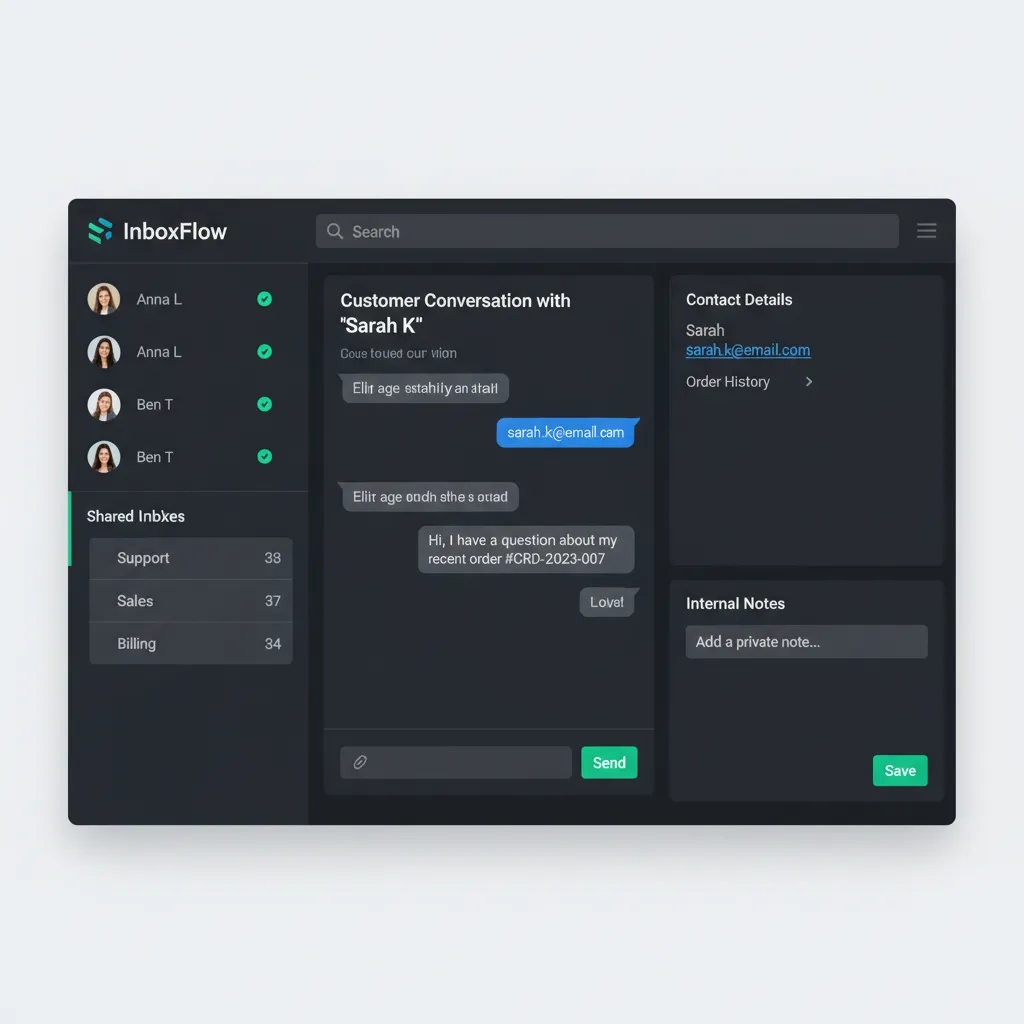
2. Automatic Conversation Assignment
Round-robin, skill-based, or load-balanced assignment ensures incoming chats reach the right agent instantly. No manual cherry-picking, no orphaned conversations. ChatDaddy supports all three assignment modes plus custom rules based on contact tags, keywords, or conversation topic.
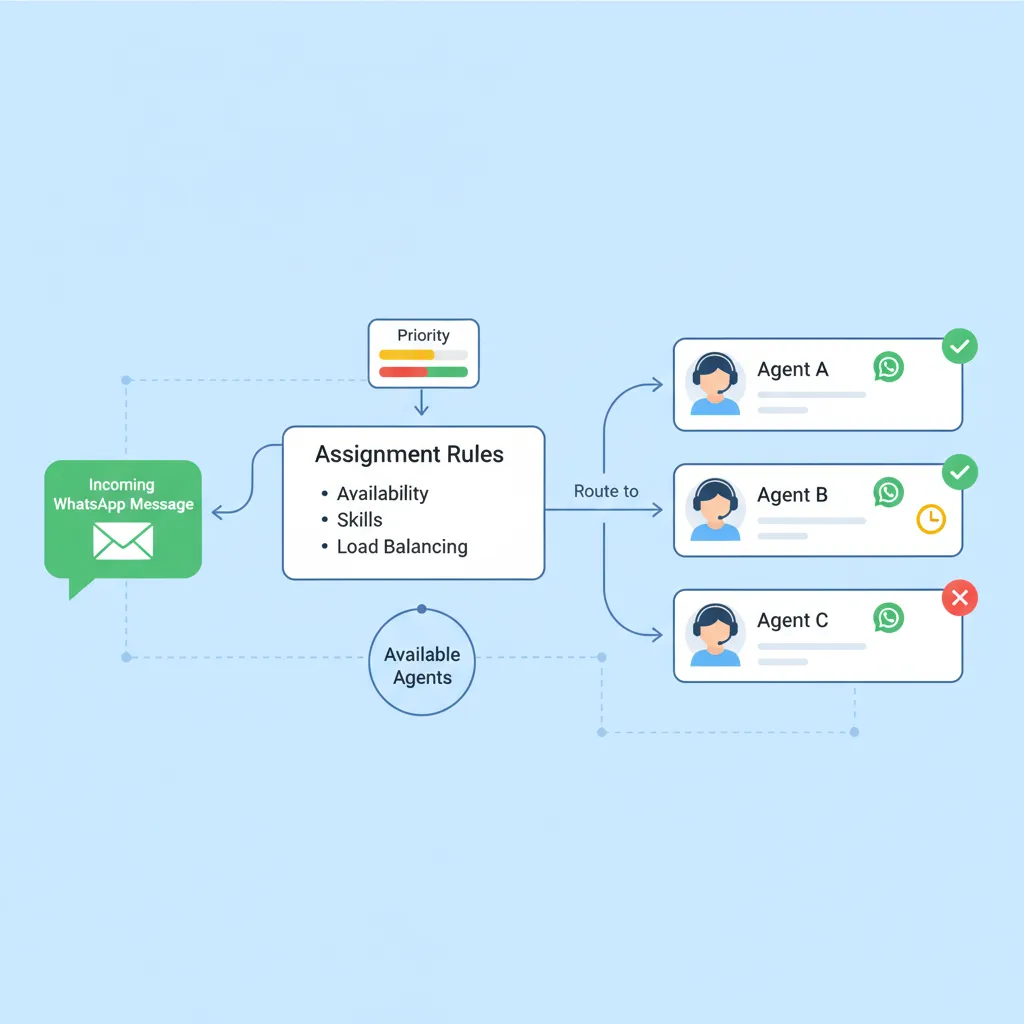
3. Internal Notes and Mentions
Agents can leave private notes on any conversation — visible to the team but invisible to the customer. Tag a colleague with @mentions to escalate issues or share context without switching to Slack or email.
4. Collision Detection
When two agents open the same conversation, the system alerts them. This prevents duplicate replies and wasted effort. ChatDaddy shows a real-time "Agent X is viewing this chat" indicator.
5. Contact Tags and Segmentation
Tag contacts by lead stage, product interest, language, region, or any custom attribute. Filter your inbox to show only "hot leads" or "pending support tickets." These tags also power targeted broadcast campaigns.
6. Canned Responses and Quick Replies
Pre-written templates for common questions slash response time. Agents type a shortcut and the full reply populates instantly. ChatDaddy supports rich media canned responses with images, documents, and buttons.
7. Analytics Dashboard
Track first response time, average resolution time, conversations per agent, customer satisfaction scores, and peak hours. Data-driven teams consistently outperform those operating blind. ChatDaddy's analytics integrate with real-time dashboards that update live.
8. CRM and Tool Integrations
Connect your shared inbox to Shopify, HubSpot, Google Sheets, Zapier, or any tool via webhooks. When a customer messages, their order history, CRM record, and previous tickets appear automatically in the sidebar.
How to Set Up a WhatsApp Shared Inbox in 15 Minutes
Follow these steps to go live quickly:
- Sign up at chatdaddy.tech — the free plan lets you test everything with free trial credits included.
- Connect your WhatsApp number. ChatDaddy is an official Meta ISV Technology Partner, so the API connection is streamlined. You'll verify your Meta Business account and link your number in about 5 minutes.
- Invite your team. Add agents by email and assign roles: Admin (full access), Agent (inbox and contacts), or Viewer (read-only analytics).
- Set up assignment rules. Choose round-robin for equal distribution, skill-based for routing by expertise, or manual for full control.
- Create canned responses. Draft templates for your top 10 most common questions. This alone cuts response time by 30-50%.
- Configure a welcome chatbot. Use the no-code chatbot builder to greet new contacts, collect basic info, and route them to the right team.
- Start managing conversations. All incoming WhatsApp messages now appear in your shared inbox. Assign, respond, tag, and resolve.
Most teams complete this setup in 10-15 minutes. No developers, no API documentation, no headaches.
Give Your Whole Team Access to One WhatsApp Number
Join 23,500+ businesses using ChatDaddy's shared inbox to respond faster, collaborate better, and never miss a lead.
Start Free TodayUse Cases: How Teams Use Shared Inboxes Daily
Customer Support Teams
A SaaS company routes all WhatsApp support queries into a shared inbox. Tier-1 agents handle common issues using canned responses. Complex bugs are escalated via internal notes to Tier-2 engineers — all within the same conversation thread. Average resolution time dropped from 4 hours to 45 minutes after switching from individual phones to ChatDaddy.
Sales Teams
An education provider runs Click-to-WhatsApp ads on Facebook and Instagram. Leads land in the shared inbox where a chatbot qualifies them by asking about budget, timeline, and course preference. Hot leads are auto-assigned to senior sales reps. Cold leads enter a nurture sequence via broadcast messaging.
E-commerce Operations
A fashion brand with 50,000+ WhatsApp contacts uses the shared inbox to handle order status inquiries, returns, and product questions. Shopify integration pulls order data directly into the chat sidebar, so agents answer "Where's my order?" in seconds without switching tabs.
Multi-Location Businesses
A restaurant chain with 12 branches uses one WhatsApp number. The shared inbox routes conversations to the nearest branch based on customer location tags. Each branch manager only sees their conversations, while the operations head monitors all 12 locations from a single dashboard.
Healthcare Clinics
A dental clinic manages appointment bookings, reminders, and follow-ups through the shared inbox. Reception staff handle bookings during business hours. After hours, a WhatsApp chatbot captures requests and queues them for the next morning.
WhatsApp Shared Inbox Platform Comparison
| Feature | ChatDaddy | Respond.io | WATI | Trengo |
|---|---|---|---|---|
| Free Plan | Yes | No | No | No |
| Starting Price | $119/mo (Basic) | $99/mo | $49/mo | $113/mo |
| Agent Seats | Up to 15 | 5 users | 5 agents | 5 users |
| Auto-Assignment | Round-robin, skill-based, custom rules | Round-robin, custom | Round-robin | Round-robin |
| Internal Notes | Yes, with @mentions | Yes | Yes | Yes |
| Collision Detection | Real-time indicator | Yes | No | No |
| Chatbot Builder | No-code, AI-powered | Workflows | Flow builder | Flowbot |
| Broadcast Messaging | Unlimited | Limited | Limited by plan | Limited |
| Meta ISV Partner | Yes | Yes | Yes | No |
| Analytics | Real-time dashboard | Basic reports | Basic reports | Standard |
| Coexistence | Yes — use API + WhatsApp Business App on same number (free) | No | No | No |
| Best For | Growing teams globally | Enterprise workflows | Indian market SMBs | European market |
The standout difference is agent seats. Most platforms charge per seat, which means your costs multiply as your team grows. ChatDaddy's teammate model scales from 5 on Basic to 15 on Max — with no per-seat surcharges within each plan. For growing businesses, that translates to thousands in annual savings.
ChatDaddy also stands alone with a free trial with credits — start exploring all features at no cost, including the shared inbox, chatbot builder, and broadcast messaging. Competitors require payment before you send a single message.
Best Practices for Managing Your Shared Inbox
1. Define Ownership Immediately
Every conversation should have one assigned agent at all times. Use auto-assignment to prevent orphaned chats. When an agent goes offline, their queue should redistribute automatically. ChatDaddy's inbox settings let you configure this in one click.
2. Standardize Your Tags
Agree on a tagging system before you start. Example: lead-hot, lead-warm, lead-cold, support-billing, support-technical, vip. Inconsistent tagging makes segmentation and reporting useless. Document your tags and train every agent.
3. Set Response Time SLAs
Define targets: first response within 2 minutes during business hours, 15 minutes after hours (via chatbot). Track these in your analytics dashboard. WhatsApp's 24-hour messaging window (Meta documentation) means slow replies also cost more — you'll need to send a paid template to re-open expired conversations.
4. Use Internal Notes for Context
When handing off a conversation, leave a note explaining the situation. "Customer wants a refund for order #1234, already offered 10% discount, they declined" gives the next agent full context without asking the customer to repeat themselves.
5. Review Analytics Weekly
Schedule a 15-minute weekly review of your shared inbox metrics. Look for trends: are response times creeping up? Is one agent handling 3x the volume of others? Are certain hours understaffed? Data from ChatDaddy's analytics makes these reviews actionable.
6. Automate the Repetitive Work
If agents answer the same 10 questions repeatedly, build a chatbot flow to handle them. Reserve human agents for complex, high-value conversations. This increases both efficiency and job satisfaction.
Common Mistakes to Avoid
Mistake 1: Launching Without Training
A shared inbox is only as good as the people using it. Spend 30 minutes training your team on assignment rules, tagging conventions, canned responses, and escalation paths. ChatDaddy provides onboarding guides and live support to get your team fluent fast.
Mistake 2: No Assignment Rules
Without auto-assignment, your inbox becomes a free-for-all. Some agents grab easy chats while complex ones sit unanswered. Or nobody responds because "I thought someone else was handling it." Set up round-robin assignment on day one.
Mistake 3: Ignoring the 24-Hour Window
WhatsApp's Business API allows free-form replies only within 24 hours of the customer's last message. After that, you must use an approved message template (which costs money). A shared inbox with SLA alerts ensures you reply within the window, saving template costs and keeping conversations natural.
Mistake 4: Using Personal WhatsApp Instead of the API
Some businesses try to hack a shared inbox by logging one personal WhatsApp into multiple devices via WhatsApp Web. This violates WhatsApp's Terms of Service and risks a permanent ban. Always use the official Business API through a certified partner like ChatDaddy.
Related Articles
- WhatsApp Team Inbox Guide
- WhatsApp Multi-Agent Chat
- WhatsApp Customer Support Guide
- WhatsApp CRM: Complete Guide
- WhatsApp Business Multiple Users
- AI Chatbot for WhatsApp: Smart Bots That Sell
- WhatsApp Customer Service: World-Class Support Guide
- Best WhatsApp CRM Platforms Compared 2026
Frequently Asked Questions
What is a WhatsApp shared inbox?
A WhatsApp shared inbox is a platform that connects to the WhatsApp Business API and lets multiple agents manage customer conversations from one WhatsApp business number. All messages appear in a centralized dashboard where agents can assign, respond, tag, and collaborate on conversations in real time.
How many agents can use a WhatsApp shared inbox?
It depends on the platform. Most tools like WATI, respond.io, and Trengo cap at 5 agents per plan and charge per additional seat. ChatDaddy offers teammates on all plans (Free: 1, Basic: 5, Pro: 10, Max: 15), so your team can scale without additional per-seat costs.
Is a WhatsApp shared inbox free?
ChatDaddy offers a free plan that includes a shared inbox (1 teammate), a chatbot builder, and broadcast messaging. Most competitors require paid plans starting at $49-113/month. Note that WhatsApp API conversation fees from Meta still apply regardless of which platform you use.
Can I use a shared inbox with the regular WhatsApp Business App?
No. The WhatsApp Business App only supports up to four linked devices and has no team collaboration features like assignment, internal notes, or analytics. A proper shared inbox requires the WhatsApp Business API, which is available through Meta-certified partners like ChatDaddy.
How does conversation assignment work in a shared inbox?
Conversations can be assigned automatically via round-robin (equal distribution), skill-based routing (matching agent expertise to conversation topic), or manually by a team lead. ChatDaddy also supports custom rules based on contact tags, keywords, or business hours.
Will customers know they are talking to different agents?
No. From the customer's perspective, they are messaging one WhatsApp number. They see the business name and profile picture, not individual agent identities. Internal handoffs happen invisibly. Agents can review the full conversation history before responding to ensure continuity.
Can I integrate a WhatsApp shared inbox with my CRM?
Yes. ChatDaddy integrates with HubSpot, Shopify, Google Sheets, Zapier, and custom webhooks. When a customer messages, their CRM record, order history, and previous interactions load automatically in the agent's sidebar, enabling faster and more personalized responses.
How do I migrate from WhatsApp Business App to a shared inbox?
Sign up for a platform like ChatDaddy, verify your Meta Business account, and connect your existing WhatsApp Business number to the API. Your number transfers to the API-based system. Note that you will lose access to the WhatsApp Business App for that number, but all future conversations will be managed through the shared inbox.