WhatsApp CRM: Complete Guide for 2026 (With Real ROI Data)

53% average sales increase. That is the result businesses report after switching from spreadsheets and personal phones to a proper WhatsApp CRM, according to Clientify's 2026 research. With over 3.3 billion monthly active users on WhatsApp and message open rates hitting 95-98% (versus 20% for email), the case for managing customer relationships through WhatsApp has never been stronger. Yet most companies still treat WhatsApp as a simple chat tool instead of the revenue-driving CRM channel it can be.
In this step-by-step guide, we break down exactly what a WhatsApp CRM is, why it matters in 2026, how to set one up in under an hour, and how platforms like ChatDaddy help over 23,500 businesses process more than 10 million messages every day — with measurable revenue impact.
Table of Contents
- What Is a WhatsApp CRM and Why Does It Matter?
- How WhatsApp CRM Boosts Sales and Customer Engagement
- Key Features to Look for in a WhatsApp CRM Platform
- How to Set Up a WhatsApp CRM: Step-by-Step
- WhatsApp CRM for Small Business
- WhatsApp CRM vs. Email CRM vs. Traditional CRM
- WhatsApp CRM Trends and What Is Coming Next
- Frequently Asked Questions
- Conclusion
1. What Is a WhatsApp CRM and Why Does It Matter?
Traditional CRMs were built around email. Customers filled out forms, received drip campaigns, and waited 24-48 hours for a reply. That model is broken. Today, 69% of internet users outside China are on WhatsApp, and they expect instant, conversational interactions with brands.
A WhatsApp CRM bridges the gap between messaging and relationship management. Instead of scattering customer data across spreadsheets, email threads, and personal phone chats, it centralizes everything:
- Contact profiles with full conversation history, tags, and custom fields
- Pipeline stages so your sales team knows exactly where each deal stands
- Automated workflows that send follow-ups, reminders, and nurture sequences without manual effort
- Team collaboration through a shared inbox where multiple agents handle conversations simultaneously
The business case is clear. According to Clientify's 2026 research, companies using WhatsApp CRM solutions saw sales increase by an average of 53%. WhatsApp campaigns with advanced personalization achieve conversion rates 3.5x higher than generic mass messages. And by 2026, 85% of large enterprises have integrated the WhatsApp API into their customer tech stack.
The question is no longer whether you need a WhatsApp CRM — it is which one fits your business.
2. How WhatsApp CRM Boosts Sales and Customer Engagement
Lead Capture on Autopilot
Every WhatsApp conversation is a potential lead. When a customer messages your business number, a WhatsApp CRM like ChatDaddy automatically creates a contact record, tags the source (ad, website widget, QR code), and drops the lead into your pipeline. No manual data entry. No leads slipping through the cracks.
With Click-to-WhatsApp ads — which Meta now offers with 72-hour free messaging windows — you can funnel prospects directly from Facebook and Instagram into your CRM pipeline.
Faster Response Times
Speed kills in sales. Research shows that responding within five minutes makes you 21x more likely to qualify a lead. A WhatsApp CRM with a shared inbox lets your entire team see and respond to incoming messages instantly. Conversations are assigned automatically based on availability, expertise, or pipeline stage.
Personalized Nurture Sequences
Unlike generic email blasts, WhatsApp messages feel personal. A WhatsApp CRM stores purchase history, preferences, and past interactions so your team can send targeted follow-ups. Think abandoned cart reminders, restock notifications, birthday discounts — all delivered in a channel where 95% of messages get read.
Pipeline Visibility
Every conversation maps to a deal stage. Your sales manager can see at a glance how many prospects are in qualification, negotiation, or closing. The CRM scores leads based on engagement — if a contact asks about pricing or opens a product catalog, their score goes up, and your team knows who to prioritize.

3. Key Features to Look for in a WhatsApp CRM Platform
Not all WhatsApp CRM tools are created equal. Here are the features that separate capable platforms from basic chat tools:
1. Shared Team Inbox
Your entire team needs access to customer conversations without stepping on each other's toes. A proper shared inbox shows who is handling which conversation, allows internal notes, and supports agent assignment rules. ChatDaddy's shared inbox handles this for teams of any size.
2. AI Chatbots and Automation
In 2026, automation is not optional. AI chatbots handle first-response greetings, answer FAQs, qualify leads with pre-set questions, and route complex queries to the right agent. ChatDaddy's AI chatbot builder lets you create conversational flows without writing code.
Note that under Meta's updated 2026 compliance rules, AI chatbots on WhatsApp must perform concrete business tasks rather than open-ended conversation — making purpose-built CRM bots more important than generic AI. Learn more in our WhatsApp chatbot guide.
3. Broadcast and Bulk Messaging
Send promotions, updates, and announcements to segmented contact lists without violating WhatsApp's policies. Template messages approved by Meta ensure deliverability, and the CRM tracks open rates, replies, and opt-outs automatically. ChatDaddy's broadcast tool supports unlimited segmentation and scheduled sends.
4. Contact Management and Tagging
Go beyond basic contact storage. Look for custom fields, dynamic tags, lifecycle stages, and the ability to segment audiences based on behavior, location, or purchase history.
5. Pipeline and Deal Tracking
Visual pipelines with drag-and-drop deal stages, automated stage transitions, and revenue forecasting turn your WhatsApp conversations into measurable sales outcomes.
6. Integrations
Your WhatsApp CRM should connect with the tools you already use. Priority integrations include:
- E-commerce: Shopify, WooCommerce for order notifications and abandoned cart recovery
- CRM: HubSpot, Salesforce, Zoho for bi-directional contact sync
- Automation: Zapier, Make for custom workflows across hundreds of apps
- Payments: Stripe, PayPal for in-chat payment links
ChatDaddy offers native integrations with Shopify, HubSpot, and Zapier, plus a developer API for custom connections.
7. Analytics and Reporting
Track message volume, response times, conversion rates, agent performance, and campaign ROI. Without analytics, you cannot optimize.
4. How to Set Up a WhatsApp CRM: Step-by-Step
Here is a practical walkthrough for getting started:
Step 1: Choose a ISV Partner (ISV partner)
The WhatsApp Business API is not available directly to businesses — you need to go through an official Meta ISV Partner. ChatDaddy is a Meta Official ISV partner, which means faster verification, direct API access, and dedicated support.
Step 2: Verify Your Business
Submit your business details through Meta Business Manager. You will need:
- A Facebook Business Page
- A dedicated phone number for WhatsApp (not currently linked to a personal account)
- Business registration documents
- A website with matching business information
Verification typically takes 1-3 business days through an official ISV partner.
Step 3: Connect Your Number to the CRM
Once verified, connect your WhatsApp Business number to the CRM platform. In ChatDaddy, this is a one-click process from the dashboard. Your number is immediately live and ready to receive messages.
Step 4: Configure Your Shared Inbox
Set up your team structure:
- Add agents and assign roles (admin, agent, supervisor)
- Create routing rules (round-robin, skill-based, or manual assignment)
- Set business hours and away messages
- Enable internal notes for team collaboration
Step 5: Build Automation Workflows
Start with the highest-impact automations:
- Welcome message: Greet new contacts and collect basic information
- FAQ bot: Answer the 10 most common questions automatically
- Lead qualification: Ask budget, timeline, and needs before routing to sales
- Follow-up sequences: Re-engage contacts who have not replied in 24-48 hours
Step 6: Set Up Your Sales Pipeline
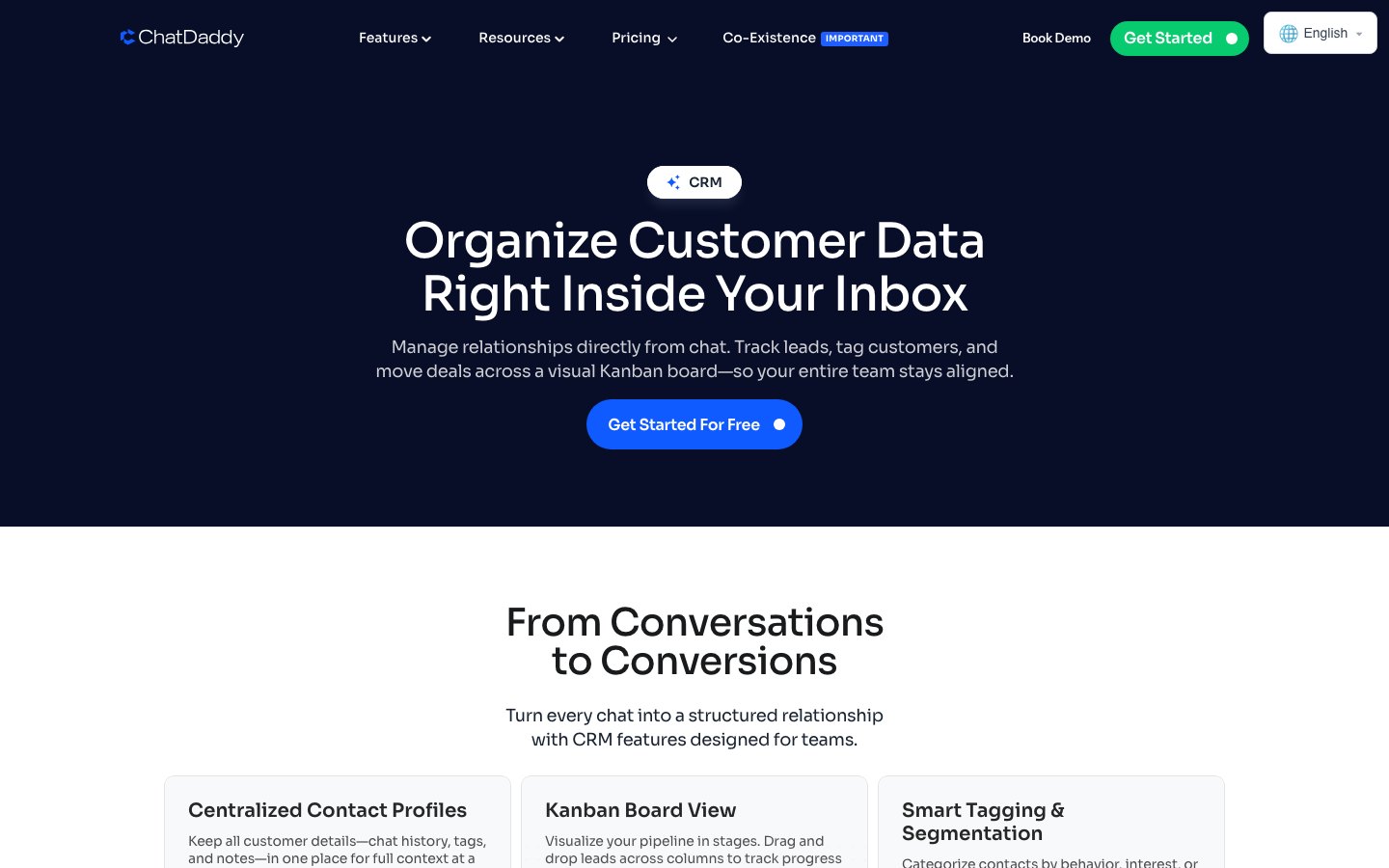
Create pipeline stages that match your sales process. A typical WhatsApp CRM pipeline looks like:
- New Lead
- Contacted
- Qualified
- Proposal Sent
- Negotiation
- Won / Lost
Step 7: Import Existing Contacts
Upload your existing customer database via CSV. The CRM will match phone numbers and merge duplicate records. Tag imported contacts for segmentation.
Step 8: Launch and Optimize
Go live, monitor your dashboard, and iterate. Track which automations drive the most engagement, which agents have the fastest response times, and which pipeline stages have the highest drop-off rates.
5. WhatsApp CRM for Small Business: Why It Levels the Playing Field
Your Customers Are Already There
With 3.3 billion users globally and over 764 million people using the WhatsApp Business app monthly, your customers are not just familiar with WhatsApp — they prefer it. In markets across Southeast Asia, Latin America, Europe, and Africa, WhatsApp is the default communication tool. For businesses in specific high-growth markets, see our dedicated guides: WhatsApp CRM for Pakistan and WhatsApp CRM for Vietnam.
Cost-Effective Compared to Traditional CRM
Traditional CRMs like Salesforce or HubSpot can cost hundreds of dollars per month per user. WhatsApp CRM platforms offer dramatically lower pricing. ChatDaddy's pricing starts with a free tier and scales to $119/month (Basic, 5 teammates), $299/month (Pro, 10 teammates), or $799/month (Max, 15 teammates) — all plans include unlimited contacts with 0% markup on Meta's messaging rates. See how ChatDaddy compares in our best WhatsApp CRM comparison.
One Tool Replaces Many
A WhatsApp CRM replaces your:
- Help desk (shared inbox with ticket-like conversation management)
- Email marketing tool (broadcasts with 95%+ open rates)
- Lead management spreadsheet (pipeline tracking with deal stages)
- Scheduling tool (automated appointment reminders)
- Customer database (centralized contact profiles)

Real Results for Small Teams
When a five-person sales team can see every customer conversation in one inbox, respond in under a minute with chatbot-assisted replies, and track deals through a visual pipeline, they operate with the efficiency of a team three times their size. The automation and AI capabilities handle the repetitive work so humans can focus on closing.
6. WhatsApp CRM vs. Email CRM vs. Traditional CRM
| Feature | WhatsApp CRM | Email CRM | Traditional CRM |
|---|---|---|---|
| Open Rate | 95-98% | 18-22% | N/A |
| Response Time | Minutes | Hours to days | Hours to days |
| Conversation Style | Two-way, real-time | One-way broadcasts | Form-based |
| Personalization | High (conversational context) | Medium (merge fields) | Low (manual notes) |
| Automation | Chatbots + workflows | Drip sequences | Task reminders |
| Customer Preference | Preferred in 180+ countries | Declining engagement | Phone/in-person |
| Cost Per Contact | Low (per message) | Low (per subscriber) | High (per seat) |
| Setup Complexity | Low (via ISV partner) | Low | High |
Table 1: WhatsApp CRM vs. Email CRM vs. Traditional CRM comparison — 2026
The takeaway is not that WhatsApp CRM replaces email or traditional CRM — it is that WhatsApp CRM fills a gap those tools cannot. Your customers want to message you the same way they message friends and family. The businesses that enable that while maintaining CRM discipline will outperform those that do not.
For maximum impact, integrate your WhatsApp CRM with your existing tools. ChatDaddy connects with HubSpot, Shopify, and Zapier, so WhatsApp conversations sync with your broader customer data ecosystem.
7. WhatsApp CRM Trends and What Is Coming Next
AI-Powered Conversations at Scale
AI is moving beyond simple FAQ bots. Modern WhatsApp CRM platforms use large language models to understand customer intent, generate personalized responses, and handle complex multi-turn conversations. Meta's compliance updates require that AI performs concrete business tasks — which means CRM-integrated AI that qualifies leads, processes orders, and resolves support tickets is the direction of travel.
In-Chat Commerce
WhatsApp is becoming a full commerce channel. Product catalogs, shopping carts, payment links, and order tracking are all moving into the chat window. WhatsApp CRM platforms that support WhatsApp Commerce will capture revenue directly from conversations without pushing customers to external websites.
Hyper-Personalization with CRM Data
As WhatsApp CRM platforms accumulate more interaction data, personalization moves from basic name insertion to behavioral triggers. A customer who browsed a product three times but did not purchase gets a different message than a first-time visitor. CRM data powers these segments, and WhatsApp delivers the message where it will actually be seen.
Enterprise Adoption Acceleration
The integration between WhatsApp and major enterprise platforms like Salesforce, HubSpot, and Zoho has matured significantly in 2026. The commercial messaging market is projected to reach $28 billion globally by the end of the year.
Cloud API as the Standard
Meta's Cloud API has become the default for new WhatsApp Business API deployments. It offers higher reliability, better uptime, and easier scalability than on-premise solutions. For businesses setting up WhatsApp CRM today, Cloud API through a ISV partner like ChatDaddy is the recommended path.
Ready to Turn WhatsApp Into Your Most Powerful CRM?
ChatDaddy gives you everything — shared inbox, AI chatbots, contact management, and pipeline tracking — starting free. Trusted by 23,500+ businesses worldwide.
Start Your Free TrialRelated Articles
- Best WhatsApp CRM Platforms Compared
- WhatsApp Business Complete Guide: Everything for 2026
- WhatsApp CRM for Small Business
- WhatsApp CRM Software Guide
- WhatsApp Business Automation Tool
- WhatsApp Shared Inbox for Teams
- WhatsApp Sales Automation Guide
- WhatsApp Lead Generation Strategies
- WhatsApp Customer Service Complete Guide
8. Frequently Asked Questions
What is a WhatsApp CRM?
A WhatsApp CRM is software that integrates the WhatsApp Business API with customer relationship management tools. It lets businesses manage contacts, track conversations, automate follow-ups, and run sales pipelines directly through WhatsApp — all from a single dashboard.
Can I use WhatsApp as a CRM for free?
Yes. Platforms like ChatDaddy offer a free tier that includes basic CRM features such as contact management and a shared inbox. The free WhatsApp Business App also provides labels and quick replies, but for automation and pipeline tracking you need a dedicated WhatsApp CRM platform.
How do I integrate WhatsApp with my existing CRM?
You connect WhatsApp to your CRM through the official WhatsApp Business API, typically via a ISV Partner like ChatDaddy. The integration syncs contacts, logs conversations automatically, and enables automated messaging workflows between both systems.
Is WhatsApp CRM suitable for small businesses?
Absolutely. WhatsApp CRM is ideal for small businesses because customers already use WhatsApp daily. Affordable plans start free or under $20 per month, and the high open rates of 95-98% mean you reach more people than email or phone calls combined.
What is the difference between WhatsApp Business App and WhatsApp CRM?
The WhatsApp Business App is a free, single-user tool with basic features like labels and quick replies. A WhatsApp CRM connects via the WhatsApp Business API and adds multi-agent access, automation, pipeline management, analytics, and integrations with other business tools.
How much does a WhatsApp CRM cost in 2026?
WhatsApp CRM pricing varies widely. Entry-level plans start free or around $19-29/month for small teams. Mid-market plans with automation and analytics run $49-99/month. Enterprise tiers with unlimited agents and advanced AI can reach $299/month or more. ChatDaddy's plans start at $0 and scale affordably as your team grows.
Which industries benefit most from WhatsApp CRM?
E-commerce, real estate, healthcare, education, and financial services see the highest ROI from WhatsApp CRM. Any industry where customer communication drives sales or retention — and where customers are already on WhatsApp — benefits immediately. In Southeast Asia, WhatsApp CRM adoption is especially strong in retail, logistics, and F&B.
Can I use WhatsApp CRM with multiple agents on the same number?
Yes — this is one of the core advantages of a WhatsApp CRM over the free WhatsApp Business App. Through the WhatsApp Business API, platforms like ChatDaddy allow unlimited agents to share one WhatsApp number via a collaborative inbox, with conversation assignment, internal notes, and full audit trails.
9. Conclusion
The data leaves no room for debate. With 3.3 billion users, 95-98% open rates, and a 53% average sales lift for businesses using WhatsApp CRM, this channel is where your customers want to engage — and where your revenue growth is waiting.
Whether you are a small business owner managing leads from your phone or an enterprise team processing thousands of conversations daily, the right WhatsApp CRM platform transforms scattered chats into a structured, measurable, and scalable sales engine.
The key is choosing a platform that combines everything — shared inbox, AI chatbots, broadcast messaging, pipeline tracking, and deep integrations — without the enterprise price tag. Start your free trial with ChatDaddy and turn WhatsApp into your most powerful CRM channel.