WhatsApp Multi Agent Chat: How Teams Manage One Number in 2026
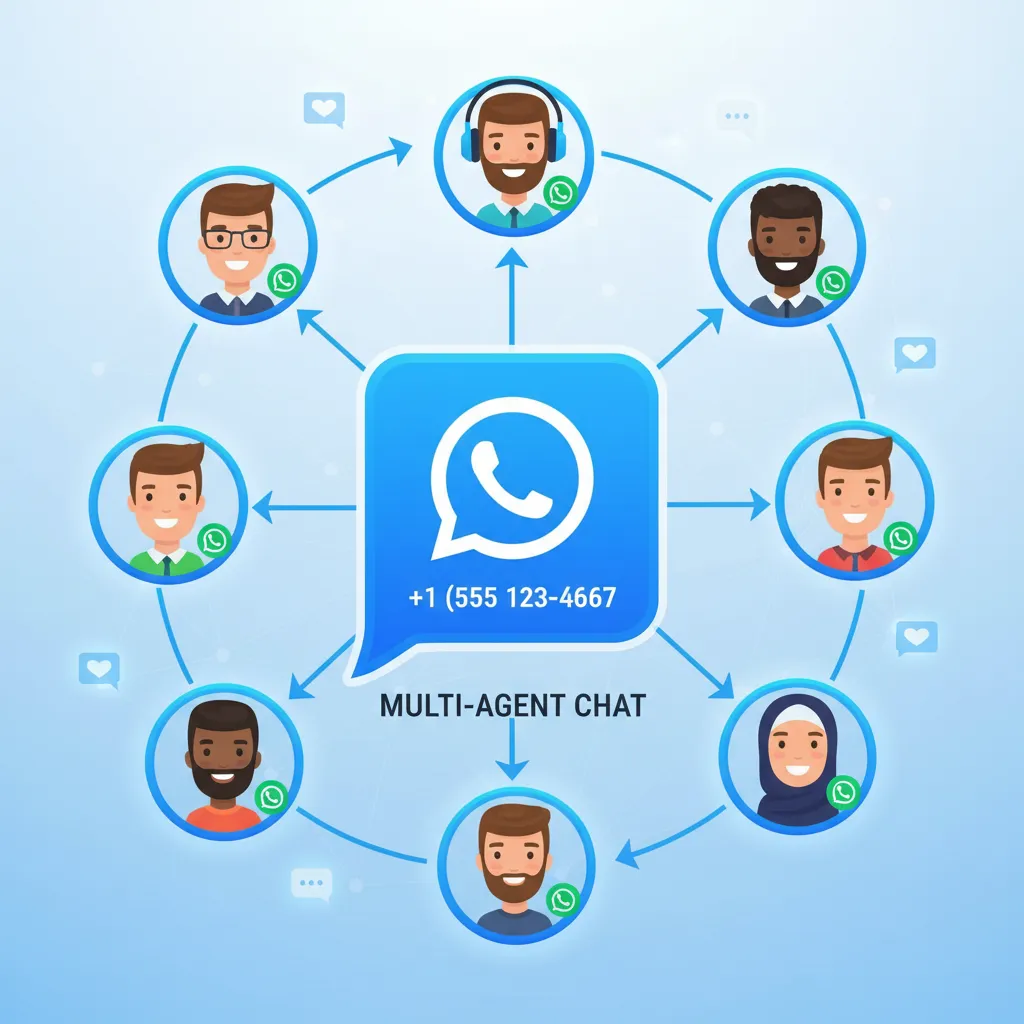
Your business has one WhatsApp number. But your team has five agents, three departments, and hundreds of daily conversations. The free WhatsApp Business App limits you to a single device — maybe two with the linked devices feature. That breaks the moment your second support rep needs to jump in.
WhatsApp multi agent chat solves this. It lets your entire team — sales, support, operations — manage conversations from a single WhatsApp number simultaneously. Every agent sees every chat. Conversations get assigned, routed, and tracked. Internal notes keep context alive across shifts. And your customers never know they're talking to a team of five instead of one person.
In this guide, you'll learn how multi-agent WhatsApp works, how to set up routing and permissions, what to look for in a platform, and why over 23,500 businesses use ChatDaddy — an official Meta ISV Partner — to run multi-agent WhatsApp operations handling more than 10 million messages per day.
Table of Contents
- What Is WhatsApp Multi Agent Chat?
- Why Your Team Needs Multi-Agent WhatsApp Access
- How Multi-Agent WhatsApp Actually Works
- Conversation Routing: Getting Chats to the Right Agent
- Roles and Permissions: Who Sees What
- How to Set Up Multi-Agent WhatsApp in 20 Minutes
- Comparing Multi-Agent WhatsApp Platforms
- Best Practices for Managing Multi-Agent Teams
- Real Use Cases: Teams Running Multi-Agent WhatsApp
- FAQ
What Is WhatsApp Multi Agent Chat?
By default, WhatsApp is designed for one person per number. The WhatsApp Business App allows up to 4 linked devices, but there's no conversation assignment, no routing, no internal notes, and no way to track which agent handled which customer. It's just a shared phone with no coordination.
Multi-agent chat transforms WhatsApp from a personal messaging app into a professional team communication tool. Through the WhatsApp Business API, platforms like ChatDaddy provide:
- Unlimited simultaneous agents on a single WhatsApp number
- Conversation assignment — manually or automatically route chats to specific agents
- Internal notes — leave context for teammates without the customer seeing it
- Agent performance tracking — response times, resolution rates, customer satisfaction scores
- Role-based access — admins, agents, and viewers see different levels of data
- Conversation history — full audit trail of every message, assignment, and note
The customer experience remains seamless. From their side, they're chatting with one number and getting consistent, fast replies. Behind the scenes, your entire team is collaborating in real-time.
Why Your Team Needs Multi-Agent WhatsApp Access

Here's what breaks without multi-agent access:
The Single-Agent Bottleneck
With 2.93 billion monthly active users on WhatsApp globally (DemandSage, 2025) and businesses exchanging over 2.2 billion messages daily with customers (AuroraInbox, 2025), the volume of conversations is only growing. When one person holds the WhatsApp phone, they become the bottleneck for every customer interaction. They go to lunch — messages pile up. They go on vacation — your WhatsApp goes silent. They quit — your conversation history walks out the door with them.
According to messaging engagement data, 82% of customers expect a response within 10 minutes when they message a business (HubSpot, 2025). A single agent handling 50+ daily conversations mathematically cannot meet that expectation. Multi-agent access spreads the load so every customer gets a fast reply.
The Numbers That Matter
- Response time drops from 30+ minutes to under 2 minutes when conversations are distributed across multiple agents
- Resolution rates increase by 35-50% because conversations get routed to agents with the right expertise
- Customer satisfaction (CSAT) scores improve by 25-40% when response times consistently stay under 5 minutes (Gartner, 2025)
- Agent productivity increases 60% when they only handle conversations matching their skills instead of everything (McKinsey, 2025)
Accountability and Visibility
Without multi-agent tools, managers have zero visibility into WhatsApp operations. How many conversations happened today? What's the average response time? Which agent is handling the most chats? Which customers are waiting the longest? With a platform like ChatDaddy's shared inbox, all of this is tracked automatically — in real-time dashboards that managers can access from anywhere.
How Multi-Agent WhatsApp Actually Works
The technical architecture is straightforward:
- Your WhatsApp number connects to the Business API — this is a one-time setup through a Meta-certified partner like ChatDaddy
- All messages flow through ChatDaddy's platform — incoming messages appear in the shared inbox; outgoing messages are sent from the same number
- Agents log in via web browser or mobile app — no need to install WhatsApp on multiple phones
- Conversations are assigned or routed — manually by a supervisor, automatically by rules, or via round-robin distribution
- Each agent sees their assigned conversations — plus any unassigned conversations in the team queue
- Internal notes and mentions — agents can tag teammates, leave context notes, and transfer conversations without the customer knowing
What the Customer Sees
Nothing changes for the customer. They message your business number, get a reply, and continue the conversation. They don't see agent names, internal notes, or routing logic. If a conversation transfers from Agent A to Agent B, the customer's experience is uninterrupted — the chat thread continues seamlessly.
What Your Team Sees
Each agent sees a dashboard with:
- My conversations — chats assigned specifically to them
- Unassigned queue — new conversations waiting to be picked up
- Team conversations — visibility into what colleagues are handling (based on permissions)
- Contact details — customer information, tags, notes, and conversation history
- Internal notes thread — team-only comments attached to the conversation
Conversation Routing: Getting Chats to the Right Agent
Routing is where multi-agent WhatsApp goes from "everyone can see the chats" to "the right person handles the right chat automatically." ChatDaddy supports multiple routing strategies:
Round-Robin Distribution
New conversations are distributed evenly across available agents. Agent 1 gets chat #1, Agent 2 gets chat #2, Agent 3 gets chat #3, then back to Agent 1. This ensures balanced workloads and prevents one agent from being overwhelmed while others sit idle.
Skill-Based Routing
Route conversations based on the topic or department. A chatbot asks the customer what they need help with, then routes:
- "Sales inquiry" goes to the sales team
- "Technical issue" goes to support engineers
- "Billing question" goes to the finance team
- "Partnership inquiry" goes to the business development manager
Language-Based Routing
Detect the customer's language from their first message and route to an agent who speaks that language. A business serving English, Mandarin, and Malay customers can ensure each person communicates in their preferred language — without any manual intervention.
VIP and Priority Routing
Tag high-value customers as VIP in your contact database. When they message, they skip the queue and go directly to a senior agent. This ensures your most important customers always get priority treatment.
Workload-Based Routing
Assign new conversations to the agent with the fewest active chats. This prevents overloading top performers while underutilized agents have empty queues.

Roles and Permissions: Who Sees What
Not every team member should see everything. A sales agent doesn't need access to billing conversations. An intern shouldn't be able to delete contacts. A regional manager should see their team's performance but not another region's data.
Standard Roles
| Permission | Admin | Agent | Viewer |
|---|---|---|---|
| View all conversations | Yes | Assigned + queue | Read-only |
| Reply to messages | Yes | Yes | No |
| Assign conversations | Yes | Own only | No |
| Create/manage chatbots | Yes | No | No |
| Send broadcasts | Yes | No | No |
| View analytics | Full | Own stats | Full |
| Manage contacts/tags | Yes | Add tags only | No |
| Billing & settings | Yes | No | No |
Why Permissions Matter
Without proper permissions:
- Agents accidentally delete conversations or contacts
- Sensitive customer data is visible to people who don't need it
- Unauthorized broadcasts get sent to your entire contact list
- Chatbot configurations get changed by people who don't understand the flows
ChatDaddy's role-based access control prevents all of this. Set it up once, and every new team member inherits the right permissions automatically.
How to Set Up Multi-Agent WhatsApp in 20 Minutes
Follow these steps:
- Sign up at chatdaddy.tech — free plan supports multiple agents
- Connect your WhatsApp number — ChatDaddy guides you through Meta Business verification as an official Meta ISV Partner
- Invite your team — add agents via email, assign roles (Admin, Agent, or Viewer)
- Configure routing rules — set up round-robin, skill-based, or manual assignment
- Set up departments — create teams like Sales, Support, and Operations for organized routing
- Create a welcome chatbot — use the no-code builder to greet customers and route them to the right department
- Test the flow — have a team member send a message to your number and verify it appears in the shared inbox
- Go live — your team is now operating as a coordinated unit on a single WhatsApp number
Most teams are fully operational in 15-20 minutes. The agents don't need to install WhatsApp — they access everything through a web browser or ChatDaddy's mobile app.
Put Your Whole Team on One WhatsApp Number
Join 23,500+ businesses using ChatDaddy to run multi-agent WhatsApp with smart routing, permissions, and real-time analytics.
Start Free TodayComparing Multi-Agent WhatsApp Platforms
| Feature | ChatDaddy | WATI | Respond.io | Trengo |
|---|---|---|---|---|
| Free Plan | Yes | No | No | No |
| Starting Price | $119/mo | $49/mo | $99/mo | $113/mo |
| Agents Included | Up to 15 | 5 | 5 | 5 |
| Extra Agent Cost | Free | $12/agent | $20/user | $18/user |
| Conversation Routing | Round-robin, skill, language, workload | Round-robin, manual | Advanced workflows | Round-robin, manual |
| Role-Based Permissions | Admin, Agent, Viewer, Custom | Admin, Agent | Admin, Agent, Viewer | Admin, Agent |
| Internal Notes | Yes | Yes | Yes | Yes |
| Agent Analytics | Full dashboard | Basic | Advanced | Basic |
| Meta ISV Partner | Yes | Yes | Yes | No |
| Coexistence | Yes — use API + WhatsApp Business App on same number (free) | No | No | No |
| Best For | Growing teams needing up to 15 teammates | Small Indian teams | Enterprise operations | European market |
The agent pricing model is crucial. With WATI at $12 per additional agent and Respond.io at $20 per user, a team of 10 agents costs an extra $120-200/month on top of the base plan. With ChatDaddy, 10 agents cost the same as 2 agents — $0 extra. For growing teams, this pricing advantage compounds quickly.
Best Practices for Managing Multi-Agent Teams
1. Establish Clear Ownership Rules
Every conversation must have one owner at any given time. When a chat is assigned to Agent A, only Agent A responds — unless they explicitly transfer it. This prevents duplicate replies, conflicting information, and customer confusion.
2. Use Internal Notes Religiously
When transferring a conversation between agents or shifts, add an internal note summarizing the context: what the customer wants, what's been discussed, and what the next step is. The receiving agent shouldn't have to re-read 50 messages to understand the situation.
3. Set and Monitor SLA Targets
Define service level agreements for your team:
- First response — under 2 minutes during business hours
- Resolution time — under 4 hours for standard queries
- VIP response — under 30 seconds for high-value customers
Use ChatDaddy's analytics dashboard to monitor these metrics in real-time and identify bottlenecks before they impact customer satisfaction.
4. Create Standardized Templates
Build a library of approved reply templates for common scenarios: pricing questions, return policies, shipping timelines, troubleshooting steps. This ensures consistency across agents and speeds up response times. With ChatDaddy's template management, agents select from pre-approved responses with one click.
5. Weekly Performance Reviews
Review agent analytics weekly: response times, conversations handled, customer satisfaction scores, and resolution rates. Identify top performers and coach agents who are struggling. Data-driven management turns a good team into a great one.
6. Automate the Repetitive Stuff
Let chatbots handle FAQ responses, initial greetings, and data collection. Your human agents should focus on conversations that require empathy, judgment, or expertise — not answering "What are your business hours?" for the hundredth time.
Real Use Cases: Teams Running Multi-Agent WhatsApp
E-Commerce: 15-Agent Support Team
An online fashion retailer with 15 support agents uses ChatDaddy to manage 500+ daily WhatsApp conversations. Routing rules send order inquiries to the fulfillment team, return requests to the returns team, and product questions to sales. Average response time: 47 seconds. Before multi-agent setup, it was 3 hours.
Healthcare: Multi-Department Clinic
A medical clinic routes patient WhatsApp messages based on department. A chatbot asks "How can we help?" with buttons for Appointments, Lab Results, Billing, and Emergency. Each option routes to the appropriate team. Patient privacy is maintained with role-based permissions — reception can't access billing records, and billing can't see medical notes.
Real Estate: 8 Agents, One Number
A property agency has 8 agents sharing one WhatsApp number. When a lead inquires about a listing, the conversation is routed based on the property's location — Agent A handles downtown properties, Agent B handles suburban listings. Internal notes ensure smooth handoffs when clients look at properties across regions.
Education: University Admissions
A university admissions office uses multi-agent WhatsApp during application season. A Click-to-WhatsApp campaign drives prospective students to WhatsApp. A chatbot collects basic information (program interest, country, start date), then routes to the appropriate admissions counselor by region. The team handles 2,000+ conversations weekly without anyone falling through the cracks.

Related Articles
- WhatsApp Customer Retention: 7 Strategies to Keep Buyers Coming Back in 2026
- WhatsApp Customer Service: The Complete Guide to Delivering World-Class Support in 2026
- WhatsApp Customer Support: Build a Help Desk That Scales in 2026
- WhatsApp Shared Inbox: The Complete Guide to Multi-Agent Team Messaging in 2026
- WhatsApp Team Inbox: The Complete Guide to Managing Team Conversations in 2026
Frequently Asked Questions
Can multiple agents use the same WhatsApp number?
Yes, through the WhatsApp Business API and a platform like ChatDaddy. Unlike the free WhatsApp Business App (limited to 4 linked devices with no coordination), API-based platforms allow up to 15 teammates to manage conversations on one number with assignment, routing, and tracking.
How many agents can use one WhatsApp number with ChatDaddy?
Unlimited. ChatDaddy does not charge per agent on any plan, including the free tier. Whether you have 2 agents or 200, the pricing stays the same. Competitors typically limit you to 5 agents and charge $12-20 per additional user.
Does the customer know they're talking to different agents?
No. From the customer's perspective, they're chatting with your business number. Agent transfers, internal notes, and routing happen behind the scenes. The conversation thread is continuous and seamless regardless of how many agents participate.
Can I assign conversations to specific agents?
Yes. ChatDaddy supports both manual assignment (a supervisor assigns chats) and automatic routing (round-robin, skill-based, language-based, or workload-based). You can also let agents self-assign from the unassigned queue.
What happens when an agent goes offline?
Their assigned conversations either stay in their queue until they return, or you can configure auto-reassignment rules to redistribute chats to available agents after a set time period. This ensures no customer waits indefinitely for a response.
Can I track individual agent performance?
Yes. ChatDaddy provides analytics for each agent including average response time, conversations handled, resolution rate, customer satisfaction scores, and active hours. Managers can access team-wide dashboards and individual agent reports.
Is multi-agent WhatsApp available on the free plan?
Yes, ChatDaddy's free plan includes multi-agent access with a shared inbox. Paid plans at $119/month (Basic), $299/month (Pro), and $799/month (Max) add advanced routing, analytics, automation, and integrations — all with up to 15 teammates.
Can agents add internal notes to conversations?
Yes. Internal notes are visible only to team members and are not sent to the customer. Agents use them to add context, flag issues, or leave instructions for the next agent handling the conversation. This is essential for smooth shift handoffs and team collaboration.