Click-to-WhatsApp Ads 2026: Generate 5x More Leads from Meta Ads (Lower CPL, Higher ROI)
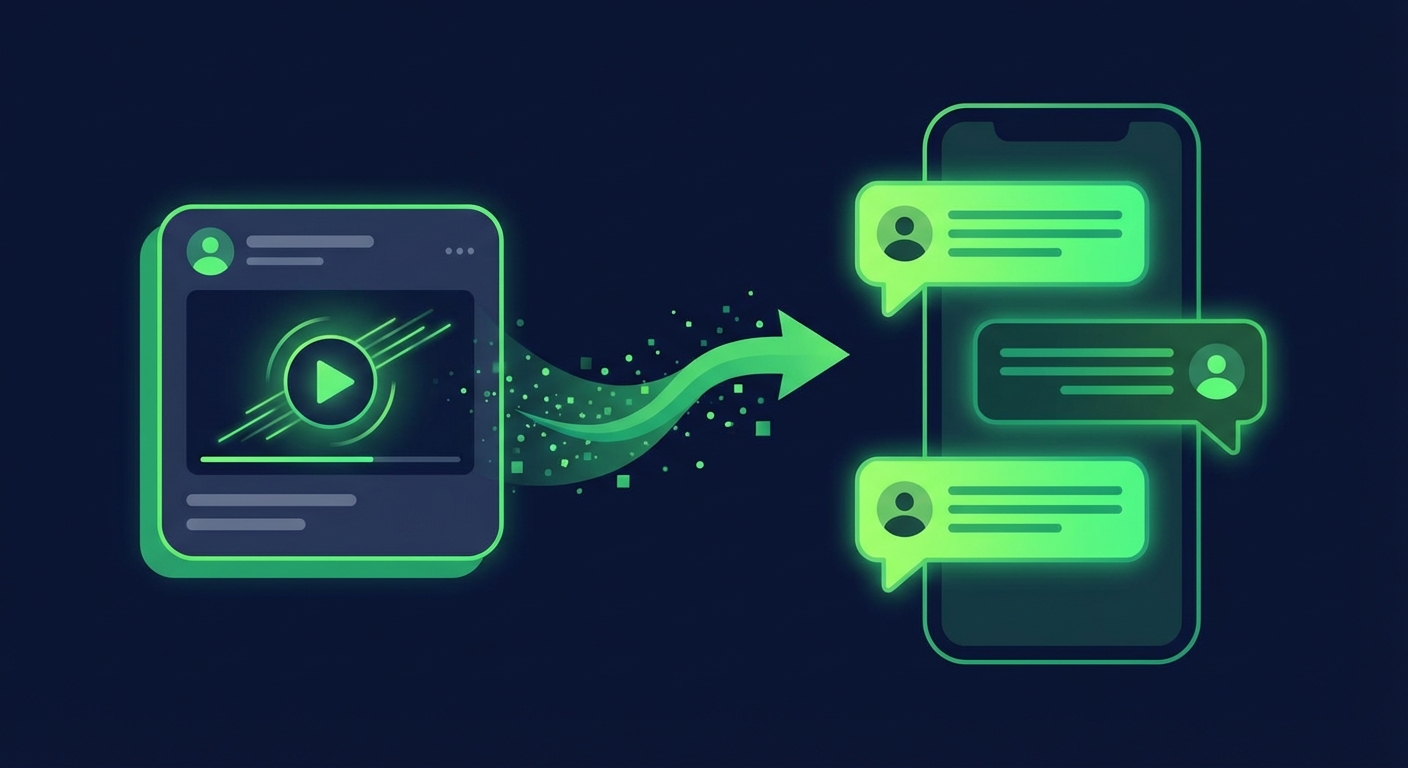
Click-to-WhatsApp ads (CTWA) are Meta ads on Facebook and Instagram that open a WhatsApp conversation when someone taps the call-to-action button. No landing page, no form fill, no redirect — the prospect is instantly in a WhatsApp chat with your business, ready to be qualified and converted in real time.
The results are extraordinary. Businesses using CTWA ads report 3-5x higher conversion rates compared to standard lead generation ads, at a 30-50% lower cost per lead. In 2026, with Meta's ad platform reaching 3.3 billion people monthly and CTWA now available across Facebook Feed, Instagram Feed, Stories, and Reels, this is the highest-ROI lead generation channel available for businesses that sell through conversation. The reason is simple: WhatsApp eliminates the drop-off that happens between clicking an ad and completing a form.
And here is the financial advantage most advertisers overlook: Meta provides a 72-hour free conversation window for every CTWA lead. During this window, you can send unlimited messages — including marketing templates — at zero per-message cost. You pay for the ad click, but not for the WhatsApp conversation that follows.
This guide covers everything you need to launch, optimize, and scale Click-to-WhatsApp ads in 2026: the technical setup in Meta Ads Manager, chatbot qualification flows, targeting strategies, ROI benchmarks, real-world case studies, and how to connect CTWA to your full marketing stack.
Table of Contents
1. What Are Click-to-WhatsApp Ads?
CTWA ads work on a simple principle: meet your prospects where they already spend their time. Instead of forcing them through a landing page funnel — where you lose 60-80% of visitors before they submit a form — you bring them directly into a WhatsApp conversation where engagement rates are 95%+.
How CTWA Ads Work
- A user sees your ad on Facebook or Instagram — image, video, or carousel format
- They tap the CTA button — labeled "Send Message" or "Chat on WhatsApp"
- WhatsApp opens with a pre-filled greeting message (customizable) directed to your business number
- The conversation begins — either with your team or an automated chatbot that qualifies the lead instantly
- A 72-hour free window opens — you can message this lead for free for the next 72 hours
Where CTWA Ads Appear
- Facebook News Feed — The highest-volume placement for CTWA ads
- Instagram Feed — Strong performance for visual products and younger demographics
- Instagram Stories — Full-screen format with swipe-up to WhatsApp
- Facebook Stories — Similar to Instagram Stories placement
- Facebook Marketplace — Especially effective for e-commerce and local businesses
- Instagram Explore — Reach users actively browsing new content

Figure 1: Click-to-WhatsApp ad flow — from ad impression to qualified lead in WhatsApp
CTWA vs. Traditional Lead Ads
| Metric | CTWA Ads | Lead Form Ads | Website Landing Page |
|---|---|---|---|
| Conversion rate | 15-30% | 5-12% | 2-5% |
| Cost per lead | $2-8 | $5-20 | $10-40 |
| Lead quality | High (real-time qualification) | Medium (often incomplete) | Variable |
| Response time | Instant (chatbot) | Hours-days (manual follow-up) | Hours-days |
| Lead contact rate | 85-95% | 30-50% | 20-40% |
| Follow-up channel | WhatsApp (98% open rate) | Email/phone (20-40%) | Email/phone (20-40%) |
Table 1: CTWA ads vs. traditional lead generation ad formats — 2026 benchmarks
2. The 72-Hour Free Conversation Window
The 72-hour free window is the single most underappreciated financial advantage of CTWA ads. Standard WhatsApp API messaging charges businesses for every template message sent. But conversations originating from CTWA ads are completely free for 72 hours — and that window resets every time the customer replies.
What You Can Do in the Free Window
- Send unlimited messages — No per-message charges for any message type during the window
- Use marketing templates — Even the most expensive message category (marketing) is free within the CTWA window
- Deploy chatbot flows — Multi-step qualification and nurturing sequences at zero messaging cost
- Share rich media — Images, videos, documents, product catalogs — all free within the window
- Convert and close — Product recommendations, pricing, payment links — everything needed to close the sale
The Financial Impact
Consider a business running CTWA ads to 1,000 leads per month in Brazil:
- Without CTWA window: 1,000 leads x 5 marketing messages each x $0.0625/message = $312.50 in messaging costs
- With CTWA window: All messages sent within 72 hours = $0.00 in messaging costs
That is $312.50 per month — $3,750 per year — in messaging costs eliminated by structuring your lead gen around CTWA ads. At higher volumes and in more expensive markets, the savings multiply dramatically. See our full WhatsApp API pricing breakdown for country-specific rates.
Strategy: Design your lead nurturing sequence to complete qualification, objection handling, and initial conversion within 72 hours. Use ChatDaddy's automation builder to trigger time-based follow-ups at 24, 48, and 70 hours to maximize the free window before it expires.

Figure 2: CTWA 72-hour free window timeline — optimal follow-up touchpoints for lead nurturing
3. Step-by-Step Setup in Meta Ads Manager
Prerequisites
Before you create your first CTWA ad, ensure you have:
- A WhatsApp Business API account (through a ISV partner like ChatDaddy)
- Your WhatsApp Business number connected to your Facebook Page
- A Meta Business Manager account with ad account access
- A chatbot or team ready to respond to incoming conversations
Step 1: Create a New Campaign
In Meta Ads Manager, click Create and select the Engagement campaign objective. This is the recommended objective for CTWA ads because it optimizes for people likely to start a conversation.
Alternative objectives that support CTWA:
- Lead Generation — Optimizes for conversation starts, useful if you want Meta's Instant Form as a fallback
- Traffic — Sends clicks to WhatsApp but optimizes for link clicks rather than conversations
- Sales — For e-commerce businesses optimizing toward purchase events
Step 2: Configure Ad Set
At the ad set level:
- Select "Messaging apps" as the conversion location
- Choose "WhatsApp" as the messaging app
- Select your WhatsApp Business number from the dropdown
- Configure your audience targeting (more on this in the targeting section below)
- Set your daily or lifetime budget
- Choose placements — start with Advantage+ placements and let Meta optimize, or manually select Facebook Feed + Instagram Feed for best performance
Step 3: Design Your Ad Creative
CTWA ads support all standard creative formats:
- Single image — Simple, clear, fast to produce. Best for straightforward offers.
- Video — Higher engagement rates. Use 15-30 second videos that demonstrate your product or service.
- Carousel — Multiple images/videos that users swipe through. Great for showcasing multiple products or steps in a service.
Best practices for CTWA creative:
- Include a clear value proposition in the first 3 seconds (video) or primary visual (image)
- Use the CTA text "Chat on WhatsApp" or "Send Message" — these outperform generic CTAs like "Learn More"
- Add the WhatsApp icon to your creative for instant recognition
- Show the benefit of messaging: "Get instant pricing," "Book in 2 minutes," "Get personalized recommendations"
Step 4: Customize the Greeting Message
When a user clicks your CTWA ad, they see a pre-filled message in WhatsApp. Customize this greeting to set the conversation context:
- Default: "Hi, I saw your ad and I'm interested."
- Better: "Hi! I'd like to learn about [product/service] from your ad."
- Best: "Hi! I'm interested in [specific offer]. Can you help me get started?"
The greeting message triggers your chatbot's welcome flow, so align it with your chatbot's first response.

Figure 3: Meta Ads Manager CTWA setup — campaign objective, messaging app, and WhatsApp configuration
4. Lead Qualification Chatbot for CTWA
The difference between a CTWA campaign that generates leads and one that generates revenue is what happens after the click. Without instant follow-up, leads go cold within minutes. A qualification chatbot ensures every lead receives an immediate, personalized response — 24/7, at any volume.
Recommended Chatbot Flow
- Welcome message (0 seconds) — Acknowledge the ad click, introduce your business, and set expectations: "Hi! Thanks for reaching out. I'll help you find the perfect solution in 2 minutes."
- Qualifying question 1 (10 seconds) — Ask about their primary need or interest using quick-reply buttons: "What are you looking for?" [Option A] [Option B] [Option C]
- Qualifying question 2 (after response) — Ask about timeline or urgency: "When do you need this?" [This week] [This month] [Just exploring]
- Qualifying question 3 (after response) — Ask about budget or company size, depending on your business model
- Route or respond (after qualification) — High-intent leads are routed immediately to a sales agent in the team inbox. Lower-intent leads receive automated nurturing content.
Chatbot Best Practices for CTWA
- Respond within 5 seconds — Automated chatbot responses should be instant. Any delay reduces engagement.
- Use quick-reply buttons — Buttons produce 3x higher response rates than open-ended questions. Make it easy to respond with a tap.
- Keep it conversational — The user expects a chat experience, not a form. Write like a helpful human, not a survey.
- Qualify in 3-4 questions max — More than 4 questions causes drop-off. Get the essential information and route.
- Always offer human handoff — Include an option like "Talk to a human" at every step. Some leads will not engage with a bot.
- Capture contact information — You already have their phone number from WhatsApp. Ask for their name and email for CRM enrichment.
ChatDaddy's no-code chatbot builder lets you design CTWA qualification flows visually with drag-and-drop, conditional branching, and direct CRM integration.

Figure 4: CTWA lead qualification chatbot flow — from first message to agent handoff
5. Targeting Strategies That Maximize CTWA ROI
Strategy 1: Lookalike Audiences from WhatsApp Customers
Upload your existing WhatsApp customer list to Meta as a custom audience, then create a 1-3% lookalike audience. These are people who statistically resemble your best customers — and because they are found on Meta's platform, they are highly likely to have WhatsApp installed. This targeting method consistently produces the lowest cost per qualified lead.
Strategy 2: Website Retargeting
Target people who visited your website but did not convert — especially product page viewers and cart abandoners. These are high-intent prospects who already know your brand. A CTWA ad saying "Still interested? Chat with us for an instant quote" converts these warm leads at 20-35% rates.
Strategy 3: Interest-Based Targeting
For cold audiences, use Meta's detailed targeting to reach people interested in your product category, competitors, or related topics. Combine with demographic filters (age, location, language) to refine. CTWA ads outperform standard lead ads even on cold audiences because the WhatsApp entry point feels more personal than a form.
Strategy 4: Engagement Custom Audiences
Create custom audiences from people who engaged with your Facebook or Instagram content — video viewers, post engagers, profile visitors. These are people who have already shown interest in your brand and are primed for a direct conversation.
Exclusion Targeting
Always exclude:
- Existing customers (unless running upsell campaigns)
- People who already converted from a CTWA ad in the past 30 days
- Users on desktop-only placements (WhatsApp is mobile-first; desktop click-throughs have lower conversion)
6. ROI Benchmarks and Performance Data
| Metric | CTWA Benchmark | Good Performance | Excellent Performance |
|---|---|---|---|
| Cost per click | $0.50 - $2.00 | $0.30 - $0.50 | < $0.30 |
| Conversation start rate | 60 - 80% | 80 - 90% | > 90% |
| Cost per conversation | $1 - $4 | $0.50 - $1 | < $0.50 |
| Lead qualification rate | 40 - 60% | 60 - 70% | > 70% |
| Cost per qualified lead | $3 - $10 | $1 - $3 | < $1 |
| Lead-to-sale conversion | 15 - 25% | 25 - 35% | > 35% |
| ROAS (return on ad spend) | 3 - 5x | 5 - 8x | > 8x |
Table 2: Click-to-WhatsApp ad performance benchmarks — 2026
These benchmarks vary by industry and geography. E-commerce businesses in Southeast Asia consistently see the strongest CTWA performance due to high WhatsApp penetration and lower ad costs. B2B companies see lower conversation volumes but higher deal values per lead.
Measuring CTWA ROI
Track these metrics to calculate true CTWA ROI:
- Ad spend — Total Meta ad spend on CTWA campaigns
- Conversations started — Number of WhatsApp conversations initiated from ads
- Qualified leads — Conversations that passed chatbot qualification
- Sales/conversions — Deals closed from CTWA-originated conversations
- Revenue attributed — Total revenue from CTWA leads, tracked via CRM attribution
ChatDaddy's analytics dashboard connects Meta ad data with WhatsApp conversation outcomes, giving you end-to-end attribution from ad click to sale.
7. Case Studies: CTWA in Action
Case Study 1: E-Commerce Fashion Brand (Southeast Asia)
A mid-size fashion retailer in Malaysia switched from lead form ads to CTWA ads for their seasonal sale campaign:
- Previous approach: Lead form ads, $12 cost per lead, 8% form-to-purchase conversion
- CTWA approach: CTWA ads with chatbot showing personalized product recommendations
- Results: $3.50 cost per conversation, 45% conversation-to-purchase rate, 5.2x ROAS
- Key driver: The chatbot sent personalized product carousels based on the customer's style preference within the 72-hour free window, eliminating messaging costs entirely.
Case Study 2: B2B SaaS Company (India)
A business software company targeting SMBs in India used CTWA to replace their traditional demo booking funnel:
- Previous approach: Website landing page with demo form, $25 cost per demo booking
- CTWA approach: CTWA ads linking to a chatbot that qualified leads and booked demos directly in WhatsApp
- Results: $6 cost per qualified demo, 30% demo-to-trial conversion, 60% reduction in sales cycle
- Key driver: Instant chatbot qualification eliminated the 24-48 hour delay between form submission and sales follow-up. Leads were qualified and booked within minutes.
Case Study 3: Real Estate Agency (Middle East)
A property developer in Dubai used CTWA ads to generate buyer leads for a new residential project:
- Previous approach: Lead form ads, $35 cost per lead, 15% contact rate (many fake numbers)
- CTWA approach: CTWA ads with chatbot collecting budget, preferred unit type, and timeline
- Results: $12 cost per qualified lead, 90% contact rate (verified WhatsApp numbers), 3 sales in the first month
- Key driver: WhatsApp verification eliminates fake leads — every conversation is a real person with a real phone number. The chatbot pre-qualified buyers before routing to sales agents in the shared inbox.

Figure 5: CTWA case study results across e-commerce, SaaS, and real estate
Turn Your Meta Ads Into WhatsApp Conversations
ChatDaddy's CTWA integration connects Meta Ads to automated chatbot qualification, team inbox routing, and CRM tracking. Convert 3-5x more leads from the same ad spend. Trusted by 23,500+ businesses.
Start Your Free TrialFrequently Asked Questions
What are Click-to-WhatsApp ads?
Click-to-WhatsApp ads (CTWA) are Facebook and Instagram ad formats where the call-to-action button opens a WhatsApp conversation with your business. They appear in feeds, stories, marketplace, and explore. When a user taps the button, their WhatsApp app opens with a pre-filled message to your business number, starting a real-time conversation.
How much do Click-to-WhatsApp ads cost?
CTWA ad costs include two components: the Meta ad cost (typically $0.50-$2.00 per click) and WhatsApp messaging costs. However, CTWA conversations come with a 72-hour free messaging window, so you pay nothing for WhatsApp messages within that period. Total cost per qualified lead typically ranges from $3-$10 depending on your industry and targeting.
What is the 72-hour free conversation window?
When a user clicks a CTWA ad and messages your business, Meta provides a 72-hour window during which you can send unlimited messages (including marketing templates) at zero per-message cost. This window resets each time the customer replies. It makes CTWA the most cost-effective WhatsApp lead generation method.
Do I need the WhatsApp Business API for CTWA ads?
While you can run basic CTWA ads with the free WhatsApp Business App, the Business API (through a provider like ChatDaddy) is strongly recommended. The API enables automated chatbot responses, team inbox management, CRM integration, conversation analytics, and the ability to handle high volumes of simultaneous conversations.
How do I track CTWA ad conversions?
Track conversions by connecting your WhatsApp ISV partner (ChatDaddy) with Meta's Conversions API. This links ad clicks to WhatsApp conversation events (message received, lead qualified, sale completed). ChatDaddy's analytics dashboard provides end-to-end attribution from ad impression to revenue.
What is a good conversion rate for CTWA ads?
A good conversation start rate (click-to-conversation) is 60-80%. A good lead qualification rate is 40-60%. A good lead-to-sale conversion rate is 15-25%. Excellent campaigns achieve 90%+ conversation starts, 70%+ qualification rates, and 30%+ sales conversion. These rates are 3-5x higher than traditional lead form ads.
