How to Send Bulk WhatsApp Messages Without Getting Banned in 2026
Sending bulk WhatsApp messages is one of the most powerful marketing tactics available in 2026 — but doing it wrong can get your business number permanently banned within hours. WhatsApp's anti-spam systems have become increasingly aggressive, and Meta now uses AI-powered detection to identify and shut down accounts that violate its policies.
The good news: there are three legitimate methods to send bulk WhatsApp messages at scale, fully compliant with Meta's terms, that deliver 95%+ open rates without risking your account. The key difference between businesses that thrive on WhatsApp and those that get banned comes down to understanding the rules — opt-in requirements, template approval, quality ratings, and sending limits.
This guide walks you through every method for sending bulk WhatsApp messages in 2026, the compliance rules you must follow, step-by-step setup instructions, and the exact strategies ChatDaddy uses to help 23,500+ businesses send millions of messages daily without a single account ban.
Table of Contents
- 3 Methods to Send Bulk WhatsApp Messages
- Compliance Rules That Keep You Safe
- Understanding Your Quality Rating
- Opt-In Requirements and Best Practices
- Template Approval: Getting Approved on the First Try
- Step-by-Step Guide: Sending Your First Bulk Campaign
- Scaling From 1,000 to 100,000+ Messages
- Frequently Asked Questions
1. 3 Methods to Send Bulk WhatsApp Messages
Method 1: WhatsApp Broadcast Lists (WhatsApp Business App)
The simplest way to send bulk messages on WhatsApp is the built-in Broadcast List feature in the free WhatsApp Business App. Here is how it works:
- Create a broadcast list of up to 256 contacts
- Send a message once — it is delivered individually to each contact (they see it as a personal message, not a group)
- Recipients must have your number saved in their contacts for the message to be delivered
- No automation, no analytics, no template approval required
Limitations: The 256-contact cap makes this method impractical for any serious marketing operation. The requirement that recipients must have your number saved means delivery rates are unpredictable. There is no way to track opens, clicks, or responses at scale. And sending too many broadcasts too quickly from a personal business app can trigger WhatsApp's spam detection.
Best for: Very small businesses with fewer than 200 contacts who want to send occasional updates without any cost.
Method 2: WhatsApp Business App Bulk Features
The WhatsApp Business App (free, available on Android and iOS) offers some additional bulk messaging capabilities beyond standard broadcast lists:
- Quick replies — Pre-saved responses for common questions
- Labels — Organize contacts by category for targeted sends
- Catalog sharing — Send product catalogs to multiple contacts
- Away messages — Automatic responses when you are not available
Limitations: Still capped at 256 contacts per broadcast. No real automation, no CRM integration, no multi-agent access, and limited analytics. You can run the app on one phone plus up to four linked devices, but all agents share the same conversation view.
Best for: Solo entrepreneurs and micro-businesses doing manual customer communication.
Method 3: WhatsApp Business API (The Scalable Solution)
The WhatsApp Business API — accessed through a ISV Partner like ChatDaddy — is the only method designed for bulk messaging at scale. It removes every limitation of the consumer app:
- Unlimited contacts — Send to tens of thousands or millions of recipients
- No "saved contact" requirement — Messages are delivered regardless of whether the recipient saved your number
- Approved templates — Pre-approved message templates ensure compliance and deliverability
- Full analytics — Track delivery, read receipts, clicks, and responses for every message
- Automation — Trigger messages based on events, schedules, or customer actions via automated workflows
- Multi-agent access — Your entire team can manage conversations through a shared inbox
- CRM integration — Sync with your CRM, e-commerce platform, and other business tools
Cost: You pay Meta's per-message fees (see our WhatsApp API pricing guide) plus your ISV partner's platform fee. With ChatDaddy's 0% markup, you pay Meta's exact rates.
Best for: Any business serious about WhatsApp marketing, customer communication, or support at scale.

Figure 1: Comparison of the three methods for sending bulk WhatsApp messages
| Feature | Broadcast List | Business App | Business API |
|---|---|---|---|
| Contact limit | 256 | 256 | Unlimited |
| Saved contact required | Yes | Yes | No |
| Template approval | No | No | Yes |
| Analytics | None | Basic | Full |
| Automation | None | Basic auto-reply | Full workflow automation |
| Multi-agent | No | 5 devices | Up to 15 teammates (depending on plan) |
| CRM integration | No | No | Yes |
| Cost | Free | Free | Per-message + platform fee |
| Ban risk | High at volume | Moderate | Low (compliant) |
Table 1: Feature comparison across bulk WhatsApp messaging methods
2. Compliance Rules That Keep You Safe
WhatsApp bans happen for one reason: violating Meta's Business Messaging Policy. Understanding and following these five rules eliminates your ban risk entirely.
Rule 1: Explicit Opt-In Is Non-Negotiable
Every person you message must have actively and explicitly agreed to receive WhatsApp messages from your business. Purchasing a phone number list, scraping numbers from the internet, or adding people who gave you their number for a different purpose is a direct policy violation that will result in account suspension.
Valid opt-in methods include:
- A checkbox on your website registration or checkout form specifically for WhatsApp messages
- The customer messaging your WhatsApp number first (implicit opt-in)
- A WhatsApp click-to-chat link or QR code the customer voluntarily scans
- An opt-in keyword campaign ("Send HI to +1-XXX-XXX-XXXX to receive updates")
Rule 2: Use Approved Templates Only
Every business-initiated message on the WhatsApp API must use a pre-approved message template. You cannot send freeform promotional messages. Templates are submitted through your ISV partner and reviewed by Meta, typically within 24-48 hours. See our message templates guide for 25+ approved examples.
Rule 3: Keep Your Block Rate Below 0.5%
If more than 0.5% of recipients block your number or report your messages as spam, your quality rating drops. At 1%+ block rates, you risk messaging limit reductions. At 2%+, account suspension becomes likely. The block rate is the single most important metric for account health.
Rule 4: Respect Messaging Tier Limits
New WhatsApp API accounts start with a messaging limit of 1,000 unique contacts per 24 hours. As you maintain a Green quality rating, Meta automatically upgrades your tier:
| Tier | Unique Contacts / 24h | Upgrade Requirement |
|---|---|---|
| Tier 1 | 1,000 | Starting tier |
| Tier 2 | 10,000 | Green rating + sent to 2x current limit |
| Tier 3 | 100,000 | Green rating + sent to 2x current limit |
| Tier 4 | Unlimited | Green rating + sent to 2x current limit |
Table 2: WhatsApp Business API messaging tier limits — 2026
Trying to circumvent tier limits by using multiple numbers or third-party workarounds is the fastest path to a permanent ban.
Rule 5: Always Include an Opt-Out
Every marketing message should include a clear way for recipients to unsubscribe. A simple "Reply STOP to opt out" at the end of your template satisfies this requirement. When someone opts out, remove them from your broadcast list immediately — sending to opted-out contacts is a policy violation.
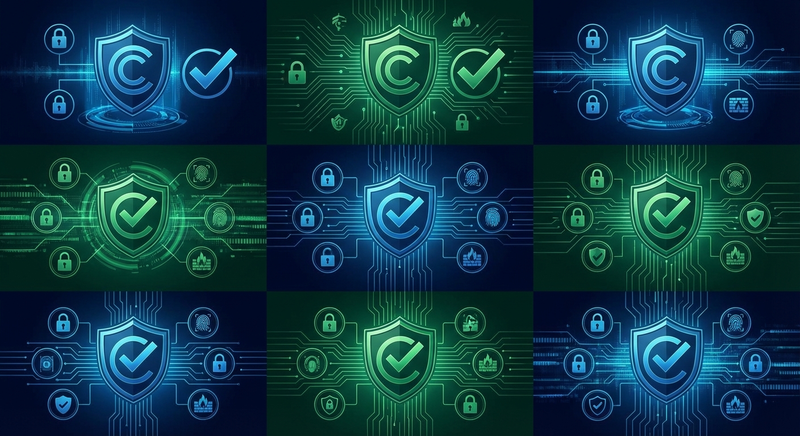
Figure 2: WhatsApp bulk messaging compliance checklist — follow all five rules to stay safe
3. Understanding Your Quality Rating
Your quality rating is essentially WhatsApp's trust score for your business. It directly controls two things: your messaging limits (how many contacts you can reach per day) and your deliverability (whether your messages actually land in recipients' inboxes or get deprioritized).
How Quality Rating Is Calculated
Meta evaluates your quality rating based on a rolling 7-day window of recipient signals:
- Block rate — The percentage of recipients who block your number after receiving a message. This is the dominant factor.
- Report rate — The percentage who actively report your messages as spam to WhatsApp.
- Response rate — Higher response rates signal relevant, wanted messages.
- Template quality signals — Templates that consistently receive negative feedback are flagged individually.
What Happens at Each Rating Level
- Green — Everything is working well. You are eligible for automatic tier upgrades and maximum deliverability. This is where you want to stay permanently.
- Yellow — Warning state. Meta has detected elevated block or report rates. Your messaging limit may be reduced, and further degradation will push you to Red. Take immediate action: review recent campaigns, pause poorly performing templates, and clean your contact list.
- Red — Critical state. Your messaging limit is significantly reduced, and continued issues may lead to account restriction or suspension. Stop all outbound campaigns immediately, identify the root cause, and contact your ISV partner for support.
Proven Strategies to Maintain Green Rating
- Send to engaged contacts only — Remove contacts who have not opened or responded to your last 3-5 messages.
- Limit marketing frequency — No more than 2-3 marketing broadcasts per week per contact. More frequent sends correlate with higher block rates.
- Personalize every message — Use dynamic fields (first name, last purchase, location) to make messages feel relevant rather than spammy.
- Time your sends — Messages sent during business hours in the recipient's timezone see lower block rates than late-night or early-morning sends.
- Test with small segments first — Send new templates to 500-1,000 contacts first. Monitor block rates for 24 hours before scaling to your full list.
4. Opt-In Requirements and Best Practices
Building a high-quality opted-in contact list is the foundation of successful bulk WhatsApp messaging. The quality of your opt-in directly determines your block rate, quality rating, and ultimately whether your account survives at scale.
High-Converting Opt-In Methods
Not all opt-in methods produce equally engaged subscribers. Here are the most effective approaches ranked by resulting engagement quality:
- Customer messages you first (highest quality) — When a customer initiates a WhatsApp conversation via a website widget, QR code, or click-to-chat link, they are actively choosing to engage. These contacts have the lowest block rates and highest response rates.
- Click-to-WhatsApp ad respondents — People who click a CTWA ad and start a conversation are high-intent leads. Capture their opt-in for future broadcasts during the initial conversation.
- Website checkout opt-in — A checkbox at purchase saying "Receive order updates and offers on WhatsApp" captures customers at a moment of trust. Conversion rates for this opt-in method average 35-50%.
- Dedicated opt-in landing page — A page explaining the value of your WhatsApp updates with a clear phone number input field. Works well when promoted via email, social media, or SMS.
- In-store QR codes — Physical QR codes at checkout counters, on receipts, or on product packaging that open a WhatsApp conversation with your number.

Figure 3: High-converting WhatsApp opt-in methods ranked by subscriber engagement quality
Opt-In Documentation
For every contact, store:
- The opt-in timestamp (date and time)
- The opt-in source (website form, QR code, ad response, etc.)
- The specific consent language the user agreed to
- The opt-in IP address or device identifier (for web forms)
This documentation protects your business in the event of a compliance audit or user complaint. ChatDaddy's CRM automatically captures and stores opt-in metadata for every contact.
5. Template Approval: Getting Approved on the First Try
Template approval is the gatekeeper for bulk WhatsApp messaging. Every business-initiated message must use a pre-approved template, and a rejected template means delays to your campaign. Here is how to get approved on the first submission.
Template Approval Checklist
- Choose the correct category — Marketing for promotions, Utility for transactional updates, Authentication for verification codes. Mis-categorization is a top rejection reason.
- Identify your business clearly — The template should make it obvious which company is sending the message. Include your business name.
- Use professional language — No slang, no excessive punctuation (!!!), no ALL CAPS. Meta's AI reviewer flags these patterns.
- Include a clear CTA — Every template needs a purpose. Tell the recipient what to do next (reply, click, visit, call).
- Add opt-out language — For marketing templates, include "Reply STOP to unsubscribe" or equivalent.
- Use full URLs — Do not use bit.ly, tinyurl, or other URL shorteners. Meta rejects shortened URLs in templates.
- Avoid prohibited content — No adult content, gambling, alcohol promotions (in restricted markets), or misleading claims.
For 25+ ready-to-use template examples across every category, see our comprehensive WhatsApp message templates guide.
6. Step-by-Step Guide: Sending Your First Bulk Campaign
Step 1: Set Up Your WhatsApp Business API Account
Sign up with a ISV partner like ChatDaddy, connect your Meta Business Manager, and register a phone number for WhatsApp Business API. The setup process typically takes 24-72 hours, including business verification by Meta.
Step 2: Import Your Opted-In Contacts
Upload your contact list via CSV or sync directly from your CRM (HubSpot, Salesforce, Shopify, etc.). Ensure every contact has documented opt-in consent. ChatDaddy validates phone number formats automatically during import and flags duplicates.
Step 3: Create and Submit Your Template
Design your first broadcast template using ChatDaddy's template builder. Include dynamic variables like {{1}} for the contact's name and {{2}} for personalized details. Submit for Meta approval — most templates are reviewed within 24 hours.
Step 4: Segment Your Audience
Do not send to your entire list on the first campaign. Create a targeted segment based on:
- Contact recency (opted in within the last 30 days)
- Previous engagement (opened or replied to past messages)
- Purchase history (customers vs. leads)
- Geographic location (for timezone-optimized sending)
Step 5: Schedule and Send
Using ChatDaddy's broadcast manager, select your approved template, assign your target segment, fill in dynamic variables, and schedule the send. Best practice: schedule for 10am-12pm or 2pm-4pm in the recipient's local timezone for maximum open rates.

Figure 4: ChatDaddy broadcast campaign setup — template selection, segmentation, and scheduling
Step 6: Monitor in Real Time
Watch your campaign metrics as messages are delivered:
- Delivery rate — Should be 95%+. Lower means phone numbers are invalid or your account has issues.
- Read rate — Expect 85-95% within the first hour.
- Block rate — If this exceeds 0.3% on a new campaign, pause and investigate.
- Response rate — Track replies and clicks to measure engagement.
7. Scaling From 1,000 to 100,000+ Messages
Scaling your WhatsApp bulk messaging is a process, not an event. Meta intentionally gates new accounts behind messaging limits to prevent spam. Here is the proven path to reaching high volume:
Week 1: Establish Your Baseline (Tier 1 — 1,000/day)
Send daily campaigns to your most engaged contacts. Focus on utility messages (order updates, appointment reminders) and a single marketing broadcast. Monitor your quality rating daily. Target: zero blocks, Green rating maintained.
Week 2: First Tier Upgrade (Tier 2 — 10,000/day)
Once you have sent messages to at least 2,000 unique contacts (2x your current limit) while maintaining a Green rating, Meta automatically upgrades you to Tier 2. Now you can reach 10,000 unique contacts per day. Begin expanding your broadcast segments.
Week 3-4: Reach Scale (Tier 3 — 100,000/day)
Continue the same pattern: send to 2x your limit (20,000 unique contacts) while maintaining Green quality. Tier 3 unlocks at 100,000 contacts per day — more than enough for most businesses. Some businesses reach Tier 4 (unlimited) within 4-6 weeks.
Scaling Best Practices
- Never buy contact lists — Purchased lists produce block rates of 5-15%, which will destroy your quality rating and prevent tier upgrades.
- Warm up gradually — Even at Tier 2, do not send to all 10,000 contacts on day one. Ramp up by 20-30% per day.
- Rotate templates — Using the same template repeatedly leads to "template fatigue" and higher block rates. Maintain 3-5 active templates.
- Clean your list monthly — Remove contacts who have not engaged in 60+ days. Use ChatDaddy's CRM segmentation to automate this.
- Use AI chatbots for responses — As your volume increases, so will inbound replies. Deploy a chatbot to handle common responses automatically.

Figure 5: WhatsApp messaging tier scaling timeline — from 1,000 to unlimited in 4-6 weeks
Send Bulk WhatsApp Messages the Right Way
ChatDaddy's broadcast manager lets you send compliant bulk WhatsApp messages to unlimited contacts with segmentation, scheduling, and real-time analytics. Trusted by 23,500+ businesses.
Start Your Free TrialRelated Articles
- Best WhatsApp Broadcast Tool
- WhatsApp Marketing Tool
- WhatsApp Message Templates Guide
- WhatsApp Newsletter Guide
- WhatsApp Marketing Strategy 2026
Frequently Asked Questions
How many bulk WhatsApp messages can I send per day?
The number of bulk WhatsApp messages you can send depends on your messaging tier. New accounts start at 1,000 unique contacts per day (Tier 1). With a Green quality rating, Meta automatically upgrades you to 10,000 (Tier 2), then 100,000 (Tier 3), and eventually unlimited (Tier 4). Most businesses reach Tier 3 within 2-4 weeks of compliant messaging.
Will I get banned for sending bulk messages on WhatsApp?
You will not get banned if you use the official WhatsApp Business API with opted-in contacts, approved templates, and maintain a healthy quality rating. Bans happen when businesses use unofficial tools, scrape phone numbers, send without opt-in consent, or generate high block/report rates. Using a compliant ISV partner like ChatDaddy eliminates ban risk.
What is the difference between WhatsApp broadcast and bulk messaging?
WhatsApp broadcast refers to the built-in Broadcast List feature in the standard WhatsApp Business App, limited to 256 contacts who must have your number saved. Bulk messaging via the WhatsApp Business API has no contact limit, does not require recipients to save your number, includes analytics, and supports automation. The API is the professional solution for businesses.
Do recipients know they received a bulk message?
No. Whether you use broadcast lists or the WhatsApp Business API, each message is delivered as an individual conversation — not a group message. Recipients see it as a personal message from your business number. They cannot see other recipients or know that the same message was sent to multiple people.
How much does it cost to send bulk WhatsApp messages?
Bulk WhatsApp messaging through the API costs Meta's per-message rate (varying by country and category — $0.001 to $0.085 per message) plus your ISV partner's platform fee. ChatDaddy charges 0% message markup, so you pay Meta's exact rates plus platform plans starting at $119/month (Basic). For detailed pricing by country, see our WhatsApp API pricing guide.
Can I send bulk WhatsApp messages for free?
You can send limited bulk messages for free using the WhatsApp Business App's broadcast list feature (up to 256 contacts). For larger volumes, the WhatsApp Business API charges per message. However, service conversations initiated by customers are free for the first 1,000 per month, and conversations from Click-to-WhatsApp ads include a 72-hour free window.
