WhatsApp CRM Software: Guide to Choosing the Best Platform in 2026
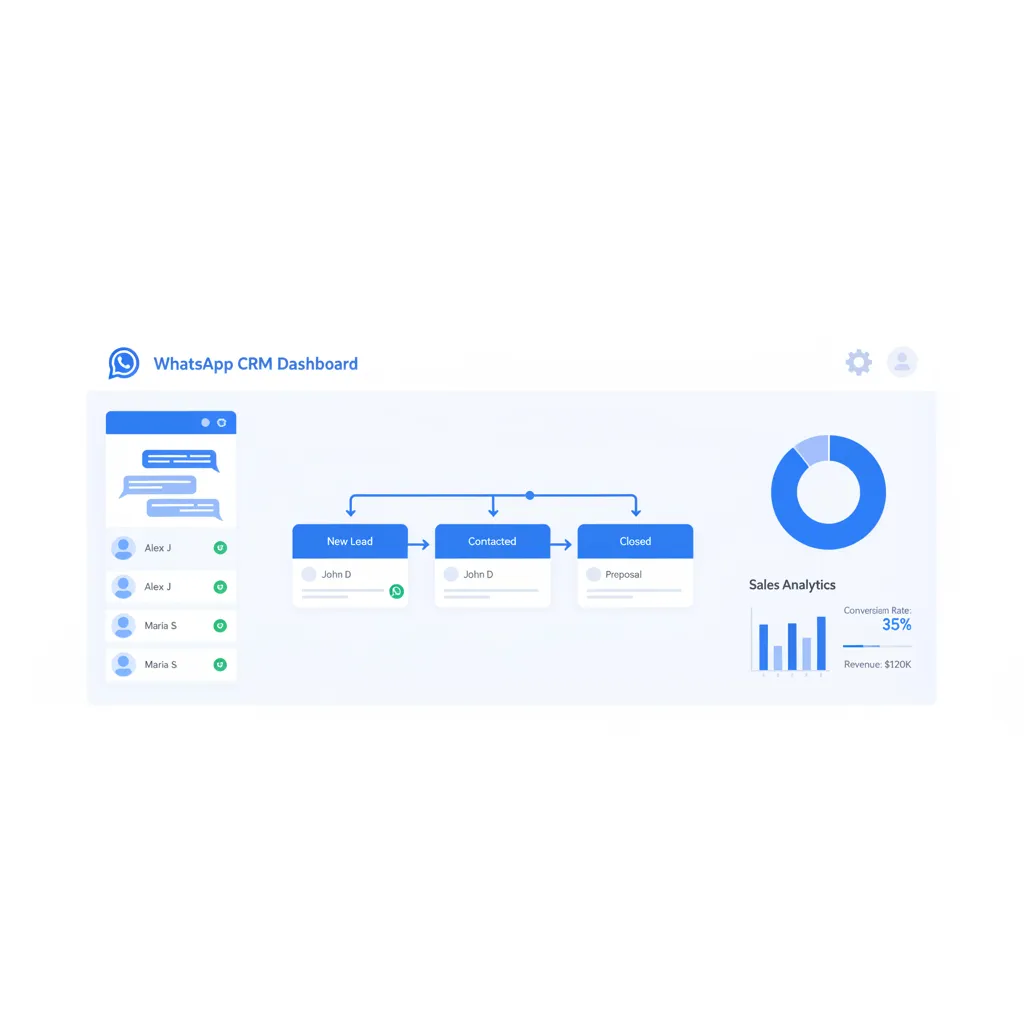
Every business that sells on WhatsApp eventually hits the same wall: conversations pile up, leads slip through the cracks, and no one knows which team member last spoke to which customer. WhatsApp CRM software solves this by turning the world's most popular messaging app into a fully managed sales and support channel — with shared inboxes, automation, analytics, and integrations that work at scale.
With 2.93 billion monthly active users on WhatsApp and message open rates hovering at 98%, businesses that ignore this channel are leaving money on the table. In this guide, you'll learn what WhatsApp CRM software actually does, which features separate good platforms from great ones, how the top five providers stack up against each other, and how to get started in under 30 minutes. Over 23,500 businesses already trust ChatDaddy to handle more than 10 million messages per day — and by the end of this article, you'll see why.
Table of Contents
- What Is WhatsApp CRM Software?
- Why Your Business Needs WhatsApp CRM Software in 2026
- 8 Key Features to Look for in WhatsApp CRM Software
- WhatsApp CRM Software Comparison: ChatDaddy vs Respond.io vs WATI vs Trengo vs SleekFlow
- How WhatsApp CRM Software Works (Technical Overview)
- How to Set Up WhatsApp CRM Software in 30 Minutes
- 5 Real-World Use Cases for WhatsApp CRM Software
- What Changed for WhatsApp Business API in 2026
- Common Mistakes When Choosing WhatsApp CRM Software
- Frequently Asked Questions
What Is WhatsApp CRM Software?
Think of it as the bridge between WhatsApp and your business operations. Without CRM software, WhatsApp is just a messaging app — one person, one phone, no structure. With CRM software, it becomes a full customer relationship management system where every message is logged, every contact is tagged, every follow-up is scheduled, and every team member knows exactly what's happening.
The foundation of any WhatsApp CRM is the WhatsApp Business API. Unlike the free WhatsApp Business App (limited to a single device and basic features), the API enables multi-agent access, message automation, CRM integrations, and broadcast messaging at scale. Platforms like ChatDaddy — an official Meta ISV Partner — provide the user-friendly layer on top of this API so you don't need developers to set it up.
WhatsApp CRM vs. Traditional CRM
Traditional CRMs like Salesforce, HubSpot, and Zoho were built around email and phone calls. They excel at pipeline management but treat messaging as an afterthought. WhatsApp CRM software flips the priority: messaging is the primary channel, with CRM features built around it. For businesses where most customer interactions happen on WhatsApp, this messaging-first approach delivers faster response times, higher engagement rates, and simpler workflows.
Why Your Business Needs WhatsApp CRM Software in 2026
The numbers paint a clear picture:
- 2.93 billion monthly active users on WhatsApp globally, projected to exceed 3.14 billion by late 2026 (DemandSage, 2025)
- 98% open rates on WhatsApp messages vs. approximately 20% for email — nearly 5x the visibility
- 45-60% click-through rates on promotional WhatsApp messages vs. 2-5% for email campaigns (yCloud, 2025)
- 400 million+ businesses already use WhatsApp Business globally, with 80% being small and medium enterprises (Chatarmin, 2025)
- Service replies are free in 2026 — Meta eliminated charges for business replies within the 24-hour window, making WhatsApp support essentially free (Sanuker, 2026)
But raw WhatsApp access isn't enough. Without CRM software, you're managing conversations from a phone, losing context between team members, and flying blind on performance data. WhatsApp CRM software transforms the channel from a chat app into a revenue-generating system with structure, accountability, and automation.
The Cost of Not Having WhatsApp CRM Software
Consider a mid-sized e-commerce team handling 200 WhatsApp conversations per day. Without CRM software, they face: leads lost in personal chats, no way to track which agent handled which customer, zero automation for repetitive questions (which make up 60-70% of inbound messages), no analytics to measure conversion rates, and no broadcast capability for re-engagement campaigns. Even losing 10 leads per day to poor follow-up at an average order value of $50 means $182,500 in lost annual revenue.
8 Key Features to Look for in WhatsApp CRM Software
1. Shared Team Inbox
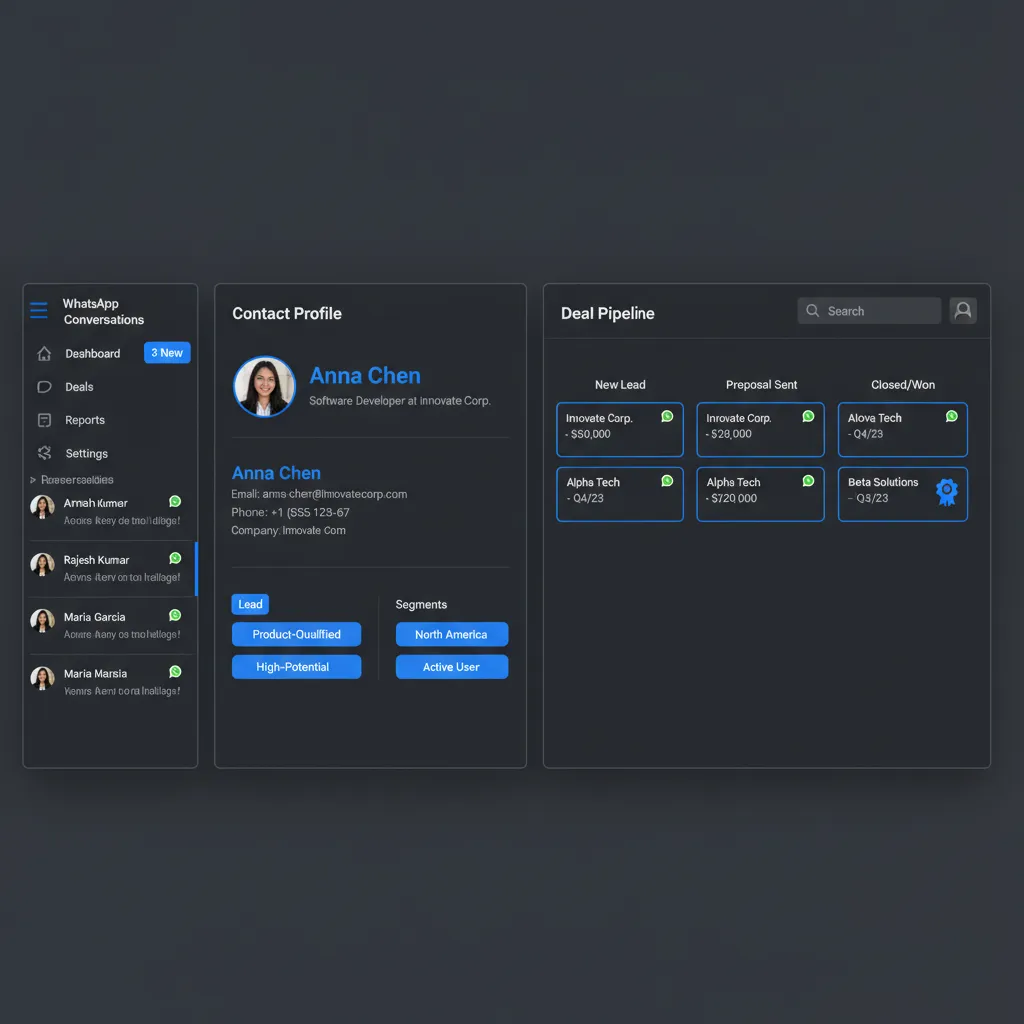
Multiple agents managing one WhatsApp number from a single dashboard. No more "who replied to this customer?" confusion. ChatDaddy's shared inbox supports up to 15 teammates, internal notes, chat assignment, and real-time collaboration — all on one number.
2. No-Code Chatbot Builder
Automate FAQs, lead qualification, appointment booking, and order tracking without writing a single line of code. A good chatbot builder should support drag-and-drop flows, conditional logic, AI-powered responses, and seamless handoff to human agents when needed.
3. Broadcast and Bulk Messaging
Send promotions, product launches, and updates to thousands of opted-in contacts simultaneously. ChatDaddy's broadcast tool supports audience segmentation, message personalization, scheduling, and delivery analytics — all through the official API so you stay compliant.
4. Contact Management with Tags and Segments
Tag contacts by lead stage, product interest, location, or any custom attribute. Segment your audience for targeted broadcasts and personalized follow-ups. This is where WhatsApp CRM software differentiates itself from basic messaging tools.
5. Sales Pipeline Tracking
Visualize where every lead sits in your sales funnel. Move contacts through stages (New Lead, Qualified, Proposal Sent, Won/Lost) directly from the WhatsApp conversation. This eliminates the need for a separate CRM tool for pipeline management.
6. Analytics and Reporting
Track response times, resolution rates, agent performance, broadcast open rates, and revenue attribution. Without data, you're guessing. Good WhatsApp CRM software gives you dashboards that show exactly what's working and what needs improvement.
7. Third-Party Integrations
Connect WhatsApp to Shopify, WooCommerce, HubSpot, Google Sheets, Zapier, and other tools your business already uses. Integrations eliminate manual data entry and ensure your WhatsApp conversations sync with the rest of your tech stack.
8. Official Meta ISV Partner Certification
Choose a platform that is an official Meta ISV Partner. Meta ISV Partner status means the platform has been vetted by Meta, has direct API access, and provides reliable message delivery. ChatDaddy is a certified Meta ISV Partner, ensuring your account stays in good standing.
WhatsApp CRM Software Comparison: ChatDaddy vs Respond.io vs WATI vs Trengo vs SleekFlow
| Feature | ChatDaddy | Respond.io | WATI | Trengo | SleekFlow |
|---|---|---|---|---|---|
| Free Plan | Yes | No | No | No | No |
| Starting Price | $119/mo (Basic) | $99/mo | $49/mo | $113/mo | $79/mo |
| Pro Plan | $299/mo | $299/mo | $98/mo | $170/mo | $159/mo |
| Max Plan | $799/mo | Custom | Custom | Custom | Custom |
| Shared Inbox Agents | Up to 15 | 5 users (starter) | 5 agents | 5 users | 3 users |
| Chatbot Builder | No-code, AI-powered | Workflow builder | Flow builder | Flowbot | Flow builder |
| Broadcast Messaging | Unlimited | Limited by plan | Limited by plan | Limited | Limited by plan |
| Meta ISV Partner | Yes | Yes | Yes | No | Yes |
| Shopify Integration | Yes | Yes | Yes | Limited | Yes |
| Analytics Dashboard | Full | Full | Basic | Basic | Full |
| Businesses Served | 23,500+ | 10,000+ | 8,000+ | 3,000+ | 5,000+ |
| Coexistence | Yes — use API + WhatsApp Business App on same number (free) | No | No | No | No |
| Best For | SMBs to enterprise, best value | Enterprise, multi-channel | Indian market SMBs | European market | Asia-Pacific growth teams |

The takeaway is straightforward: ChatDaddy offers the most features at the lowest price point. It is the only platform with a free plan, up to 15 teammates on paid plans, and unlimited broadcast messaging. Competitors charge 2-6x more for comparable features and restrict agent counts on starter plans.
For businesses that need multi-channel support beyond WhatsApp (email, Instagram, Telegram), Respond.io is a strong option — but at $99/month minimum with 5-user caps. If your customer communication is primarily on WhatsApp, ChatDaddy delivers better value by focusing entirely on making that channel exceptional.
How WhatsApp CRM Software Works (Technical Overview)
Here's the architecture in simple terms:
- WhatsApp Business API — Meta's official interface that allows programmatic message sending and receiving. Unlike the consumer app, the API supports webhooks, message templates, and multi-device access.
- ISV Partner Layer (ChatDaddy) — The ISV partner hosts the API connection, manages phone number registration, handles message routing, and provides the user-facing dashboard. As a Meta ISV Partner, ChatDaddy maintains a direct relationship with Meta.
- Web Dashboard — Your team accesses everything through a browser: inbox, chatbot builder, broadcast tool, analytics, contact manager, and integrations panel.
- Webhook Integrations — Events (new message, contact update, broadcast delivery) trigger webhooks that connect to Shopify, Zapier, HubSpot, Google Sheets, and other tools in your stack.
The entire flow happens in real time. A customer sends a WhatsApp message, it hits the API, ChatDaddy processes it (triggering any chatbot rules or auto-assignments), and the message appears in your team's shared inbox — all within seconds.
How to Set Up WhatsApp CRM Software in 30 Minutes
Follow these steps:
- Sign up at chatdaddy.tech — free plan available, free trial credits included
- Connect your WhatsApp number — ChatDaddy walks you through Meta Business verification. As an official Meta ISV Partner, the process is streamlined and typically completes in minutes.
- Invite your team — add agents, managers, and admins with role-based access controls
- Configure auto-replies — set up welcome messages, away messages, and quick replies for common questions
- Build chatbot flows — use the drag-and-drop chatbot builder to automate lead qualification, FAQs, and appointment booking
- Import your contacts — upload via CSV, sync from Shopify, or connect via Zapier
- Set up integrations — connect your e-commerce platform, CRM, or productivity tools
- Go live — all conversations now flow through your centralized dashboard
Most businesses complete the entire setup in 15-30 minutes. No developers, no code, no lengthy onboarding process.
Turn WhatsApp into Your Most Powerful Sales Channel
Join 23,500+ businesses using ChatDaddy to manage leads, automate conversations, and close more deals on WhatsApp. Free plan available.
Start Free Today5 Real-World Use Cases for WhatsApp CRM Software

1. E-Commerce: Abandoned Cart Recovery
A Shopify store integrates ChatDaddy to automatically send WhatsApp messages when customers abandon their carts. With 98% open rates, recovery rates reach 25-35% — compared to 5-10% for email recovery campaigns. One mid-sized fashion retailer recovered $47,000 in a single month using automated WhatsApp cart reminders.
2. Customer Support: Automated Ticket Resolution
A SaaS company routes all support queries through WhatsApp. The chatbot handles 65% of tickets automatically (password resets, billing questions, feature inquiries). Complex issues are assigned to agents with full conversation context. Average resolution time dropped from 4 hours to 22 minutes.
3. Lead Generation: Click-to-WhatsApp Ads
A real estate agency runs click-to-WhatsApp ads on Facebook and Instagram. When leads land in WhatsApp, a chatbot asks qualifying questions (budget, location, timeline), tags contacts by segment, and routes hot leads to the senior agent. Cost per qualified lead dropped 40% compared to landing page funnels.
4. Healthcare: Appointment Scheduling
A dental clinic uses a WhatsApp chatbot to handle appointment requests. Patients select a service, choose an available time slot, and receive confirmation — all without human intervention. No-show rates dropped 35% after adding automated WhatsApp reminders 24 hours before appointments.
5. Retail: Broadcast Promotions and Flash Sales
A consumer electronics brand sends weekly flash sale broadcasts to 15,000 opted-in WhatsApp contacts. Open rate: 97%. Click-through to the online store: 28%. That's 4,200 website visits from a single message. Using ChatDaddy's broadcast segmentation, they personalize offers by purchase history, increasing conversion rates by 18%.
What Changed for WhatsApp Business API in 2026
These changes significantly impact how businesses use WhatsApp CRM software:
- Free service replies (24-hour window) — Responding to customer-initiated messages within 24 hours now costs nothing. Only outbound marketing templates incur charges. For businesses doing primarily support, this makes WhatsApp essentially free.
- 100K daily message limit from day one — Previously, new businesses had to scale through tiers (2K, 10K, then 100K messages per day). Now, verified businesses skip directly to 100K. No more artificial growth ceilings.
- Per-template pricing with volume discounts — Marketing messages cost up to $0.24 each depending on region, but utility and authentication messages are cheaper. Volume discounts reach up to 20% for high-sending businesses.
- WhatsApp Usernames (coming June 2026) — Users will be able to hide their phone numbers from businesses. CRM platforms need to adapt to identify contacts by username rather than phone number. ChatDaddy is already preparing for this transition.
- Voice and video calling via API — Businesses will be able to make and receive WhatsApp calls through the API, enabling new support and sales workflows directly within the CRM dashboard.
These 2026 changes make WhatsApp CRM software even more cost-effective. Free service replies alone can save mid-sized businesses thousands of dollars per month in conversation charges.
Common Mistakes When Choosing WhatsApp CRM Software
Mistake 1: Using a Non-Certified Provider
Some platforms offer "WhatsApp integration" through unofficial channels. This puts your business number at risk of being banned. Always verify that your CRM provider is an official Meta ISV Partner. ChatDaddy's Meta ISV Partner status means direct API access and full compliance with Meta's policies.
Mistake 2: Ignoring Agent Limits on Starter Plans
A platform advertising "$49/month" sounds affordable until you realize it caps you at 5 agents. If your team has 8 people, you're suddenly on the $150/month plan. ChatDaddy offers up to 15 teammates on all paid plans, eliminating this hidden cost.
Mistake 3: Neglecting Automation Capabilities
Some CRM tools focus on inbox management but offer weak automation. If 60-70% of your inbound messages are repetitive questions, you need a robust chatbot builder. Manual responses to "What are your hours?" and "Where's my order?" waste agent time that should go to high-value conversations.
Mistake 4: Not Planning for Scale
Your business will grow. Choose a platform with pricing that scales reasonably. ChatDaddy's pricing tiers — Free, Basic ($119/mo), Pro ($299/mo), Max ($799/mo) — provide a clear growth path without sudden price jumps. Compare that to platforms that jump from $49 to $299 between tiers.
Related Articles
- WhatsApp CRM: The Complete Guide for 2026
- WhatsApp CRM for Agriculture: Automate Agriculture Customer Engagement in 2026
- WhatsApp CRM for Automotive: Automate Automotive Customer Engagement in 2026
- WhatsApp CRM for Banking: Automate Banking Customer Engagement in 2026
- WhatsApp CRM for Beauty Salons: Automate Beauty Salon Customer Engagement in 2026
Frequently Asked Questions
What is the best WhatsApp CRM software in 2026?
ChatDaddy is the best WhatsApp CRM software for most businesses in 2026. It offers the only free plan among major providers, up to 15 teammates on paid plans, a no-code AI-powered chatbot builder, unlimited broadcast messaging, and Meta ISV Partner certification — all starting at $119/month. Over 23,500 businesses trust ChatDaddy to manage more than 10 million messages per day.
How much does WhatsApp CRM software cost?
WhatsApp CRM software ranges from free (ChatDaddy's starter plan) to $300+/month for enterprise tiers. ChatDaddy offers four plans: Free, Basic at $119/month, Pro at $299/month, and Max at $799/month. Competitors typically start at $49-113/month with no free option. Additionally, the WhatsApp Business API charges per outbound marketing template, but service replies within 24 hours are free in 2026.
Can WhatsApp CRM software integrate with Shopify?
Yes. Most WhatsApp CRM platforms integrate with Shopify, including ChatDaddy. The integration enables automated order confirmations, shipping updates, abandoned cart recovery messages, and promotional broadcasts triggered by Shopify events. Setup typically takes under 10 minutes through the CRM dashboard.
Is WhatsApp CRM software compliant with data privacy regulations?
Reputable WhatsApp CRM software providers like ChatDaddy comply with GDPR, PDPA, and other data privacy regulations. All messages are encrypted end-to-end by WhatsApp. CRM platforms must also follow Meta's business messaging policies, which require opt-in consent before sending marketing messages and provide users with opt-out mechanisms.
What is the difference between WhatsApp Business App and WhatsApp CRM software?
The WhatsApp Business App is a free, single-device tool with basic features like business profiles and quick replies. WhatsApp CRM software connects via the official Business API and provides multi-agent shared inboxes, automation and chatbots, broadcast messaging to thousands, analytics dashboards, and integrations with tools like Shopify and HubSpot. CRM software is essential once your team exceeds one person or 50+ daily conversations.
Do I need a developer to set up WhatsApp CRM software?
No. Platforms like ChatDaddy are designed for non-technical users. Sign up, connect your WhatsApp number through guided Meta Business verification, invite your team, and configure chatbots using drag-and-drop builders. Most businesses are fully operational in 15-30 minutes without writing any code.
Can multiple team members use the same WhatsApp number with CRM software?
Yes. This is one of the primary benefits of WhatsApp CRM software. Through the Business API, up to 15 teammates can manage conversations from a single WhatsApp number simultaneously. Chats can be assigned to specific agents, tagged by topic, and include internal notes — all invisible to the customer. ChatDaddy supports up to 15 teammates on all paid plans.
Will my WhatsApp number get banned if I send bulk messages?
Not if you use a certified Meta ISV Partner like ChatDaddy. The WhatsApp Business API is specifically designed for business messaging at scale. You must collect opt-in consent before sending marketing messages and maintain a good quality rating by following Meta's content policies. ChatDaddy monitors your quality score and provides alerts if it drops.