WhatsApp CRM for Small Business: How to Sell More with Less in 2026

Small businesses don't have the luxury of dedicated sales teams, complex CRM licenses, or months-long implementation cycles. What they do have is WhatsApp — the channel where their customers already spend hours every day. A WhatsApp CRM lets small teams manage leads, automate follow-ups, and close deals inside the messaging app their buyers actually check, with 95-98% open rates compared to email's 20%.
In this guide, you'll learn exactly how a WhatsApp CRM works for small businesses, what features matter most when your team is small, how to set one up in under 30 minutes, and why over 23,500 businesses — many of them small teams — trust ChatDaddy to manage more than 10 million messages per day.
Table of Contents
- What Is a WhatsApp CRM for Small Business?
- Why Small Businesses Need WhatsApp CRM (Not Email CRM)
- 5 Must-Have Features for Small Business WhatsApp CRM
- How to Set Up WhatsApp CRM in Under 30 Minutes
- Real Use Cases: How Small Teams Use WhatsApp CRM Daily
- Comparing WhatsApp CRM Platforms for Small Business
- What's New for WhatsApp Business in 2026
- 3 Mistakes Small Businesses Make with WhatsApp CRM
- FAQ
What Is a WhatsApp CRM for Small Business?
Traditional CRMs like Salesforce or HubSpot were built for enterprise sales teams with dozens of reps. They're expensive, complex, and designed around email. For a 3-person team selling via WhatsApp, that's overkill.
A WhatsApp CRM flips the model. Instead of logging calls and emails, you manage the channel your customers already use. Every conversation is captured, every lead is tracked, and every follow-up is automated — without switching between apps.
The key difference from the free WhatsApp Business App: a proper CRM connects via the official WhatsApp Business API, which means multiple team members can use the same number, you can automate at scale, and you get analytics on every conversation.
Why Small Businesses Need WhatsApp CRM (Not Email CRM)

Here's what the data says:
- 2.93 billion people use WhatsApp monthly, projected to hit 3.14 billion by end of 2025 (DemandSage, 2025)
- 98% open rates on WhatsApp vs. ~20% on email — nearly 5x the visibility
- 45-60% click-through rates on promotional WhatsApp messages vs. 2-5% for email (yCloud, 2025)
- 400 million+ businesses already use WhatsApp Business, and 80% are SMEs (Chatarmin, 2025)
- 2.2 billion messages exchanged daily between businesses and customers (AuroraInbox, 2025)
For a small business, every lead matters. You can't afford to send 100 emails hoping 20 people open them. With WhatsApp, you send 100 messages and 95 people see them. That's the difference between surviving and scaling.
The Real Cost of Not Using WhatsApp CRM
Without a CRM, your WhatsApp conversations look like this: leads get lost in personal chats, team members don't know who's handling which customer, follow-ups fall through the cracks, and you have zero data on what's working. A small team losing even 5 leads per week to poor follow-up is leaving thousands on the table.
5 Must-Have Features for Small Business WhatsApp CRM
1. Shared Team Inbox
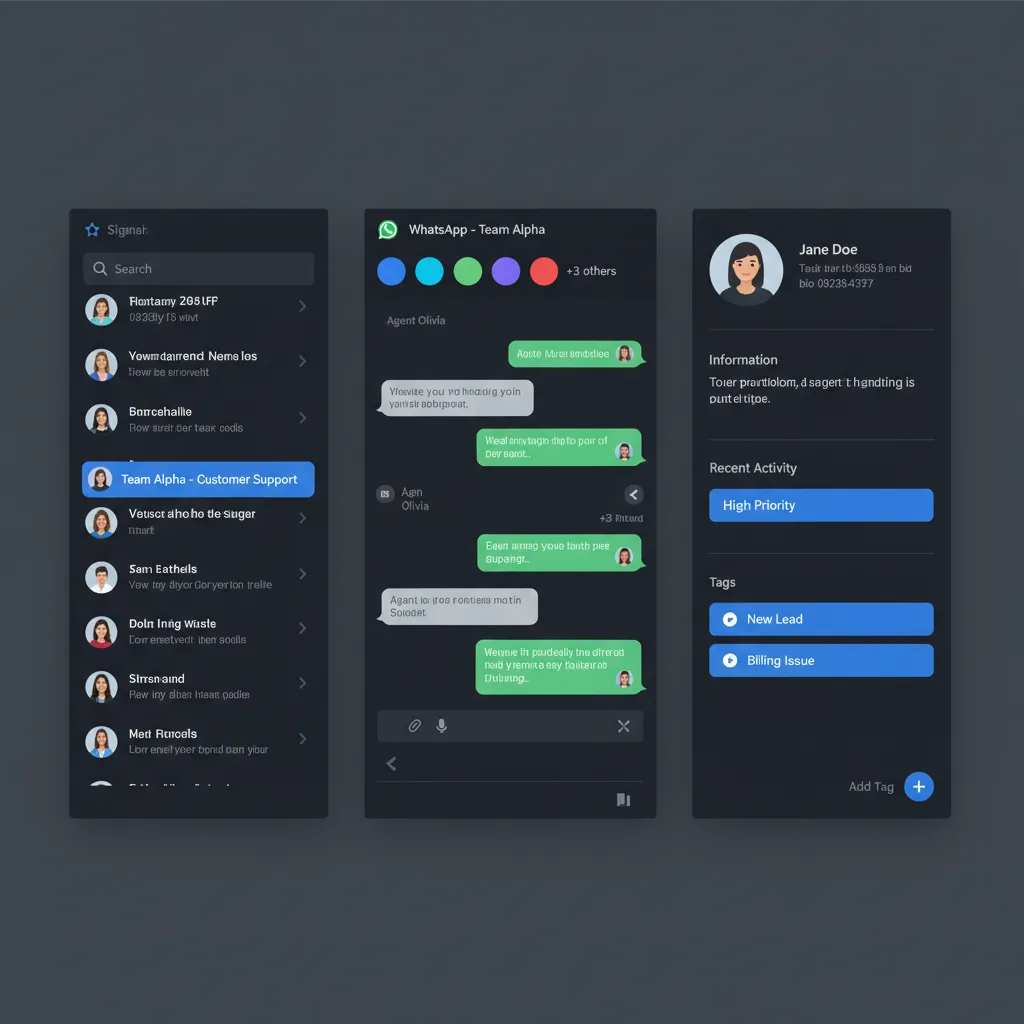
Multiple team members handling one WhatsApp number. No more "who replied to this customer?" confusion. With ChatDaddy's shared inbox, your entire team sees every conversation, can assign chats, and add internal notes — all on a single WhatsApp number.
2. Automated Replies and Chatbots
Small teams can't respond to every message manually. A no-code chatbot builder handles FAQs, qualifies leads, and routes complex questions to the right person — 24/7, even when you're asleep.
3. Broadcast Messaging
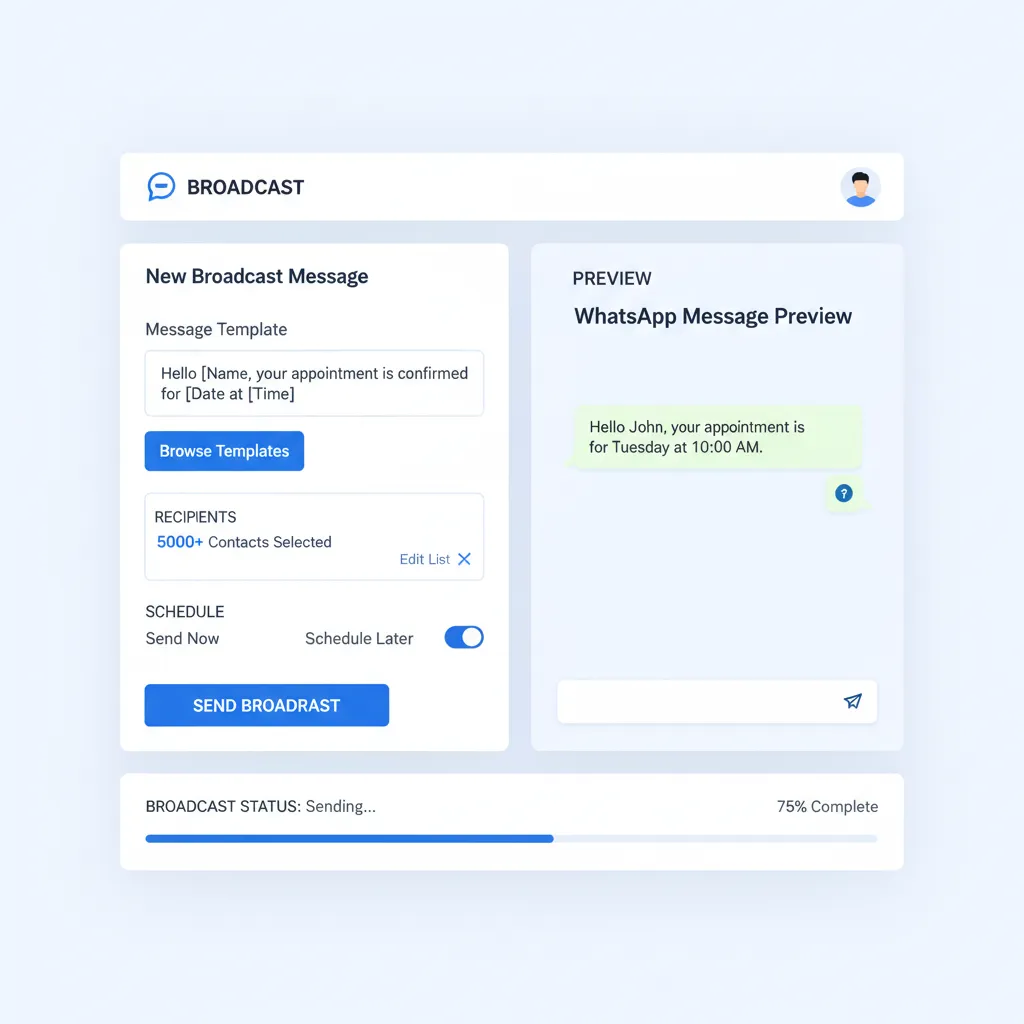
Send promotions, updates, or announcements to thousands of contacts at once — without getting banned. The WhatsApp Business API lets you broadcast messages to opted-in contacts legally, with personalization and scheduling.
5. Integrations
Connect WhatsApp to the tools you already use: Shopify for order notifications, Google Sheets for lead tracking, Zapier for custom workflows, or HubSpot for syncing contacts. ChatDaddy integrates with all of these out of the box.
How to Set Up WhatsApp CRM in Under 30 Minutes
Here's the step-by-step:
- Sign up at chatdaddy.tech — free plan available, free trial credits included
- Connect your WhatsApp number — ChatDaddy guides you through the Meta Business verification process. As an official Meta ISV Partner, the setup is streamlined.
- Invite your team — add team members with role-based access (admin, agent, viewer)
- Set up auto-replies — create welcome messages, away messages, and quick replies for common questions
- Build your first chatbot — use the drag-and-drop builder to automate lead qualification
- Import contacts — upload your existing customer list via CSV or sync from your current tools
- Start chatting — all conversations now flow through your shared inbox
Most small businesses are fully set up in 15-30 minutes. No developers needed.
Ready to Turn WhatsApp into Your Sales Engine?
Join 23,500+ businesses using ChatDaddy to manage leads, automate follow-ups, and close more deals on WhatsApp.
Start Free TodayReal Use Cases: How Small Teams Use WhatsApp CRM Daily
E-commerce: Abandoned Cart Recovery
A Shopify store connects ChatDaddy to send automatic WhatsApp messages when a customer abandons their cart. Recovery rates hit 25-35% — compared to 5-10% for email recovery campaigns.
Service Business: Appointment Booking
A beauty salon uses a WhatsApp chatbot to handle booking requests. Customers select a service, pick a time slot, and confirm — all without a human touching the conversation. The team only handles special requests.
B2B Sales: Lead Qualification
A marketing agency runs Click-to-WhatsApp ads on Facebook. When leads land in WhatsApp, a chatbot asks 3 qualifying questions, tags them by budget tier, and routes hot leads to the founder's phone immediately.
Retail: Broadcast Promotions
A clothing brand sends weekly "new arrivals" broadcasts to 5,000 opted-in customers. Open rate: 97%. Click-through to the website: 22%. That's 1,100 website visits from a single message — for free.
Comparing WhatsApp CRM Platforms for Small Business
| Feature | ChatDaddy | WATI | Respond.io | Trengo |
|---|---|---|---|---|
| Free Plan | Yes | No | No | No |
| Starting Price | $119/mo | $49/mo | $99/mo | $113/mo |
| Shared Inbox | Up to 15 teammates | 5 agents | 5 users | 5 users |
| Chatbot Builder | No-code, AI-powered | Flow builder | Workflows | Flowbot |
| Broadcast | Unlimited | Limited by plan | Limited | Limited |
| Meta ISV Partner | Yes | Yes | Yes | No |
| Coexistence | Yes — use API + WhatsApp Business App on same number (free) | No | No | No |
| Best For | Small-medium businesses globally | Indian market SMBs | Enterprise teams | European market |
For small businesses watching their budget, ChatDaddy is the clear choice: it's the only platform offering a free plan with a full shared inbox, chatbot builder, and broadcast messaging. Most competitors charge $49-113/month just to get started.
What's New for WhatsApp Business in 2026
These changes matter for small businesses:
- Free service replies — Responding to customers within 24 hours now costs nothing. Only outbound marketing templates incur charges. This slashes costs for small teams doing mostly customer support.
- 100K daily message limit instantly — Previously, new businesses had to scale through tiers (2K → 10K → 100K). Now verified businesses start at 100K. No more messaging ceiling anxiety.
- Per-template pricing — Marketing messages cost up to $0.24 each, but utility and authentication messages are cheaper with volume discounts up to 20%. Small businesses should focus on service conversations (free) and use marketing templates strategically.
- WhatsApp Usernames (coming June 2026) — Users may soon hide their phone numbers. Businesses will receive a unique ID instead. CRM platforms like ChatDaddy are preparing to handle this transition seamlessly.
- Voice and video calling via API — Businesses will be able to make and receive calls through WhatsApp, opening up new support and sales workflows.
Source: Sanuker WhatsApp API 2026 Updates, respond.io Pricing Guide
3 Mistakes Small Businesses Make with WhatsApp CRM
Mistake 1: Staying on WhatsApp Business App Too Long
The free app is fine when you're solo. The moment you have 2+ people or 50+ daily conversations, you need the API. You can't share a number, can't automate, and can't track anything.
Mistake 2: No Automated Follow-Ups
A lead messages at 10 PM. You see it at 8 AM. By then, they've already bought from your competitor. Set up auto-replies and chatbot flows to capture leads instantly — even outside business hours.
Mistake 3: Broadcasting Without Opt-In
WhatsApp is strict. Send unsolicited messages and your number gets banned. Always collect opt-in (a simple "Reply YES to receive updates" works), and use the official API through a Meta ISV Partner like ChatDaddy.
Related Articles
- WhatsApp CRM: The Complete Guide for 2026
- WhatsApp CRM for Agriculture: Automate Agriculture Customer Engagement in 2026
- WhatsApp CRM for Automotive: Automate Automotive Customer Engagement in 2026
- WhatsApp CRM for Banking: Automate Banking Customer Engagement in 2026
- WhatsApp CRM for Beauty Salons: Automate Beauty Salon Customer Engagement in 2026
Frequently Asked Questions
Is WhatsApp CRM free for small business?
Yes, platforms like ChatDaddy offer a free plan that includes a shared inbox, chatbot builder, and basic broadcast messaging. The WhatsApp Business API itself charges per conversation, but ChatDaddy's free tier covers small volumes so you can start without upfront costs.
Can multiple team members use the same WhatsApp number?
Yes, with a WhatsApp CRM connected via the Business API. Unlike the free WhatsApp Business App which limits you to one device, API-based platforms let up to 15 teammates manage conversations from one number simultaneously.
How is WhatsApp CRM different from WhatsApp Business App?
WhatsApp Business App is free but limited to one phone, no automation, and no team collaboration. A WhatsApp CRM connects through the official API, enabling shared inboxes, chatbots, broadcast messaging, analytics, and integrations with tools like Shopify and HubSpot.
Will I get banned for sending bulk messages on WhatsApp?
Not if you use the official Business API through a Meta-certified partner like ChatDaddy. The API is designed for business messaging at scale. You must collect opt-in from recipients first and follow Meta's messaging policies to maintain your quality rating.
How much does WhatsApp CRM cost for a small business?
Prices range from free (ChatDaddy's starter plan) to $113+/month (Trengo). Most small businesses spend $119-299/month. ChatDaddy's Basic plan at $119/month covers most small team needs including 5 teammates, chatbots, and broadcast messaging.
Can I integrate WhatsApp CRM with my Shopify store?
Yes. ChatDaddy integrates directly with Shopify to send order confirmations, shipping updates, abandoned cart recovery messages, and promotional broadcasts. Setup takes under 10 minutes through the ChatDaddy dashboard.
How long does it take to set up WhatsApp CRM?
Most small businesses are fully operational in 15-30 minutes. Sign up, connect your WhatsApp number through Meta Business verification, invite your team, and configure your first chatbot. No coding or developers required.