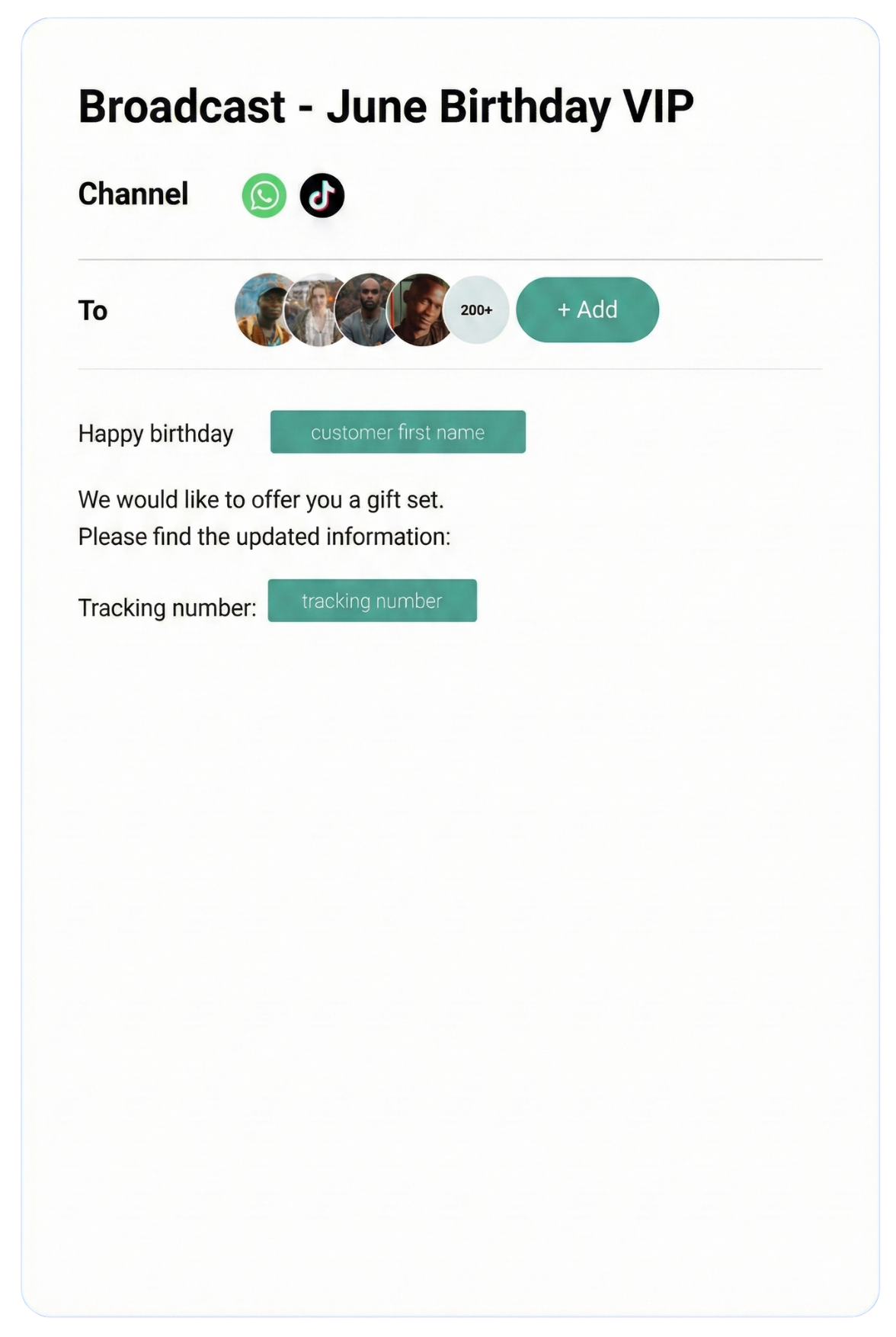
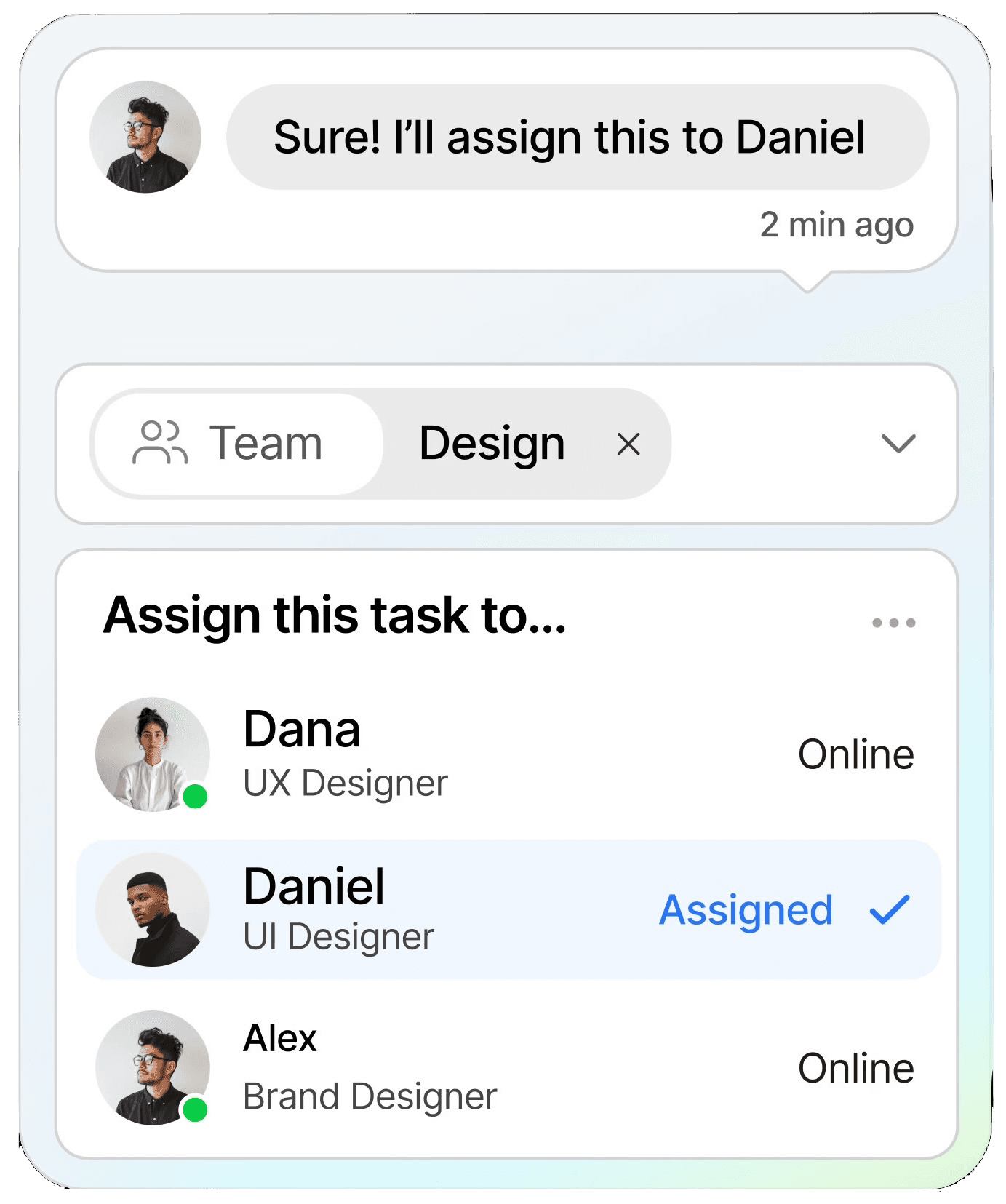
Streamline conversations across WhatsApp, Instagram, Facebook Messenger, TikTok, SMS, Email, and more — all in one intelligent platform built to grow your business.
Keep customers informed in real time with instant notifications, helping you stay connected and responsive at scale.
CRM
Organize customer data into a single view, making it easy to track interactions, nurture relationships, and boost retention.
Automation
Streamline repetitive tasks with intelligent automation, saving time and scaling your workflows without extra resources.
Testmonial
Trusted by businesses
Real results—from startups to enterprises—showing that smarter automation not only pays for itself but drives lasting growth.
Our bot deflection rate with our previous customer service solution was 5–10%. With ChatDaddy, we achieved 65% bot deflection within just one week of going live.
Edward
Gadget Galaxy Store
Self-service and proactive support have helped us reduce inbound conversation volume by 20% over the past two years, even as our user base has continued to grow.
Christian Parker
Contact Lens Easy
ChatDaddy powers our customer communications, delivering conversions, customer engagement, and personalized support. The WhatsApp chatbot is the heart of this strategy.
Geronimo Chala
Fashion Fusion Boutique
We have almost all of our support channels integrated into one system, making it easy for us to manage our support, as well as take a data-driven approach to continuously improving our service.
Ada May
Delicious Bites & More
Our bot deflection rate with our previous customer service solution was 5–10%. With ChatDaddy, we achieved 65% bot deflection within just one week of going live.
Edward
Gadget Galaxy Store
Self-service and proactive support have helped us reduce inbound conversation volume by 20% over the past two years, even as our user base has continued to grow.
Christian Parker
Contact Lens Easy
ChatDaddy powers our customer communications, delivering conversions, customer engagement, and personalized support. The WhatsApp chatbot is the heart of this strategy.
Geronimo Chala
Fashion Fusion Boutique
We have almost all of our support channels integrated into one system, making it easy for us to manage our support, as well as take a data-driven approach to continuously improving our service.
Ada May
Delicious Bites & More
WhatsApp Business Multiple Users: Complete Team Setup Guide for 2026
By ChatDaddy TeamMarch 21, 202612 min read
If your business has more than one person handling WhatsApp conversations, you have already hit the biggest limitation of the standard WhatsApp Business App: it was not designed for teams. Missed messages, duplicated replies, zero accountability — these problems multiply as your customer volume grows.
In 2026, there are two paths to using WhatsApp Business with multiple users. The first is WhatsApp's built-in Linked Devices feature, which supports up to 5 devices on a single account. The second — and the one that actually scales — is the WhatsApp Business API with a shared team inbox, supporting your entire team (up to 15 agents on ChatDaddy's Max plan) with role-based access, conversation routing, and full audit trails.
This guide covers both approaches in detail, explains exactly when to use each one, and walks you through setting up a professional multi-agent WhatsApp operation that handles hundreds or thousands of daily conversations without dropping a single customer.
WhatsApp Business Linked Devices allows up to 5 devices (1 primary phone + 4 linked devices) to access the same WhatsApp Business account simultaneously. Each linked device can send and receive messages independently, but there is no conversation assignment, no role management, and no way to prevent two agents from replying to the same customer.
WhatsApp's Linked Devices feature is the simplest way to give multiple team members access to your business WhatsApp account. Originally limited to WhatsApp Web only, the feature now supports linking additional phones, tablets, and desktop apps.
How to Set Up Linked Devices
Open the WhatsApp Business App on your primary phone
Go to Settings > Linked Devices
Tap Link a Device
Scan the QR code displayed on the secondary device (WhatsApp Web, desktop app, or another phone)
The linked device now has full access to all conversations
Repeat for up to 4 additional devices (5 total including the primary phone).
Limitations of Linked Devices for Teams
While Linked Devices works for very small teams, it breaks down quickly as your volume grows:
No conversation assignment — All agents see all conversations. There is no way to assign a conversation to a specific person, leading to confusion about who is handling what.
No collision prevention — Two agents can reply to the same customer simultaneously, creating an embarrassing and unprofessional experience.
No role-based access — Every linked device has full access. You cannot restrict a junior agent from seeing sensitive conversations or prevent accidental deletions.
No analytics per agent — You cannot track response times, resolution rates, or message volume by team member.
No automation integration — Linked Devices does not connect to CRM systems, chatbots, or workflow automation tools.
Message sync delays — Linked devices occasionally experience sync delays, especially with high message volumes, causing agents to work with outdated conversation states.
Feature
Linked Devices
API Team Inbox
Max users
5
Unlimited
Conversation assignment
No
Yes
Role-based access
No
Yes
Collision prevention
No
Yes
Agent analytics
No
Yes
CRM integration
No
Yes
Chatbot + automation
No
Yes
Internal notes
No
Yes
SLA tracking
No
Yes
Cost
Free
ISV partner platform fee
Table 1: Linked Devices vs. API Team Inbox feature comparison
Bottom line: Linked Devices is adequate for a team of 2-3 people handling fewer than 50 conversations per day with minimal coordination needs. Beyond that, you need a proper team inbox solution.
Figure 1: WhatsApp Business Linked Devices setup — linking up to 5 devices to one account
2. Method 2: WhatsApp Business API Team Inbox
A WhatsApp Business API team inbox — accessed through a ISV partner like ChatDaddy — enables your entire team (up to 15 agents depending on your plan) to manage WhatsApp conversations from a single business number. Features include automatic conversation routing, agent assignment, internal notes, SLA tracking, role-based permissions, and full integration with CRM, chatbot, and automation tools. It is the standard solution for businesses handling more than 50 conversations per day.
The WhatsApp Business API does not come with its own user interface. Instead, you access it through a ISV Partner (ISV partner) like ChatDaddy, which provides the team inbox — a web-based dashboard where your entire team manages WhatsApp conversations collaboratively.
How a Team Inbox Works
Think of it as a shared email inbox, but for WhatsApp. Every incoming message appears in a central queue. From there, conversations are either:
Automatically routed — Based on rules you define (keyword matching, contact tags, time of day, agent availability, round-robin distribution)
Manually assigned — A team lead reviews the queue and assigns conversations to specific agents
Claimed by agents — Agents pick up unassigned conversations from the queue themselves
Once a conversation is assigned to an agent, only that agent can reply (collision prevention). Other team members can view the conversation but not interfere. Supervisors have override access for escalation scenarios.
Core Team Inbox Features
Unified conversation queue — All incoming WhatsApp messages in one place, sortable by wait time, priority, or customer segment
Agent assignment — Assign conversations to specific team members with one click or via automated rules
Internal notes — Leave private notes on conversations that other agents and supervisors can see but customers cannot
Labels and tags — Categorize conversations (sales lead, support ticket, complaint, VIP) for organized management
Canned responses — Pre-saved reply templates that agents can insert with a shortcut, ensuring consistent messaging
Customer context panel — See the customer's profile, purchase history, previous conversations, and CRM data alongside the chat
SLA timers — Visual indicators showing how long a customer has been waiting, with alerts when SLA thresholds are approaching
Figure 2: ChatDaddy team inbox — multi-agent WhatsApp management with assignment, notes, and context
3. Agent Assignment and Conversation Routing
Conversation routing ensures every customer message reaches the right agent automatically. Common routing methods include round-robin (even distribution), skill-based routing (matching customer needs to agent expertise), keyword-based routing (detecting intent from the customer's first message), and load-based routing (assigning to the agent with the fewest open conversations).
Effective conversation routing is the difference between a team inbox that works and one that creates chaos. Without proper routing, conversations pile up unassigned, response times spike, and customers get frustrated.
Routing Methods
Round-Robin Distribution
Conversations are distributed evenly across all available agents in rotation. Agent A gets the first, Agent B gets the second, Agent C gets the third, then back to Agent A. This is the simplest method and works well when all agents have similar skills and capacity.
Skill-Based Routing
Route conversations to agents with specific expertise. Sales inquiries go to the sales team. Technical support questions go to tech-trained agents. Billing issues go to the finance team. ChatDaddy lets you define agent skills and match them to conversation tags or keywords.
Keyword-Based Routing
Analyze the customer's first message for keywords that indicate intent. A message containing "order status" or "tracking" routes to support. A message containing "pricing" or "demo" routes to sales. This works especially well when combined with a chatbot that qualifies the customer before routing.
Load-Based Routing
Assign new conversations to the agent with the fewest currently open conversations. This prevents overloading any single team member and ensures balanced workloads throughout the day.
Time-Based Routing
Route conversations based on business hours and agent schedules. Messages received outside of team hours can be handled by a chatbot, queued for the next available agent, or routed to an after-hours team.
Figure 3: Conversation routing flowchart — from customer message to agent assignment
4. Role Management and Permissions
Role management in a WhatsApp team inbox defines what each team member can see and do. Common roles include Admin (full access), Supervisor (team management and reporting), Agent (conversation handling only), and Viewer (read-only access). Proper role configuration prevents unauthorized actions, protects sensitive data, and maintains audit trails.
As your WhatsApp team grows, controlling who can do what becomes critical. A junior support agent should not have the ability to delete conversations or change routing rules. A sales manager needs to monitor team performance without handling individual chats.
Standard Role Hierarchy
Role
Conversations
Templates
Broadcasts
Settings
Analytics
Admin
Full access
Create, edit, delete
Send to all
Full access
Full access
Supervisor
View all, reassign
Create, edit
Send to team segments
Team settings
Team reports
Agent
Assigned only
Use only
None
None
Own metrics
Viewer
Read-only
View only
None
None
View reports
Table 2: Role-based permissions matrix for WhatsApp team inbox
Custom Permissions
Beyond the standard roles, ChatDaddy supports granular custom permissions. You can create roles like "Senior Agent" (can reassign but not access settings) or "Marketing Manager" (broadcast access but no conversation access). This flexibility is essential for enterprises with complex organizational structures.
Audit Trail
Every action in the team inbox is logged: who sent a message, who reassigned a conversation, who changed a contact's tags, and when. This audit trail is critical for compliance, quality assurance, and resolving internal disputes about customer interactions.
5. Team Collaboration Features
Key team collaboration features for WhatsApp Business include internal notes (private comments visible only to team members), conversation handoff (smooth transfer between agents with context), @mentions (tagging colleagues for input), shared labels (team-wide conversation categorization), and canned responses (pre-approved replies for consistency). These features turn a basic messaging channel into a professional team communication system.
Internal Notes
Leave private comments on any conversation that only your team can see. Use notes to document customer context ("Customer mentioned they're comparing us with Competitor X — highlight our API pricing advantage"), flag sensitive situations ("VIP client — escalate any issue immediately"), or hand off context to the next agent ("Promised 10% discount on next order — reference ticket #4521").
Conversation Handoff
When an agent needs to transfer a conversation to a colleague — for escalation, shift change, or specialist expertise — the handoff should be seamless. ChatDaddy's handoff feature transfers the conversation with full history, internal notes, and customer context. The receiving agent sees everything and can continue without asking the customer to repeat themselves.
@Mentions and Team Notifications
Need a supervisor's approval before offering a discount? @mention them in an internal note to get their attention without leaving the conversation view. Mentions trigger real-time notifications so responses are fast.
Shared Labels and Tags
Create a consistent labeling system across your team. Common examples: "Hot Lead," "Pending Payment," "Complaint," "VIP," "Follow-Up Required." Labels make it easy to filter conversations, generate reports by category, and ensure nothing falls through the cracks. Integrate labels with your CRM to sync status across systems.
Canned Responses
Pre-approved reply templates that agents can insert with a keyboard shortcut. Unlike WhatsApp message templates (which require Meta approval), canned responses are internal shortcuts for commonly used replies. They ensure consistent tone and accuracy across your team, reduce agent training time, and speed up response rates.
Figure 4: Team collaboration features in ChatDaddy's WhatsApp inbox
6. Step-by-Step Setup Guide
Set up WhatsApp Business for multiple users by: (1) signing up for a WhatsApp Business API account through ChatDaddy, (2) inviting team members and assigning roles, (3) configuring conversation routing rules, (4) setting up automation for first response, and (5) establishing SLAs and performance tracking. The entire setup takes 1-2 hours.
Step 1: Create Your WhatsApp Business API Account
Sign up with ChatDaddy, connect your Meta Business Manager, and register your WhatsApp business number. Verification typically takes 24-72 hours.
Step 2: Invite Your Team Members
In ChatDaddy's settings, go to Team Management and invite agents by email. Assign each person a role (Admin, Supervisor, Agent, or custom). Team members receive an invitation link to create their account and access the shared inbox.
Step 3: Configure Routing Rules
Set up your conversation routing logic. Start simple — round-robin distribution is a good default — and add complexity as you learn your team's patterns. Common starter configurations:
New customer inquiries routed to the sales team
Existing customer messages routed to the support team
Messages containing "urgent" or "complaint" flagged as high priority
After-hours messages handled by chatbot with handoff in the morning
Step 4: Set Up Automation
Configure an automated welcome message for first-time contacts. Set up away messages for non-business hours. Build a basic chatbot flow that collects the customer's name and reason for contacting before routing to a human agent. Use ChatDaddy's automation builder for no-code setup.
Step 5: Establish SLAs and Monitoring
Define response time targets for your team. Common SLAs:
First response time: Under 5 minutes during business hours
Resolution time: Under 4 hours for standard inquiries
Escalation threshold: Conversations waiting 10+ minutes without a response trigger supervisor alerts
Configure SLA alerts in ChatDaddy to notify supervisors when thresholds are approaching.
Step 6: Train Your Team
Walk your team through the inbox interface, routing rules, canned responses, and escalation procedures. Most teams are fully productive within 1-2 hours of initial training on ChatDaddy's intuitive interface.
Figure 5: WhatsApp multi-user setup checklist — from API account to live team operation
Give Your Whole Team Access to WhatsApp
ChatDaddy's shared team inbox lets your entire team (up to 15 agents on the Max plan) manage WhatsApp conversations with routing, roles, internal notes, and SLA tracking. Set up in under 2 hours.
Can multiple users use WhatsApp Business at the same time?
Yes. The standard WhatsApp Business App supports up to 5 simultaneous users via Linked Devices (1 phone + 4 linked devices). For more than 5 users, the WhatsApp Business API with a shared team inbox (through a provider like ChatDaddy) supports unlimited simultaneous agents with conversation routing and role management.
How many devices can I link to WhatsApp Business?
You can link up to 4 additional devices to your primary WhatsApp Business phone, for a total of 5 devices. Linked devices can be phones, tablets, or computers running WhatsApp Web or the desktop app. Each linked device operates independently and can send and receive messages.
What is a WhatsApp shared team inbox?
A WhatsApp shared team inbox is a web-based platform where multiple agents manage WhatsApp conversations from a single business number. It includes features like conversation assignment, internal notes, role-based access, automated routing, SLA tracking, and CRM integration. It is accessed through the WhatsApp Business API via a provider like ChatDaddy.
How much does a WhatsApp team inbox cost?
WhatsApp team inbox costs include the ISV partner platform fee (ChatDaddy offers a Free plan ($0/mo) with paid plans starting at $119/month (Basic)) plus Meta's per-message charges for business-initiated messages. Some providers charge additional per-agent fees ($15-$50/agent/month), but ChatDaddy supports up to 15 teammates depending on plan (1 on Free, 5 on Basic, 10 on Pro, 15 on Max).
Can different agents see different conversations?
Yes. With a WhatsApp Business API team inbox, you can configure role-based access so agents only see conversations assigned to them. Supervisors can view all conversations for oversight, and custom roles allow granular control over what each team member can access.
Can I assign WhatsApp conversations to specific team members?
Yes, but only through the WhatsApp Business API with a team inbox platform. The standard WhatsApp Business App with Linked Devices does not support conversation assignment. With ChatDaddy, conversations can be assigned manually or automatically via routing rules (round-robin, skill-based, keyword-based, or load-based).
The definitive guide to WhatsApp marketing strategy, automation, and ROI measurement.
ChatDaddy Team
ChatDaddy is a Meta ISV Partner helping 23,500+ businesses manage 10M+ daily messages. Our shared team inbox powers multi-agent WhatsApp operations for sales, support, and marketing teams across 50+ countries.
Published: March 21, 2026 · Last Updated: March 21, 2026