WhatsApp Chatbot Builder No Code: Create Powerful Bots in Minutes (2026 Guide)
By ChatDaddy Team
March 27, 2026
Last updated: March 27, 2026
11 min read
You don't need a developer to build a WhatsApp chatbot anymore. With no-code chatbot builders, anyone can create automated conversation flows that qualify leads, answer FAQs, process orders, and provide 24/7 customer support — all inside WhatsApp. No programming skills, no technical background, no months of development.
The numbers back it up: businesses using WhatsApp chatbots see 40-60% reductions in support tickets, response times dropping from hours to seconds, and conversion rates improving by up to 25%. With 2.93 billion WhatsApp users worldwide, the opportunity is massive — and now accessible to everyone.
In this guide, you'll learn what a no-code WhatsApp chatbot builder is, how to choose the right one, a step-by-step walkthrough to build your first bot, and why 23,500+ businesses trust ChatDaddy as their go-to platform for WhatsApp automation.
What Is a No-Code WhatsApp Chatbot Builder?
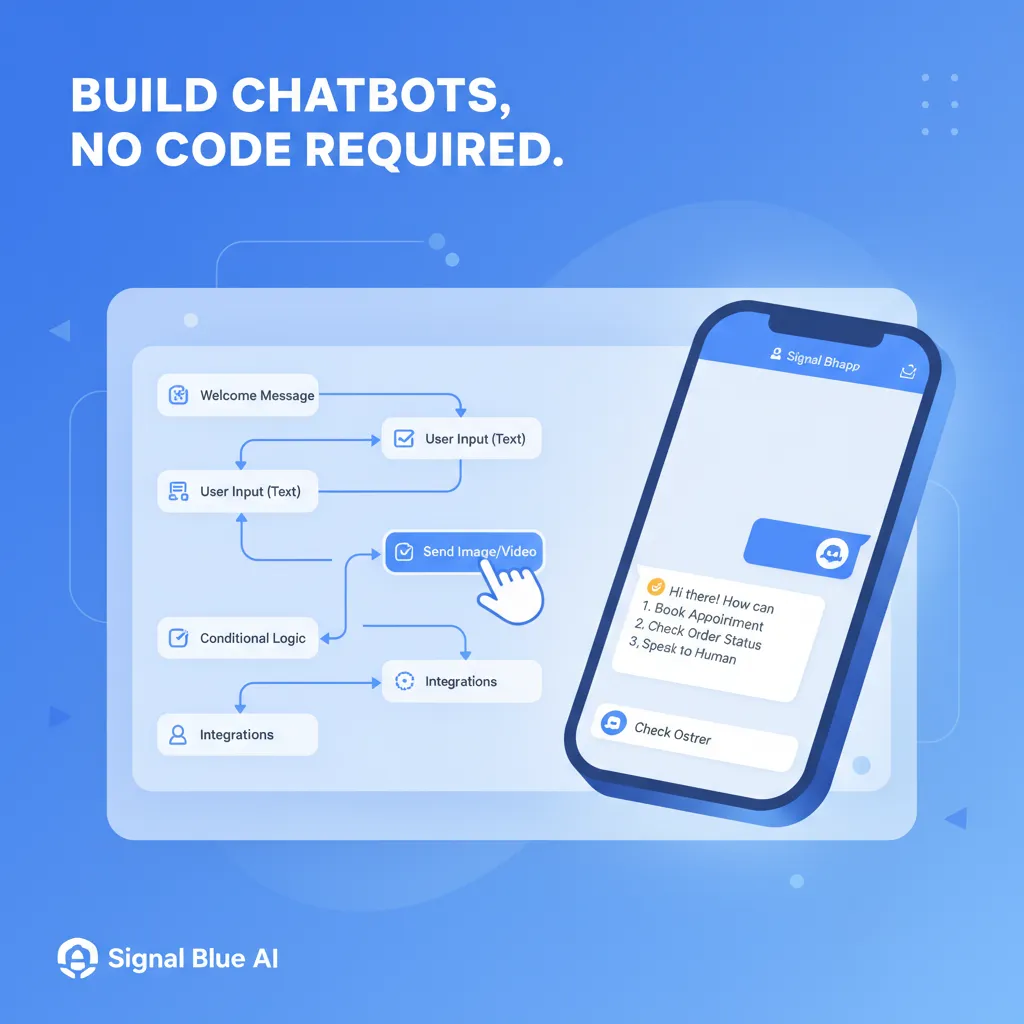
A no-code WhatsApp chatbot builder is a visual platform that lets you create automated WhatsApp conversation flows using drag-and-drop interfaces, pre-built templates, and conditional logic — without writing a single line of code. It connects to the WhatsApp Business API to send and receive messages automatically.
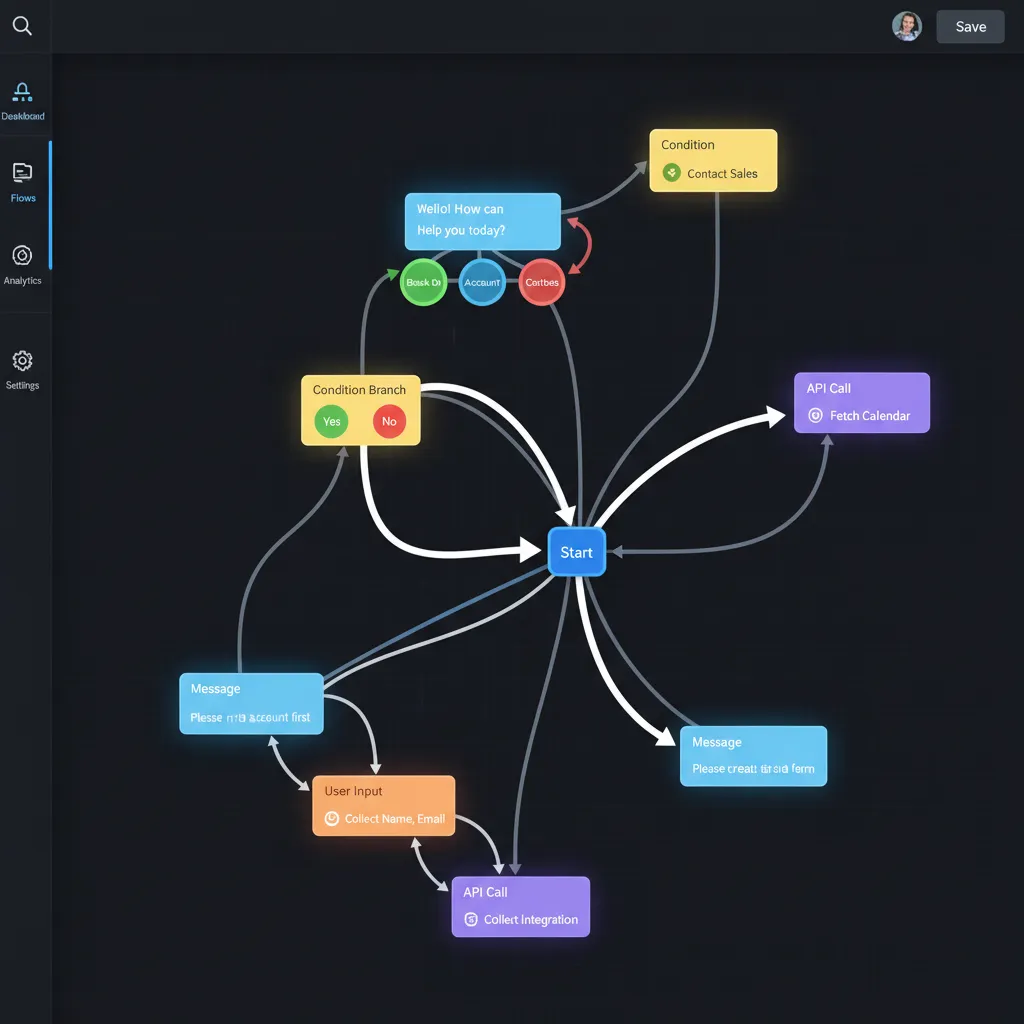
Think of it like building a flowchart. You define what happens when a customer sends a message: if they say "pricing," the bot shows your plans; if they say "support," the bot collects their issue and routes it to a human agent. Each step is a visual block you drag onto a canvas and connect.
Traditional chatbot development requires developers proficient in Python, Node.js, or other languages, familiarity with the WhatsApp Business API, and weeks (sometimes months) of build time. No-code builders compress that into minutes. Platforms like ChatDaddy's chatbot builder give you a visual canvas where you design flows, set triggers, add AI responses, and go live — all from a browser.
The key components of a no-code chatbot builder include:
- Visual flow editor — Drag-and-drop canvas for designing conversation paths
- Trigger management — Define what starts a chatbot flow (keywords, button clicks, first message)
- Conditional logic — Branch conversations based on user responses or contact data
- Template library — Pre-built flows for common use cases like lead capture, support, and booking
- API integrations — Connect to CRMs, e-commerce platforms, and databases without code
Why No-Code Is the Future of WhatsApp Automation
No-code WhatsApp chatbot building is the future because it reduces development time from weeks to hours, costs 80-90% less than custom development, empowers non-technical teams to iterate instantly, and scales easily as business needs change — without hiring developers.
Here's why no-code chatbot builders have exploded in popularity:
- Speed — Build and deploy a chatbot in hours, not weeks. ChatDaddy users typically launch their first bot within 30 minutes of signing up.
- Cost savings — Custom chatbot development costs $5,000-$50,000+. No-code platforms start at $0 (ChatDaddy's free plan) or $119/month.
- Team empowerment — Marketing, sales, and support teams can build and modify bots themselves without filing tickets to the engineering team.
- Rapid iteration — Test a new flow, see results in a day, tweak it tomorrow. No deployment cycles or code reviews needed.
- Reduced maintenance — The platform handles API updates, WhatsApp policy changes, and infrastructure. You focus on your business logic.
According to Gartner's 2024 research, low-code and no-code platforms are projected to account for over 65% of application development by 2028. Meanwhile, DemandSage reports that WhatsApp now has 2.93 billion monthly active users, with business messaging growing 40% year-over-year. WhatsApp chatbots are no exception. Businesses that waited for developer resources to build bots are now bypassing that bottleneck entirely.
We went from zero automation to handling 70% of customer inquiries automatically — in one afternoon. No developer needed. — E-commerce brand using ChatDaddy
Essential Features to Look for in a No-Code Chatbot Builder
The essential features are: a drag-and-drop visual flow builder, AI and NLP capabilities for understanding natural language, multi-step conditional logic, pre-built templates, CRM and e-commerce integrations, analytics and reporting, and human handoff when the bot can't resolve an issue.
1. Drag-and-Drop Visual Flow Builder
This is non-negotiable. The builder should let you visually design conversation flows by dragging blocks onto a canvas. You should be able to add message blocks, question blocks, condition blocks, and action blocks without touching any code. ChatDaddy's builder uses an intuitive canvas where every interaction is a visible, connected node.
2. AI and Natural Language Processing (NLP)
Rule-based bots handle exact keyword matches. AI-powered bots understand intent. When a customer types "how much is your premium plan?" or "what's the price for the top tier?" — an AI chatbot recognizes both as pricing inquiries. ChatDaddy's AI engine processes natural language so your bot doesn't break when customers phrase things differently.
3. Pre-Built Templates
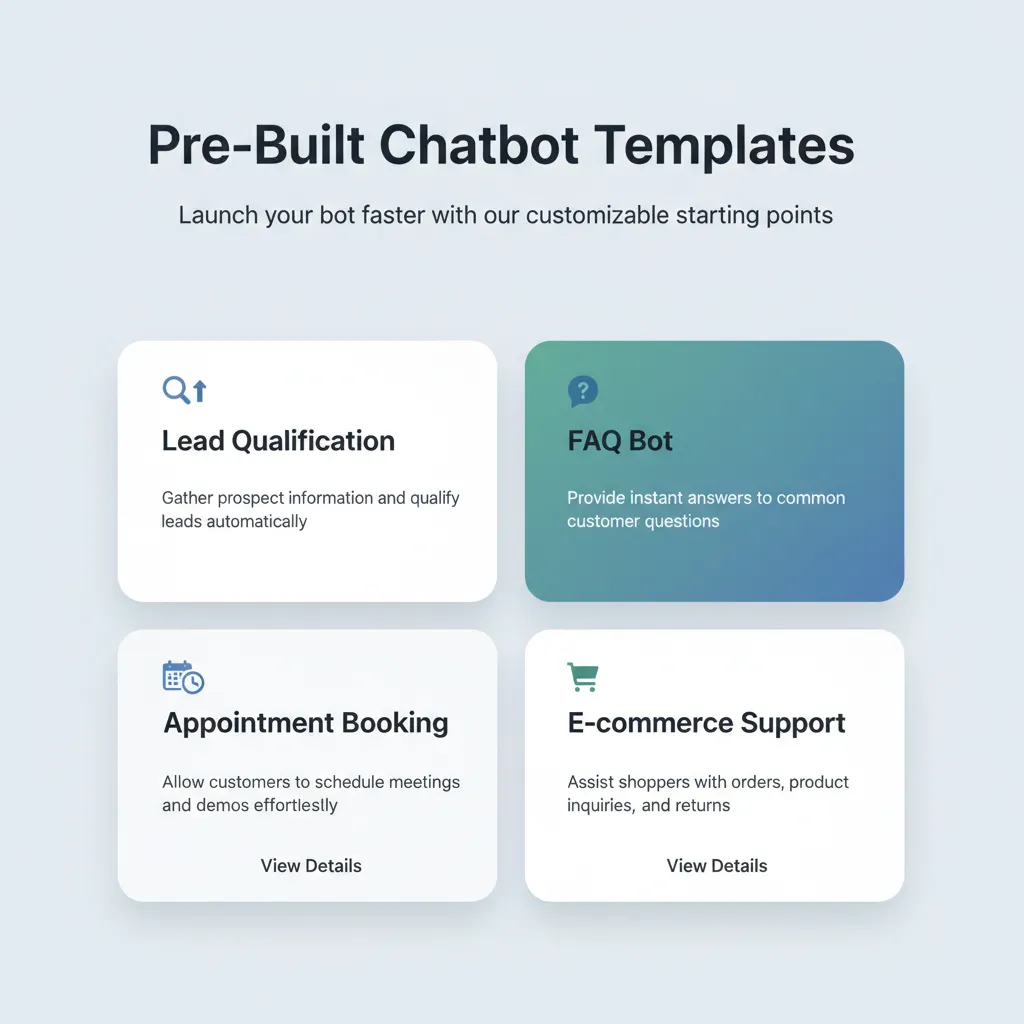
Starting from scratch is intimidating. Good platforms offer templates for lead qualification, appointment booking, order tracking, customer support, and feedback collection. ChatDaddy includes dozens of industry-specific templates you can customize and deploy in minutes.
4. Conditional Logic and Branching
Your chatbot needs to make decisions. If the customer is a returning buyer, show them their order status. If they're new, show them your product catalog. Conditional logic lets you create personalized experiences based on user responses, contact tags, time of day, or any custom variable.
5. Integrations Without Code
The chatbot shouldn't live in isolation. Look for native integrations with Shopify, WooCommerce, Google Sheets, HubSpot, Zapier, and other tools your team uses. ChatDaddy connects to all major platforms, letting your bot pull order data, update CRM records, or trigger workflows elsewhere.
6. Human Handoff
No bot handles 100% of conversations. When a customer asks something complex or becomes frustrated, the bot should seamlessly transfer the chat to a human agent in your shared team inbox. The agent sees the full conversation history so the customer doesn't repeat themselves.
7. Analytics and Reporting
You need to know what's working. Track metrics like bot engagement rate, drop-off points, resolution rate, and handoff frequency. These insights tell you exactly which flows need optimization.
How to Build Your First WhatsApp Chatbot Without Code
To build your first WhatsApp chatbot without code: sign up for a platform like ChatDaddy, connect your WhatsApp Business number, choose a template or start from scratch in the visual builder, define your triggers and conversation flow, test it with your team, and publish it live.
Here's a step-by-step walkthrough using ChatDaddy:
- Sign up at chatdaddy.tech — free plan available, no credit card required. You'll have access to the chatbot builder immediately.
- Connect your WhatsApp number — ChatDaddy is an official Meta ISV Partner, so connecting via the WhatsApp Business API is streamlined. The guided setup takes about 10 minutes.
- Open the Chatbot Builder — Navigate to the chatbot section and choose "Create New Flow" or pick a template (lead capture, support FAQ, appointment booking, etc.).
- Design your flow — Drag message blocks, question blocks, and condition blocks onto the canvas. Connect them to define the conversation path. For example: Welcome message > Ask what they need > Branch by response > Send relevant info.
- Add AI responses — Enable ChatDaddy's AI engine to handle questions that fall outside your defined flows. The AI pulls from your knowledge base (FAQs, product docs, website content) to give accurate answers.
- Set triggers — Define what activates the bot: specific keywords, first-time messages, button clicks from Click-to-WhatsApp ads, or QR code scans.
- Test internally — Send test messages to your connected number. Walk through every branch to verify the flow works as expected.
- Go live — Publish the chatbot. It's now responding to every incoming WhatsApp message based on your rules.
Most ChatDaddy users build and launch their first chatbot in under 30 minutes. Iteration is even faster — tweak a message block, hit save, and it's live instantly.
Build Your WhatsApp Chatbot in Minutes — No Code Required
Join 23,500+ businesses using ChatDaddy's drag-and-drop builder to automate WhatsApp conversations, qualify leads, and provide 24/7 support.
Start Building Free
Top Use Cases for No-Code WhatsApp Chatbots
The top use cases for no-code WhatsApp chatbots are: lead qualification from ads, 24/7 customer support automation, appointment and order booking, e-commerce cart recovery, interactive product catalogs, feedback and survey collection, and onboarding new customers.
Lead Qualification from Ads
Run Click-to-WhatsApp ads on Facebook or Instagram. When a lead clicks, your chatbot instantly engages: asks qualifying questions (budget, timeline, company size), tags the contact, and routes hot leads to your sales team. Businesses using this approach report 3-5x higher conversion rates compared to landing page forms.
24/7 Customer Support
Your bot handles the top 20 questions that make up 80% of support volume: business hours, shipping status, return policies, pricing, and account issues. When it can't resolve something, it creates a ticket and hands off to a human agent through the shared inbox. Support costs drop 40-60%.
E-Commerce Order Management
Connect your Shopify or WooCommerce store. The chatbot sends order confirmations, shipping updates, and delivery notifications automatically. Customers can check their order status by simply messaging your WhatsApp number. Broadcast abandoned cart reminders to recover 25-35% of lost sales.
Appointment Booking
Service businesses (salons, clinics, consultancies) use chatbots to handle scheduling. The bot shows available slots, lets customers pick a time, sends confirmations, and follows up with reminders — all without human intervention.
Interactive Product Catalogs
Send product images, descriptions, and prices through WhatsApp conversations. Let customers browse, ask questions, and place orders directly in chat. This works especially well for businesses in markets where WhatsApp is the primary communication channel.
Comparing No-Code WhatsApp Chatbot Builders (2026)
The best no-code WhatsApp chatbot builders in 2026 are ChatDaddy (best overall with free plan and AI), ManyChat (strong for Instagram + WhatsApp), Tidio (live chat focused), WATI (India market), and Landbot (conversational forms). ChatDaddy offers the most complete WhatsApp-native feature set at the lowest entry price.
| Feature |
ChatDaddy |
ManyChat |
Tidio |
WATI |
Landbot |
| Free Plan | Yes | Yes (limited) | Yes (limited) | No | No |
| Starting Price | $119/mo | $15/mo | $29/mo | $49/mo | $45/mo |
| Visual Flow Builder | Drag-and-drop, advanced | Drag-and-drop | Basic builder | Flow builder | Drag-and-drop |
| AI / NLP | Built-in AI engine | AI intents | Tidio AI | Basic NLP | Dialogflow integration |
| WhatsApp Native | Yes, primary focus | Multi-channel | Multi-channel | Yes, WhatsApp only | Multi-channel |
| Templates | 50+ industry-specific | 20+ | 35+ | 15+ | 20+ |
| Shared Inbox | Up to 15 teammates | Not included | Included | 5 agents | Not included |
| Broadcast | Unlimited | Limited | No WhatsApp broadcast | Limited by plan | No |
| Meta ISV Partner | Yes | Yes | No | Yes | Yes |
| Coexistence | Yes — use API + WhatsApp Business App on same number (free) | No | No | No | No |
| Best For | WhatsApp-first businesses | Social media marketers | Website + chat combo | Indian market SMBs | Conversational forms |
Why ChatDaddy wins for WhatsApp chatbot building: It's the only platform offering a free plan with an advanced drag-and-drop builder (AI features on Pro & Max plans), up to 15 teammates in the shared inbox, and unlimited broadcasts. Competitors either charge more, limit agent seats, or treat WhatsApp as an add-on to their multi-channel offering. ChatDaddy is WhatsApp-native — every feature is optimized for the platform your customers actually use.
AI-Powered vs Rule-Based: Which Chatbot Do You Need?
Rule-based chatbots follow predefined conversation paths and work best for structured workflows like order tracking and appointment booking. AI-powered chatbots understand natural language and context, making them better for open-ended customer support and complex inquiries. Most businesses benefit from a hybrid approach combining both.
Rule-Based Chatbots
These follow strict if/then logic. Customer says "track order" > bot asks for order number > bot fetches status from Shopify > bot displays result. They're predictable, easy to build, and perfect for structured processes. The downside: they break when customers say something unexpected.
AI-Powered Chatbots
These understand intent and context. A customer could type "where's my stuff?" or "I ordered something last week and haven't received it" — the AI recognizes both as order tracking requests. ChatDaddy's AI engine is trained on your knowledge base, so it gives accurate, brand-specific answers without manual programming of every possible phrase. As Chatarmin's 2025 data shows, 80% of WhatsApp Business users are SMEs who benefit most from AI-powered automation.
The Hybrid Approach (Recommended)
The smartest strategy combines both. Use rule-based flows for structured processes (booking, ordering, lead qualification) and AI responses for everything else. ChatDaddy's builder lets you layer AI on top of your rule-based flows, so your bot handles the predictable paths efficiently and the unpredictable ones intelligently. Learn more about how this integrates with a full WhatsApp CRM setup.
5 Common Mistakes When Building WhatsApp Chatbots
The five most common mistakes are: building overly complex flows instead of starting simple, not including a human handoff option, ignoring analytics and never optimizing, failing to personalize messages with contact data, and not testing the bot thoroughly before launching.
Mistake 1: Overcomplicating the Flow
Your first chatbot doesn't need 50 branches. Start with one clear use case — like answering your top 5 FAQs. Get it working, measure results, then expand. The businesses that succeed with chatbots start simple and iterate fast.
Mistake 2: No Human Handoff
A chatbot that never escalates to a human frustrates customers. Always include a "Talk to a human" option, and make sure the handoff is seamless. With ChatDaddy, the conversation transfers to your team inbox with full context, so agents pick up right where the bot left off.
Mistake 3: Ignoring Analytics
Building the bot is step one. Optimizing it is where the value comes from. Track where users drop off, which branches get the most traffic, and what questions the bot can't answer. Use these insights to improve flows weekly.
Mistake 4: Generic, Impersonal Messages
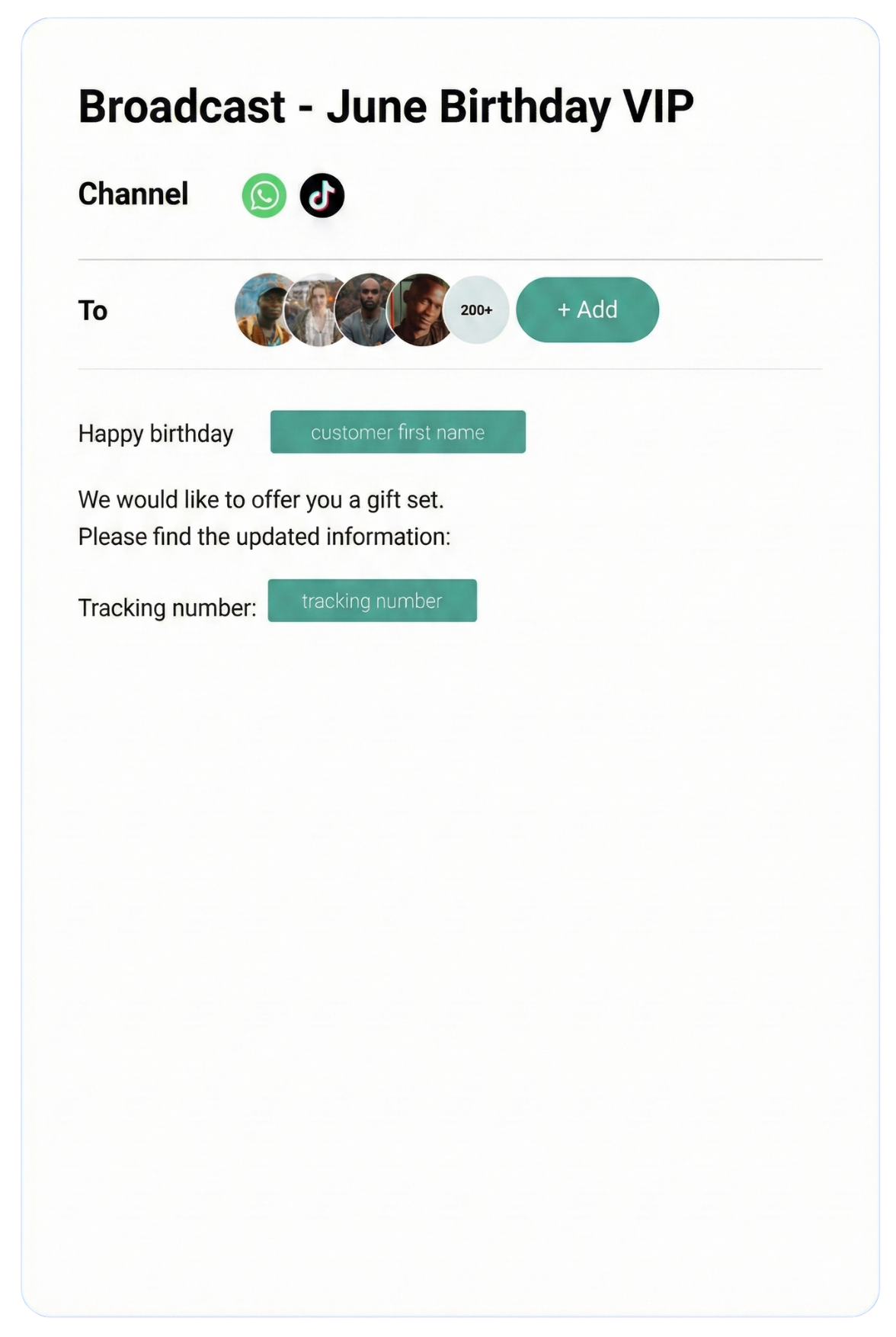
WhatsApp is a personal channel. Messages that feel like automated spam get ignored. Use the customer's name, reference their purchase history, and match your brand's tone. ChatDaddy lets you insert dynamic variables (name, order number, last purchase) into any message block.
Mistake 5: Skipping the Testing Phase
Every branch needs testing. Send messages that follow the happy path and messages that break it. Try edge cases: what happens when a customer sends an emoji? A voice note? An image? Good platforms like ChatDaddy handle unexpected inputs gracefully, but you need to verify your specific flows work as intended. WhatsApp API updates in 2026 also introduced new interactive message types worth testing. Also consider how your chatbot integrates with broadcast campaigns and other automated touchpoints.
Frequently Asked Questions
Can I build a WhatsApp chatbot without coding?
Yes. No-code platforms like ChatDaddy provide drag-and-drop visual builders where you design conversation flows by connecting blocks on a canvas. You can create sophisticated chatbots with conditional logic, AI responses, and integrations — all without writing a single line of code.
Is there a free no-code WhatsApp chatbot builder?
Yes. ChatDaddy offers a free plan that includes access to the chatbot builder, shared team inbox, and basic broadcast messaging. ManyChat and Tidio also offer limited free tiers, but with fewer WhatsApp-specific features. ChatDaddy's free plan is the most complete for WhatsApp-focused businesses.
How long does it take to build a WhatsApp chatbot without code?
Most users build and deploy their first chatbot in 15-30 minutes using templates. Building a custom flow from scratch typically takes 1-2 hours depending on complexity. Iteration and updates take just minutes since you're editing visual blocks, not rewriting code.
Do I need the WhatsApp Business API for a chatbot?
Yes, for any serious chatbot deployment. The free WhatsApp Business App doesn't support chatbot automation, multi-agent access, or programmatic messaging. The WhatsApp Business API (accessed through a Meta ISV Partner like ChatDaddy) is required for automated chatbot responses at scale.
What is the best no-code WhatsApp chatbot builder in 2026?
ChatDaddy is the top choice for WhatsApp-native chatbot building. It offers a free plan, advanced drag-and-drop builder, built-in AI, up to 15 teammates, and is an official Meta ISV Partner. For multi-channel needs (Instagram + WhatsApp), ManyChat is a secondary option.
Can a no-code chatbot handle complex conversations?
Yes. Modern no-code builders support conditional branching, variable storage, API calls, AI/NLP processing, and integrations with CRMs and databases. ChatDaddy's builder combines rule-based flows with an AI engine, enabling it to handle both structured processes and open-ended questions effectively.
How do I connect my chatbot to Shopify or other tools?
ChatDaddy offers native integrations with Shopify, WooCommerce, Google Sheets, HubSpot, Zapier, and more. In the chatbot builder, you add an "integration" action block, select your tool, and map the data fields. No code or API keys to manage manually — the platform handles the connection.
Will my WhatsApp number get banned if I use a chatbot?
Not if you use the official WhatsApp Business API through a certified Meta ISV Partner like ChatDaddy. The API is designed for automated business messaging. Follow Meta's messaging policies, collect opt-in from contacts, and maintain your quality rating to stay in good standing.
ChatDaddy Team
ChatDaddy is a Meta ISV Partner serving 23,500+ businesses across 50+ countries. Our no-code chatbot builder and shared inbox help teams automate WhatsApp conversations, qualify leads, and provide instant customer support — without developers.
chatdaddy.tech