WhatsApp Team Inbox: The Complete Guide to Managing Team Conversations in 2026
By ChatDaddy Team
March 27, 2026
Last updated: March 27, 2026
12 min read

When your business grows beyond a single person answering WhatsApp messages, chaos follows. Leads slip through the cracks, two agents reply to the same customer, and nobody knows who's handling what. A WhatsApp team inbox solves all of this by letting your entire team manage one WhatsApp number from a single shared dashboard — with message assignment, internal notes, and full conversation history.
With 2.93 billion monthly active users on WhatsApp and over 400 million businesses now using WhatsApp Business, a team inbox isn't a luxury — it's infrastructure. In this guide, you'll learn what a WhatsApp team inbox is, why it outperforms individual phones, how to set one up in minutes, and why 23,500+ businesses trust ChatDaddy to process over 10 million messages per day through their shared inboxes.
What Is a WhatsApp Team Inbox?
A WhatsApp team inbox is a shared workspace where multiple agents access and respond to customer conversations on a single WhatsApp Business number simultaneously, with features like chat assignment, internal notes, tags, and conversation history — all powered by the official WhatsApp Business API.
Think of it like a shared email inbox, but for WhatsApp. Instead of one person holding the company phone, your entire sales, support, and operations team logs into a web dashboard and sees every incoming message. Chats are assigned to specific agents, tagged by topic or priority, and tracked from first message to resolution.
The critical technical detail: a WhatsApp team inbox requires the WhatsApp Business API, not the free WhatsApp Business App. The free app limits you to one primary device plus four linked devices — nowhere near enough for a real team. The API, accessed through a Meta ISV Partner like ChatDaddy, removes that limitation entirely.
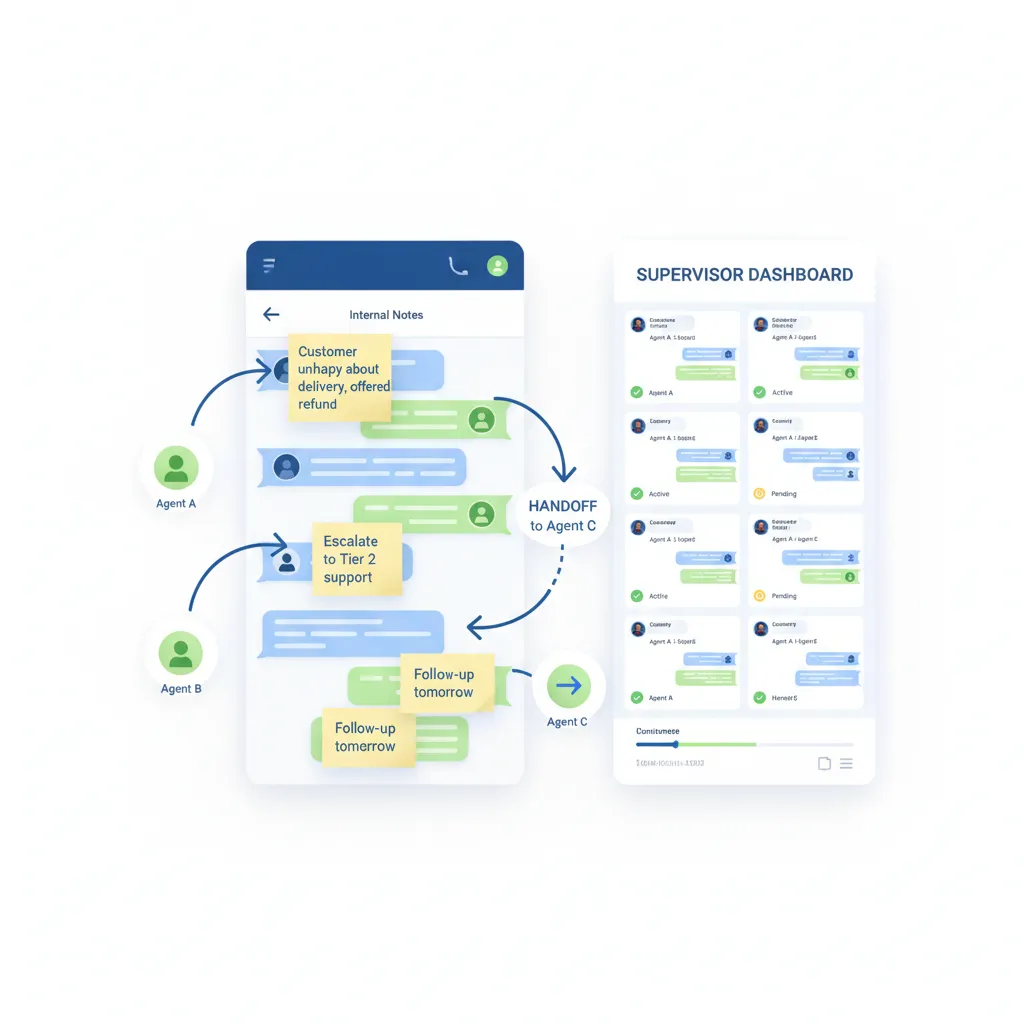
With a team inbox, every conversation is captured centrally. When an agent goes on break, another picks up seamlessly. When a customer calls back two weeks later, any agent can see the full history. No context is ever lost.
Why Your Business Needs a WhatsApp Team Inbox
Businesses need a WhatsApp team inbox because managing customer conversations on individual phones leads to lost leads, duplicated replies, zero accountability, and no performance data. A shared inbox centralizes everything so teams respond faster and never drop the ball.
If you're still managing WhatsApp from personal phones or the free Business App, here's what's happening that you can't see:
- Lost leads: A customer messages at 9 PM. The person with the phone is asleep. By morning, the lead has gone cold — or worse, messaged a competitor.
- Duplicate replies: Two team members see the same message and both respond with conflicting information. The customer loses trust immediately.
- Zero visibility: You have no idea how many messages your team handles per day, what your average response time is, or which agent is performing best.
- No handoffs: When an agent leaves or goes on vacation, their conversations disappear with them. The replacement starts from scratch.
- Compliance risk: Customer data lives on personal devices. If someone quits, that data walks out the door.
The numbers make the case clear. WhatsApp messages achieve 98% open rates compared to email's 20% (DemandSage, 2025). Promotional messages on WhatsApp see 45-60% click-through rates versus 2-5% for email (yCloud, 2025). That means every mishandled WhatsApp conversation costs you far more than a missed email.
With 80% of SMEs already using WhatsApp Business (Chatarmin, 2025), the question isn't whether to use WhatsApp for business — it's whether you have the right infrastructure to do it well.
6 Key Features of a Great WhatsApp Team Inbox
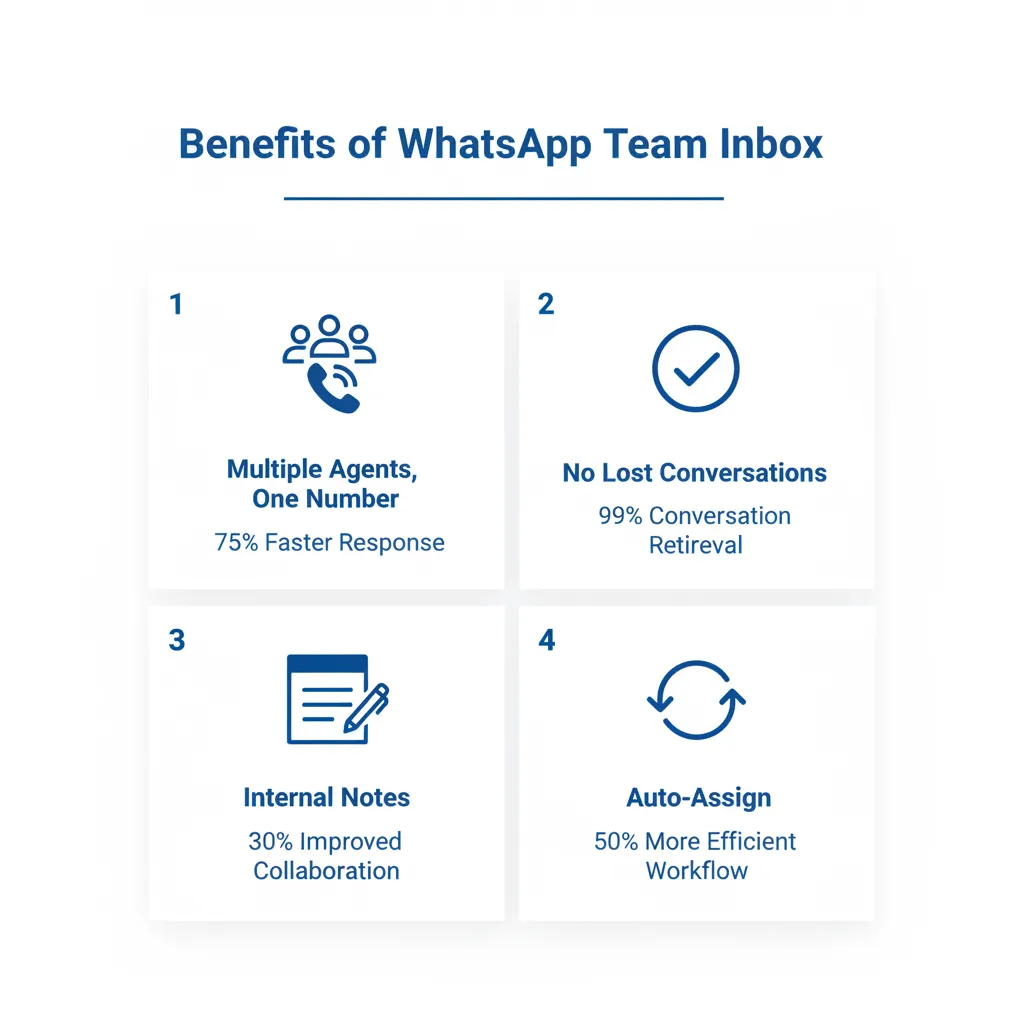
The essential features of a WhatsApp team inbox are: multi-agent access on one number, automatic and manual chat assignment, internal notes and mentions, contact tags and segmentation, conversation analytics, and integration with CRM and e-commerce tools.
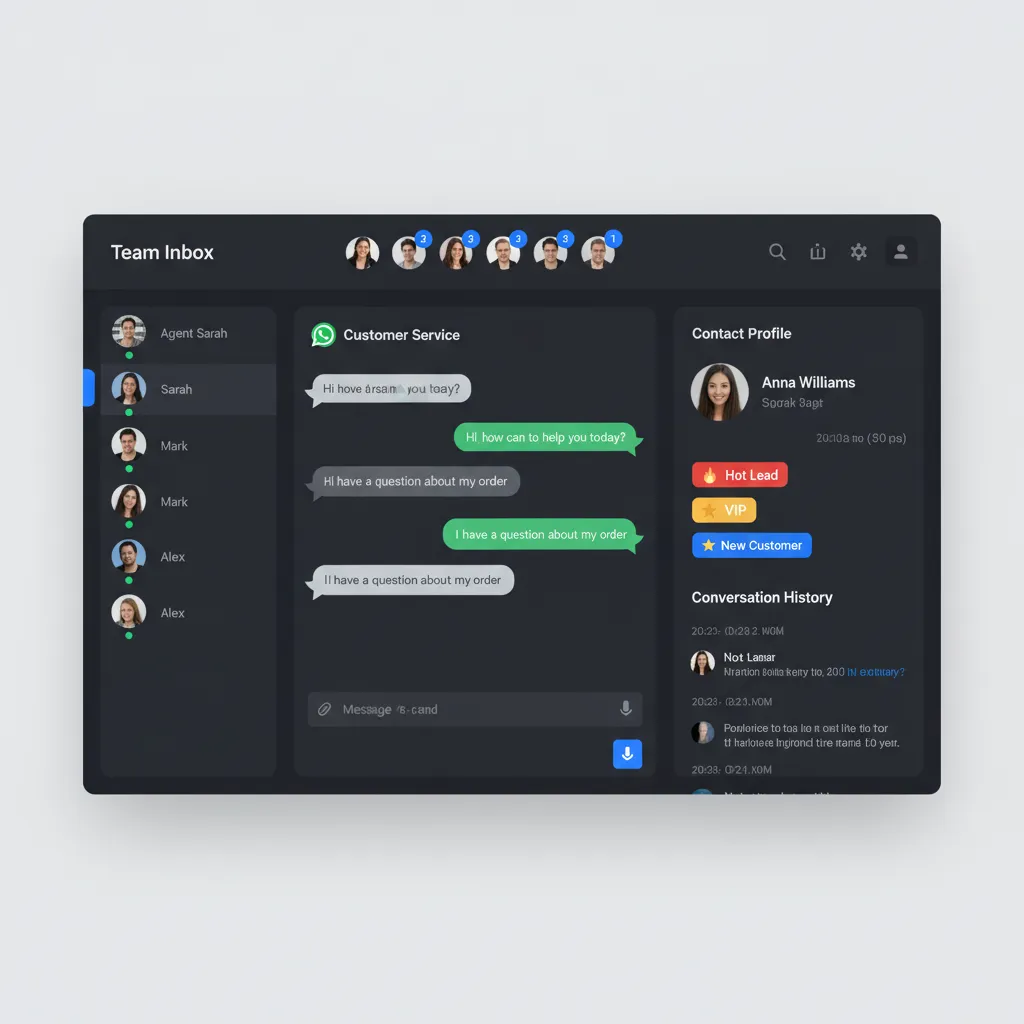
1. Multi-Agent Access on One Number
The foundational feature. Your entire team — whether it's 3 people or 15 — accesses the same WhatsApp Business number from their own devices or browsers. No more passing phones around. ChatDaddy's shared inbox supports up to 15 teammates even on paid plans starting at $119/month.
2. Automatic and Manual Chat Assignment
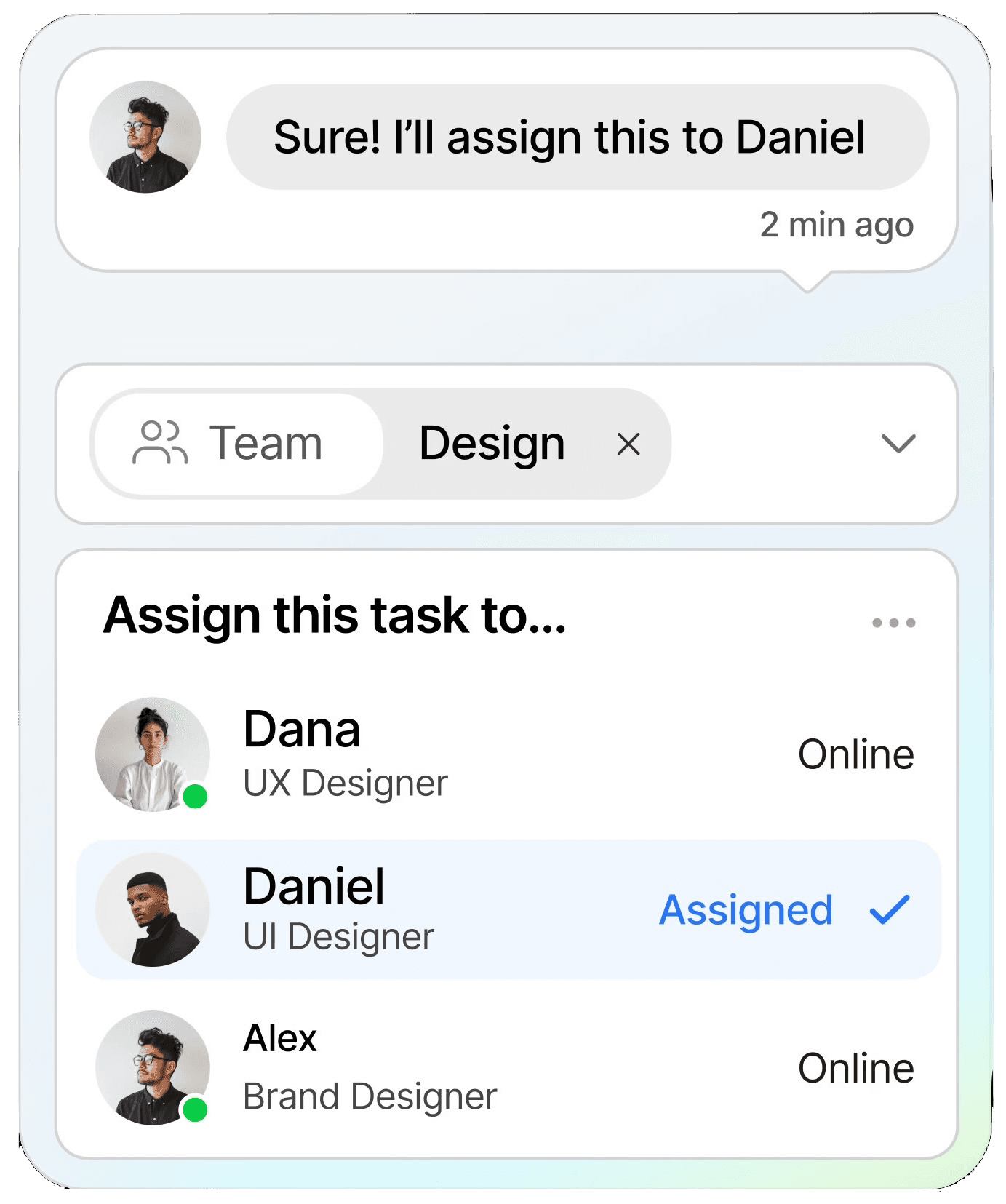
Incoming messages need to reach the right person fast. A good team inbox offers round-robin assignment (distribute evenly), skill-based routing (send billing questions to finance), and manual reassignment when needed. This prevents the "someone else will get it" problem that kills response times.
3. Internal Notes and Mentions
Your team needs to collaborate without the customer seeing. Internal notes let agents leave context ("Customer wants a refund — manager approved"), while @mentions notify specific teammates to jump into a conversation. This keeps handoffs smooth and customers happy.
4. Contact Tags and Segmentation
Tag contacts as "hot lead," "VIP customer," "pending payment," or any custom label your workflow needs. Later, you can filter conversations by tag, send targeted broadcasts to specific segments, or build automation triggers based on tags.
5. Conversation Analytics
Track first response time, average resolution time, messages per agent, customer satisfaction scores, and peak hours. Without this data, you're guessing. With it, you know exactly where your team is strong and where they need support.
6. Integrations with CRM and E-commerce
Your team inbox should connect to the tools you already use. ChatDaddy integrates with Shopify, HubSpot, Google Sheets, Zapier, and more — so order details, customer records, and workflow triggers flow automatically without copy-pasting between apps.
How to Set Up a WhatsApp Team Inbox in 15 Minutes
To set up a WhatsApp team inbox, sign up with a Meta ISV Partner like ChatDaddy, connect your WhatsApp Business number through Meta verification, invite your team members with role-based permissions, configure auto-assignment rules, and start managing conversations from the shared dashboard.
Here's the step-by-step process with ChatDaddy:
- Create your ChatDaddy account — sign up at chatdaddy.tech. The free plan works for testing; paid plans start at $119/month.
- Connect your WhatsApp number — ChatDaddy walks you through Meta Business verification as an official Meta ISV Partner. If you don't have a number yet, you can get one during setup.
- Invite your team — add agents via email. Set roles: Admin (full access), Agent (chat only), or Viewer (read-only for managers).
- Configure assignment rules — choose round-robin for even distribution, or set keyword-based routing (e.g., "refund" goes to support, "pricing" goes to sales).
- Set up quick replies — create templated responses for frequent questions to cut response time by 60%+.
- Enable notifications — make sure agents get desktop and mobile alerts for new assignments.
- Go live — your team inbox is ready. All incoming WhatsApp messages now flow into the shared dashboard.
The entire setup takes 10-15 minutes. No developers, no coding, no complex API configurations. ChatDaddy handles the technical integration so your team can focus on conversations.
Get Your Team on the Same WhatsApp Number — Today
Join 23,500+ businesses using ChatDaddy's team inbox to manage leads, collaborate on support, and never miss a message again.
Start Free Today
Team Inbox Use Cases by Industry
WhatsApp team inboxes are used across industries: e-commerce teams handle order inquiries and returns, healthcare clinics manage appointment scheduling, education institutions process admissions queries, real estate agents coordinate property viewings, and service businesses manage bookings and support.
E-commerce: Multi-Agent Order Support
An online store receives 200+ WhatsApp messages daily about orders, returns, and product questions. With a team inbox, support agents handle chats simultaneously while the AI chatbot auto-resolves common queries like "Where's my order?" by pulling tracking data from Shopify. Human agents only handle escalations, cutting the workload by 40%.
Healthcare: Appointment Coordination
A multi-doctor clinic uses the team inbox so receptionists, nurses, and doctors all access patient conversations. Receptionists book appointments, nurses send prep instructions, and doctors follow up — all from the same WhatsApp number, with each professional only seeing conversations assigned to them.
Real Estate: Lead Distribution
A property agency runs Click-to-WhatsApp ads for new developments. Leads land in the team inbox and are automatically assigned to agents by territory. Each agent sees only their leads, but managers see everything — including response times and conversion rates.
Education: Admissions at Scale
A university receives thousands of admissions inquiries during enrollment season. The team inbox routes questions by department: tuition inquiries to finance, program details to academic advisors, and campus tours to student ambassadors. Broadcast messaging sends deadline reminders to all applicants at once.
WhatsApp Team Inbox Platforms Compared (2026)
The top WhatsApp team inbox platforms in 2026 are ChatDaddy (best value, free plan, up to 15 teammates), WATI (India-focused, $49/month), respond.io (enterprise features, $99/month), Trengo (European market, $113/month), and SleekFlow (free plan with limitations). ChatDaddy offers the most complete feature set at the lowest starting price.
| Feature |
ChatDaddy |
WATI |
Respond.io |
Trengo |
SleekFlow |
| Free Plan | Yes | No | No | No | Yes (limited) |
| Starting Price | $119/mo | $49/mo | $99/mo | $113/mo | $79/mo |
| Agents Included | Up to 15 | 5 agents | 5 users | 5 users | 3 users |
| Chat Assignment | Auto + manual | Auto + manual | Auto + manual | Auto + manual | Manual only (free) |
| Internal Notes | Yes | Yes | Yes | Yes | Yes |
| AI Chatbot | No-code, AI-powered | Flow builder | Workflows | Flowbot | Flow builder |
| Broadcast Messaging | Unlimited | Limited by plan | Limited | Limited | Limited |
| Analytics Dashboard | Full (all plans) | Basic (starter) | Full | Basic | Basic (free) |
| Meta ISV Partner | Yes | Yes | Yes | No | Yes |
| Coexistence | Yes — use API + WhatsApp Business App on same number (free) | No | No | No | No |
| Best For | SMBs globally | Indian market | Enterprise | EU market | Startups |
For teams watching their budget, ChatDaddy stands out as the only platform offering up to 15 teammates on paid plans starting at just $119/month. Most competitors charge per seat, meaning a 10-person team on respond.io could pay $200+/month before adding any features. On ChatDaddy's Pro plan at $299/month, that same team gets up to 15 teammates, AI chatbots, analytics, and unlimited broadcasts.
Best Practices for Managing a Team Inbox
Best practices for managing a WhatsApp team inbox include: setting clear assignment rules, defining response time SLAs, using tags consistently, creating quick-reply templates, reviewing analytics weekly, and training agents on tone and escalation procedures.
Set Response Time SLAs
Define clear targets: first reply within 2 minutes during business hours, 15 minutes after hours (via chatbot). Track this in your analytics dashboard. Teams with defined SLAs respond 3x faster than those without, according to SuperOffice customer service benchmarks (2025).
Use Tags Consistently
Create a standard tag taxonomy and train every agent on it. Common examples: new-lead, follow-up-needed, payment-pending, escalated, resolved. Inconsistent tagging makes your segmentation and reporting useless.
Build a Quick-Reply Library
Identify your top 20 most-asked questions and create templated responses. Agents can send these with one click, then personalize as needed. This alone cuts average handle time by 40-50%.
Review Analytics Weekly
Every Monday, check: total conversations, average first response time, resolution rate, busiest hours, and agent performance. Use this data to adjust schedules, redistribute workload, and identify training opportunities.
Separate Sales and Support Queues
Don't dump all conversations into one pile. Use ChatDaddy's routing to send sales inquiries to sales agents and support tickets to support agents. Different conversations need different skills and different urgency levels.
Never Leave a Chat Unassigned
Unassigned chats are the number one cause of missed leads. Set your team inbox to auto-assign every incoming conversation — even if it goes to a general queue first. Someone must own every chat, every time.
WhatsApp Business API Pricing Changes in 2026
In 2026, Meta made service conversation replies within 24 hours completely free, gave verified businesses instant access to 100,000 daily messages, and restructured pricing so only outbound marketing templates incur charges. This makes team inboxes significantly cheaper for support-heavy teams.
Meta overhauled WhatsApp Business pricing in 2026, and the changes heavily favor teams using a shared inbox for customer support:
- Free service replies (24-hour window): When a customer messages you first, your replies within 24 hours cost nothing. For support teams, this means the majority of conversations are now free.
- Instant 100K daily message limit: Verified businesses no longer need to scale through tiers (1K to 10K to 100K). You get the full 100,000 messages per day immediately upon verification.
- Marketing template pricing: Outbound marketing messages cost up to $0.24 each depending on region, with volume discounts up to 20%. Utility and authentication messages are cheaper.
- WhatsApp Usernames (June 2026): Users will be able to hide phone numbers, receiving a unique identifier instead. Team inbox platforms like ChatDaddy are already updating to support this transition.
The bottom line: if most of your WhatsApp conversations are inbound customer queries handled through a team inbox, your API costs just dropped dramatically. Source: Sanuker WhatsApp API 2026 Updates
Pro tip: Combine free service replies with ChatDaddy's AI chatbot to automate responses within the 24-hour window. You get instant replies, zero API cost, and happy customers.
Frequently Asked Questions
What is a WhatsApp team inbox?
A WhatsApp team inbox is a shared dashboard where multiple team members can view, assign, and respond to WhatsApp conversations on a single business number. It connects through the WhatsApp Business API and includes features like chat routing, internal notes, tags, and analytics.
Can multiple agents use one WhatsApp number at the same time?
Yes, but only through the WhatsApp Business API. The free WhatsApp Business App limits you to one primary device and four linked devices. With an API-based team inbox like ChatDaddy, up to 15 teammates can manage conversations simultaneously on the same number.
How much does a WhatsApp team inbox cost?
Prices vary by platform. ChatDaddy offers a free plan to get started and paid plans from $119/month with up to 15 teammates. Competitors like WATI start at $49/month, respond.io at $99/month, and Trengo at $113/month — often with per-seat charges on top.
Is the WhatsApp Business API required for a team inbox?
Yes. The free WhatsApp Business App does not support true multi-agent access, automated routing, or analytics. A team inbox must connect through the official WhatsApp Business API, which is available through Meta ISV Partners like ChatDaddy.
How do I assign chats to specific team members?
Most team inbox platforms support both automatic and manual assignment. Automatic options include round-robin (distribute evenly), keyword-based routing, and skill-based routing. Agents or admins can also manually reassign any conversation with one click.
Can I see conversation history when a chat is reassigned?
Yes. In a proper team inbox, the complete conversation history stays with the chat, not the agent. When a conversation is reassigned — or when a customer reaches out again days later — any agent can see every previous message, internal note, and tag.
Does a WhatsApp team inbox work with chatbots?
Yes. Platforms like ChatDaddy let you combine a team inbox with an AI-powered chatbot. The chatbot handles first-line responses, qualifies leads, and answers FAQs automatically. When the bot can't resolve an issue, it escalates to a human agent in the team inbox with full context.
How long does it take to set up a WhatsApp team inbox?
With ChatDaddy, setup takes 10-15 minutes. You sign up, verify your WhatsApp Business number through Meta, invite your team, configure assignment rules, and you're live. No developers or coding required.
ChatDaddy Team
ChatDaddy is a Meta ISV Partner serving 23,500+ businesses across 50+ countries. We help teams of all sizes turn WhatsApp into their most powerful sales and support channel — starting with a shared team inbox that just works.
chatdaddy.tech