Best WhatsApp Broadcast Tool in 2026 — Send Bulk Messages Without Getting Banned
By ChatDaddy Team
March 28, 2026
Last updated: March 28, 2026
11 min read

You have a promotion to send. You have 5,000 customers on WhatsApp. You open the free WhatsApp Business App, and the hard reality hits: there is no bulk send. You can create a broadcast list, but it caps at 256 contacts, only reaches people who saved your number, and by contact 100 your phone is throttled to a crawl. Businesses that keep trying this approach get their numbers banned within weeks.
In 2026, WhatsApp is the highest-converting marketing channel on earth — 95-98% open rates, replies within minutes, and a global base of over 3 billion users. But to use it at scale without risking your business number, you need a proper WhatsApp broadcast tool built on the official Business API. This guide covers everything: how broadcast tools work, what separates the safe ones from the dangerous ones, and why ChatDaddy — trusted by 23,500+ businesses — is the most powerful broadcast platform available in 2026.
What Is a WhatsApp Broadcast Tool
A WhatsApp broadcast tool is a software platform connected to the official WhatsApp Business API that lets businesses send bulk messages to large, segmented contact lists at scale — with delivery tracking, personalization, scheduling, and compliance safeguards built in. Unlike the free app's 256-contact broadcast limit, API-based tools have no hard cap on recipients.
At its core, a WhatsApp broadcast tool does one job: it sends one message to many people, fast, and safely. But the mechanics underneath determine whether that message reaches 500 people or 50,000 — and whether your number survives to send the next campaign.
There are two fundamentally different types of WhatsApp broadcast tools in 2026:
1. Free App Broadcast (WhatsApp Business App)
Built into the free WhatsApp Business App, this feature lets you create broadcast lists of up to 256 contacts and send messages to everyone on that list at once. On the surface it sounds workable. In practice:
- Recipients must have your number saved in their contacts or they won't receive the message
- 256-contact cap means 5,000 customers requires 20 separate lists and 20 manual sends
- No scheduling, no analytics, no delivery receipts beyond read indicators
- No segmentation — everyone gets the same message
- High spam report risk because contacts who don't recognize your number ignore or block you
- WhatsApp detects mass broadcast patterns from personal/app numbers and bans them
2. API-Based Broadcast Tool (Official WhatsApp Business API)
Platforms like ChatDaddy connect through the official WhatsApp Business API, which is the only Meta-approved method for sending bulk messages at scale. These tools:
- Support unlimited contacts per broadcast with no hard cap
- Send to contacts who have not saved your number (as long as they opted in)
- Deliver real-time analytics: sent, delivered, read, and replied counts
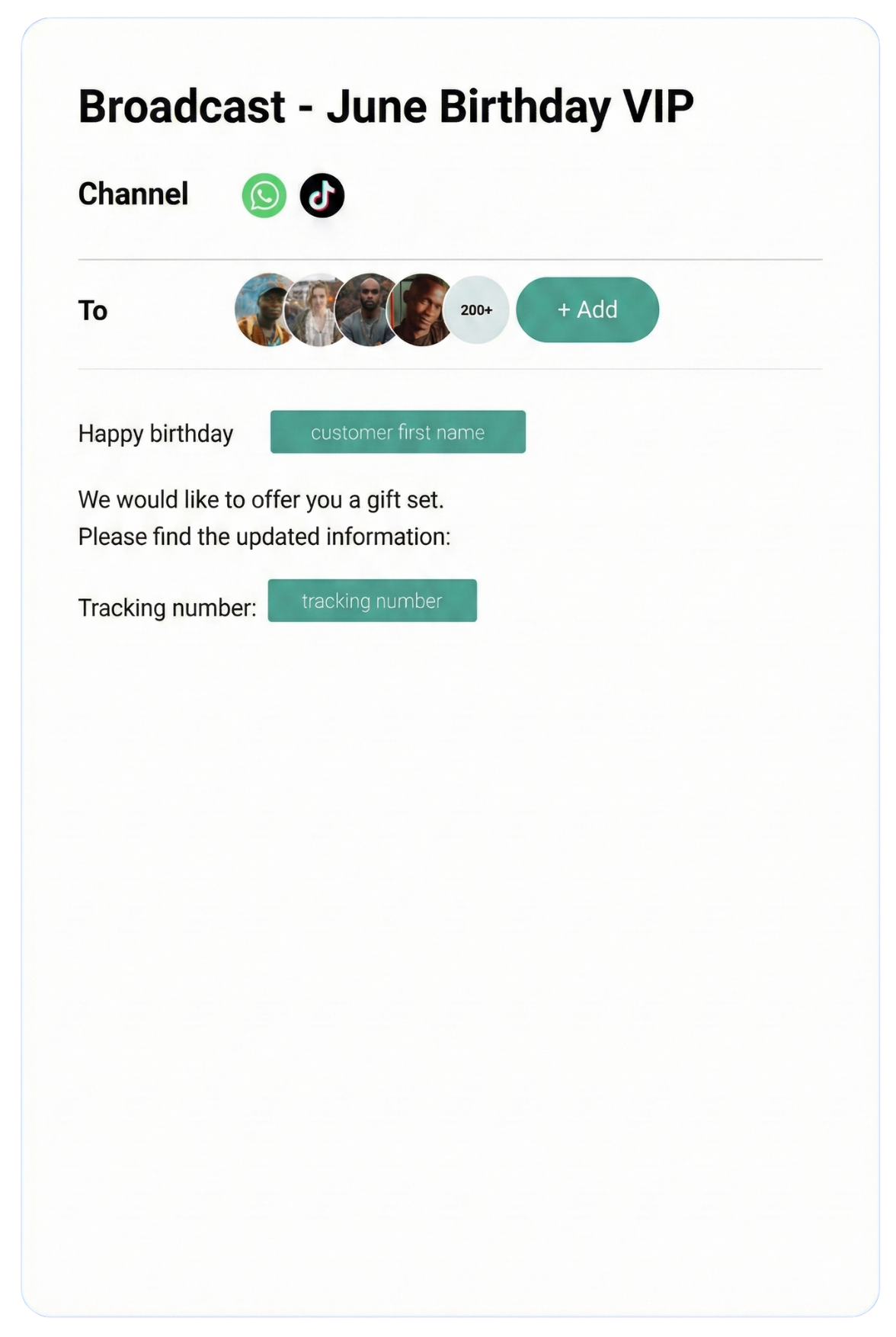
- Enable personalization with variables (name, order number, product)
- Include scheduling, drip sequences, and A/B testing
- Enforce Meta's opt-in policies, reducing spam risk and protecting your number
The distinction matters enormously. Using unofficial bulk-sender apps or WhatsApp mods to blast contacts will get your number permanently banned. API-based tools operate within Meta's approved infrastructure — that's the foundation of safe, scalable broadcasting.
Why You Need One (vs Manual Broadcasting)
Manual WhatsApp broadcasting using the free Business App becomes unmanageable above 256 contacts, carries a high ban risk, provides no analytics, and cannot scale with your business. A dedicated WhatsApp broadcast tool eliminates all of these constraints while adding segmentation, scheduling, personalization, and compliance features.
Let's make this concrete. A mid-sized e-commerce brand with 8,000 WhatsApp subscribers wants to run a flash sale. Here's what manual broadcasting looks like versus using a proper broadcast tool:
| Task |
Manual (Free App) |
API Broadcast Tool |
| Sending to 8,000 contacts | 32 separate broadcast lists, sent manually one by one | One campaign, one click |
| Time to send | 3-4 hours (with throttling delays) | Under 7 minutes at 20 msg/sec |
| Personalization | None — identical message to all | Name, city, past purchase, custom tags |
| Scheduling | Must send in real time | Schedule hours or days in advance |
| Analytics | No delivery data | Sent, delivered, read, reply rates |
| Segmentation | None | Filter by location, tag, behavior |
| Ban risk | High — mass sends flagged by WhatsApp | Low — Meta-approved infrastructure |
| Opt-out handling | Manual removal | Automatic keyword opt-out |
The ROI calculation is straightforward. A broadcast tool that saves 3-4 hours per campaign, protects your primary business number from being banned, and lifts conversion rates through personalization pays for itself in the first campaign. Many ChatDaddy customers report 25-40% open-to-click rates on broadcast campaigns — numbers that email marketers can only dream about.
"We used to manually split our list into groups of 256 and send for hours. With ChatDaddy, we send to our entire 12,000-contact list in about 10 minutes. Our Hari Raya campaign last year did 31% click-through." — Fashion retailer, Kuala Lumpur
How WhatsApp Broadcast Works: API vs Free App Limits
WhatsApp broadcast via the Business API works through pre-approved message templates sent to opted-in contacts. Unlike the free app's 256-contact limit, the API has tiered throughput: new accounts start at 1,000 unique conversations per day, scaling to unlimited for high-quality, high-volume senders. Template approval typically takes 3-5 minutes with ChatDaddy's Meta ISV status.
Understanding the mechanics helps you plan campaigns correctly and avoid the pitfalls that get numbers suspended.
The WhatsApp API Broadcast Flow
- Template creation — you write the message with personalization variables (e.g., "Hi {{1}}, your order {{2}} has shipped"). Media — images, PDFs, videos — can be attached.
- Template approval — Meta reviews and approves the template. With ChatDaddy's Meta ISV Partner status, approval typically takes 3-5 minutes (compared to hours or days on non-ISV platforms).
- Contact list preparation — you upload or select a segmented audience. All contacts must have explicitly opted in to receive messages from your business.
- Campaign scheduling — choose send time, or trigger the broadcast from an event (e.g., abandoned cart after 1 hour, post-purchase follow-up after 3 days).
- Delivery and tracking — messages are delivered through Meta's infrastructure. Your dashboard shows real-time sent, delivered, read, and reply counts.
- Replies enter your inbox — any contact who replies is routed to your shared team inbox for follow-up by a human agent or chatbot.
Throughput Tiers: Why Speed Matters
The WhatsApp Business API has a tiered throughput system. Every new number starts at a base rate. Quality senders who maintain low block/spam rates and high engagement move up the tiers automatically. ChatDaddy's 20x broadcast speed upgrade means your account operates at 20 messages per second — versus the default 1 message per second on standard API access.
| Method |
Speed |
8,000 contacts |
Contacts Reached |
Ban Risk |
| Free App broadcast | ~5/min (throttled) | 26+ hours | Only saved contacts | High |
| Standard API (1 msg/sec) | 1/sec = 3,600/hr | ~2.2 hours | All opted-in contacts | Very low |
| ChatDaddy 20x speed | 20/sec = 72,000/hr | ~6.7 minutes | All opted-in contacts | Very low |
For time-sensitive campaigns — flash sales, event reminders, breaking news alerts — the difference between 6 minutes and 2+ hours is the difference between catching customers at the right moment and arriving after they've already moved on.
The 24-Hour Session Window and Marketing Templates
WhatsApp messages fall into two categories that affect your broadcast strategy:
- Utility/marketing templates — pre-approved outbound messages you can send anytime to opted-in contacts. These are used for promotions, announcements, and campaigns.
- Session messages (free-form) — when a contact messages you first, a 24-hour conversation window opens during which you can send any message without a pre-approved template. Customer service conversations happen in this window.
For broadcast campaigns, you are always using approved templates. ChatDaddy's template library includes dozens of proven formats across e-commerce, services, hospitality, and retail — plus an AI-assisted template writer that drafts template copy optimized for Meta approval.
Key Features to Look For in a Broadcast Tool
The most important features in a WhatsApp broadcast tool are: Meta-approved API access (not unofficial mods), contact segmentation, message personalization variables, scheduling and automation, real-time delivery analytics, opt-in/opt-out management, template management with fast approval, and two-way reply routing to a team inbox.
Not every platform marketed as a "WhatsApp broadcast tool" is equal — or safe. Here's what to evaluate before committing:
1. Official API Access (Non-Negotiable)
If a platform lets you send to contacts who never opted in, or doesn't mention Meta/WhatsApp Business API at all, walk away. It is using unofficial methods that will get your number banned and expose you to Meta's legal action. Only use platforms that are verified Meta Business Partners or ISV Partners.
2. Unlimited Contacts and No Per-Message Markup
Many platforms charge per contact stored or add a markup on top of Meta's conversation fees. Look for platforms that offer unlimited contacts with 0% markup on Meta's API pricing. You pay Meta's published rate directly — nothing extra for the platform.
3. Deep Segmentation
Broadcast to everyone = low relevance = high opt-out rates = account quality degradation. Proper segmentation by custom tags, purchase history, location, language, or behavioral triggers dramatically improves engagement and protects your sender quality score.
4. Personalization Variables
A message that says "Hi Sarah, your order #8821 ships today" converts far better than "Hi customer, your order ships today." WhatsApp templates support dynamic variables — your broadcast tool should make it easy to map CRM data to those variables at send time.
5. Scheduling and Drip Sequences
One-off blasts are useful. Automated sequences — welcome series, cart abandonment flows, re-engagement campaigns — are transformative. Look for a tool that supports trigger-based automation, not just manual scheduled sends.
6. Delivery Analytics
At minimum: sent count, delivered count, read count, reply count, and opt-out count. Better platforms show you per-template performance over time so you can A/B test and optimize.
7. Two-Way Reply Management
Broadcasts generate replies. When 300 of your 5,000 recipients respond, those conversations need to go somewhere. A proper broadcast tool routes replies into a shared team inbox where agents can handle them — not to a personal phone that gets overwhelmed in minutes.
8. Coexistence (Keep Your WhatsApp Business App)
This is a feature almost no one else offers. Most API-based platforms require you to disconnect the WhatsApp Business App from your number when you activate the API. ChatDaddy's coexistence feature lets you run both simultaneously — keeping your familiar app for personal quick replies while the API handles automated broadcasts and team inbox. No disruption to your existing workflow.
ChatDaddy Broadcast Features: 20x Speed, Coexistence, Segmentation
ChatDaddy is a Meta ISV Partner offering the fastest WhatsApp broadcast speeds available (20 messages/second vs the standard 1/second), unlimited contacts with 0% API markup, coexistence mode that preserves your WhatsApp Business App, and advanced segmentation with AI-powered personalization — trusted by 23,500+ businesses across 50+ countries.
ChatDaddy was built from the ground up as a broadcast-first platform, then expanded into a full WhatsApp CRM. Here's what makes its broadcast capability stand apart in 2026:
20x Broadcast Speed
The standard WhatsApp Business API delivers messages at 1 message per second. ChatDaddy's infrastructure is optimized to send at 20 messages per second — the maximum throughput Meta allows for high-quality ISV partners. This is not a marketing claim; it is a function of ChatDaddy's Meta ISV Partner status and its dedicated API infrastructure.
Practically: a 20,000-contact broadcast that would take 5.5 hours at standard API speed takes under 17 minutes with ChatDaddy. For flash sales, urgent alerts, or time-critical announcements, this is a game-changing difference.
Unlimited Contacts, Zero Markup
ChatDaddy does not charge per contact stored and does not add a percentage markup on Meta's conversation fees. You pay Meta's published API rates directly. With ChatDaddy, you pay the platform subscription and Meta's rates — that's it. Competitor platforms frequently add 20-40% on top of Meta's fees, which adds up fast at scale.
Advanced Contact Segmentation
Every contact in ChatDaddy can be tagged with unlimited custom labels. At broadcast time, you filter recipients by any combination of:
- Custom tags (e.g., "VIP customer", "Kuala Lumpur", "abandoned cart")
- Contact fields (name, phone, email, custom data fields)
- Conversation history (last messaged date, chat status, assigned agent)
- Opt-in source (how they entered your contact list)
- Language preference
This means a fashion retailer can send a CNY promotion only to contacts tagged "Chinese-speaking" + "purchased last 6 months" + "KL or Selangor" — instead of blasting their entire list and generating irrelevant messages that drive opt-outs.

Template Library and AI Template Writer
ChatDaddy includes a library of pre-built, pre-tested broadcast templates across 12+ industries: e-commerce, F&B, real estate, healthcare, education, events, and more. Each template has been optimized based on real approval and engagement data across 23,500+ business accounts.
For custom messages, ChatDaddy's AI template writer drafts template copy in any language (English, Bahasa Melayu, Arabic, Hindi, Spanish, and more) and formats it to maximize Meta approval likelihood. Templates submitted through ChatDaddy's ISV pipeline are typically approved in 3-5 minutes.
Coexistence: Run API and WhatsApp Business App Together
This is ChatDaddy's most unique technical differentiator. Every other API platform forces you to choose: API access OR the WhatsApp Business App on your phone. ChatDaddy's coexistence architecture means you can have both running simultaneously on the same number.
- Your team uses the shared web inbox for broadcast campaigns, automation, and assigned conversations
- You keep your WhatsApp Business App on your phone for quick personal replies and on-the-go access
- Both see the same conversations in sync — no missed messages, no conflicts
- Zero disruption when migrating to the API — your existing contacts and conversations remain intact
For businesses that were hesitant to "give up" their WhatsApp Business App, coexistence removes the last barrier to upgrading to API-powered broadcasting.

Broadcast Analytics Dashboard
Every campaign generates a full analytics report:
- Messages sent, delivered, read, and replied — with timestamps
- Delivery failure breakdown (invalid number, blocked, not on WhatsApp)
- Opt-out count and opt-out rate by campaign
- Template performance comparison across campaigns
- Reply volume that flowed into the team inbox
These metrics let you continuously optimize: test subject hooks in template headers, compare send-time performance, and identify which contact segments respond best to which message types.
Start Broadcasting at 20x Speed — Free Plan Available
Join 23,500+ businesses using ChatDaddy to send WhatsApp broadcasts without getting banned. Unlimited contacts, 0% markup on Meta fees, coexistence with your existing WhatsApp app.
Start Free Today
Comparison Table: ChatDaddy vs Competitors
ChatDaddy leads the WhatsApp broadcast tool category in 2026 by offering the fastest send speed (20 msg/sec), unlimited contacts, 0% API markup, coexistence mode, and the fastest template approval time (3-5 min) via its Meta ISV Partner status. Competitors like WATI, Interakt, Brevo, and Zoko each have meaningful limitations in speed, contact caps, or pricing transparency.
Here is how the leading WhatsApp broadcast tools compare across the criteria that matter most for bulk messaging:
| Feature |
ChatDaddy |
WATI |
Interakt |
Zoko |
Brevo (ex-Sendinblue) |
| Meta ISV Partner | Yes | Yes | Yes | No (BSP reseller) | No |
| Broadcast Speed | 20 msg/sec | ~1 msg/sec | ~1 msg/sec | ~1 msg/sec | ~1 msg/sec |
| Unlimited Contacts | Yes (all plans) | No (plan limits) | No (contact-based pricing) | No | No (contact-based) |
| API Markup | 0% — pay Meta rates directly | Yes — markup applies | Yes — markup applies | Yes | Yes |
| Template Approval Time | 3-5 min (ISV fast-track) | 15-60 min | 15-60 min | Hours | Hours |
| Coexistence (API + App) | Yes (unique feature) | No | No | No | No |
| Shared Team Inbox | Yes (up to 15 agents) | Yes (plan-limited) | Yes | Yes | Limited |
| Contact Segmentation | Advanced (unlimited tags) | Basic | Moderate | Basic | Basic |
| Starting Price | Free (then $119/mo) | $49/mo | $15/mo (+per contact) | $49/mo | $25/mo (+limits) |
| Free Plan | Yes | No | No | No | Free tier (limited) |
| Businesses Served | 23,500+ | ~8,000 | ~5,000 | ~3,000 | Multi-channel focus |
Why Broadcast Speed Is a Competitive Advantage
Most comparisons between WhatsApp platforms focus on price per month. But for broadcast-heavy use cases, speed is the hidden cost multiplier. At 1 message per second, sending to 50,000 contacts takes almost 14 hours. Your campaign launch window is a 14-hour delivery tail — by the time the last contacts receive the message, the sale may be over.
ChatDaddy's 20 msg/sec throughput compresses that 14-hour tail into 42 minutes. Every contact receives the campaign message close to simultaneously. Flash sales convert at their highest rates when the urgency is immediate — not when the message arrives half a day after the campaign launched.
The Real Cost of API Markup
Meta charges conversation fees for marketing messages. In most Southeast Asian markets, marketing conversation fees run approximately $0.005–$0.010 per conversation. For 100,000 monthly broadcast conversations, that's $500–$1,000/month in API fees. Platforms adding a 30% markup on top of that add $150–$300/month in invisible costs. ChatDaddy's 0% markup policy means you keep that money.
Best Practices: Avoid Bans, Opt-In, Timing
To avoid WhatsApp broadcast bans, always use the official Business API through a Meta ISV Partner, never purchase or scrape contact lists, collect explicit opt-in consent, maintain message relevance and quality, monitor your block rate (keep below 0.3%), and send at times when your audience is most likely to engage.
Even with the right tool, broadcast strategy determines whether your account thrives or gets restricted. Follow these non-negotiable best practices:
1. Only Broadcast to Opted-In Contacts
This is the single most important rule. WhatsApp's spam detection monitors what percentage of your recipients block or report your messages. If that rate exceeds roughly 0.3%, your account quality drops, your throughput limits are reduced, and at high rates, your number gets banned permanently.
Buying a contact list and blasting it cold is the fastest path to a permanent ban. Every contact in your broadcast list must have:
- Given explicit consent to receive WhatsApp messages from your business
- Ideally, a prior relationship with your brand (customer, lead, subscriber)
- An easy way to opt out (ChatDaddy handles this automatically with keyword detection)
2. Collect Opt-Ins Everywhere
Build your opted-in WhatsApp list aggressively through legitimate channels:
- Website widget — "Get updates on WhatsApp" checkbox on checkout or lead forms
- Click-to-WhatsApp ads — Facebook/Instagram ads that open a WhatsApp chat; the first message constitutes opt-in
- QR codes — at physical stores, events, on packaging, in email footers
- In-chat opt-in flow — chatbot sequence that asks "Would you like to receive our promotions on WhatsApp?" with a Yes/No button
- SMS or email invite — send existing customers a link to opt into WhatsApp notifications
3. Segment Before You Send
Irrelevant messages are the primary driver of blocks and opt-outs. A Thai restaurant sending a promotion to contacts in Germany is not just wasted spend — it is account quality damage. Always ask: "Is this message relevant to this specific segment?" before hitting send.
ChatDaddy's recommendation: run your first broadcasts to your highest-engagement segments (recent customers, loyalty members) to build strong quality scores before broadcasting to cold leads or re-engagement lists.
4. Respect Optimal Timing Windows
WhatsApp is a personal channel. Messages received at 2 AM or during a workday Monday morning when inboxes are crowded generate higher ignore/block rates. Research across ChatDaddy's 23,500+ business accounts shows the highest engagement windows are:
| Market |
Best Send Window |
Avoid |
| Southeast Asia | Tue–Thu, 10am–12pm or 7pm–9pm local | Mon morning, Fri afternoon, after 10pm |
| Middle East | Sun–Thu, 11am–1pm or 8pm–10pm | Friday (prayer), after 11pm |
| India | Tue–Fri, 9am–11am or 6pm–8pm IST | Monday 9am, post 10pm |
| Global / Mixed | Tue–Thu, 10am–2pm recipient local time | Weekends before noon, after 9pm |
5. Keep Your Message-to-Reply Ratio Healthy
WhatsApp's algorithm rewards senders whose contacts actually reply. A broadcast that generates a 5-10% reply rate signals high engagement and improves your quality score. Use calls-to-action that invite response: "Reply YES to claim your discount", "Reply with your size preference", or "Tap to confirm your appointment." This also floods your inbox with warm leads — a good problem to have.
6. Monitor Your Account Quality Metrics
WhatsApp Business Manager shows your account's messaging quality and tier status. Check it weekly. If quality drops to "Medium" or "Low," pause campaigns immediately, audit your contact list for non-opted-in contacts, and increase the relevance of your targeting before resuming. ChatDaddy's dashboard surfaces these warnings proactively so you act before your account is restricted.
7. Honor Opt-Outs Instantly
Any contact who replies "STOP", "Unsubscribe", or an equivalent should be removed from broadcast lists immediately and automatically. ChatDaddy's opt-out detection recognizes dozens of variants in multiple languages and removes the contact from future campaigns without any manual intervention. Failing to honor opt-outs is both a policy violation and a quality score killer.
Pricing
ChatDaddy's pricing starts at Free ($0, 1 teammate), Basic ($119/month, 5 teammates), Pro ($299/month, 10 teammates), and Max ($799/month, 15 teammates). All plans include unlimited contacts and 0% markup on Meta's API fees. Broadcast capability is available on all paid plans with no per-message charge from ChatDaddy.
ChatDaddy's pricing is structured around teammates (agents who access the shared inbox), not contacts. Because contacts are unlimited on every plan, your broadcast list can grow to any size without triggering an upgrade.
| Plan |
Price (USD/month) |
Teammates |
Contacts |
Key Broadcast Features |
| Free | $0 | 1 | Unlimited | Basic messaging, 1 chatbot flow |
| Basic | $119 | 5 | Unlimited | Full broadcast tool, segmentation, scheduling, template library, analytics |
| Pro | $299 | 10 | Unlimited | All Basic + AI chatbot, drip sequences, API access, advanced automation |
| Max | $799 | 15 | Unlimited | All Pro + priority support, custom integrations, dedicated account manager |
Additional costs to budget for:
- Meta conversation fees — charged by Meta per 24-hour conversation window. Marketing conversations are charged at Meta's published regional rates (typically $0.005–$0.015 per conversation in Asia). ChatDaddy adds 0% markup.
- WhatsApp Business API phone number — one number is included in all plans. Additional numbers are available at additional cost.
Compared to alternatives, ChatDaddy's pricing delivers significant value at the Basic tier:
- WATI Basic ($49/mo) — caps contacts at 1,000 and adds per-contact fees above that. At 10,000 contacts, real cost exceeds ChatDaddy's Basic plan.
- Interakt ($15/mo base) — contact-based pricing means 5,000+ contacts push monthly costs well above $119.
- Respond.io Growth ($99/mo) — 5 users, no unlimited contacts, speed capped at standard API rates.
"We have 40,000 contacts in our list. Every platform we looked at charged per contact. ChatDaddy was the only one that said 'unlimited contacts, flat rate.' The math wasn't close." — Health supplement brand, Singapore
Ready to Scale Your WhatsApp Broadcasts?
ChatDaddy gives you the fastest broadcast speeds, unlimited contacts, and the only coexistence feature in the market. 23,500+ businesses trust us. Free plan available — no credit card required.
Get Started Free
Frequently Asked Questions
What is the best WhatsApp broadcast tool in 2026?
ChatDaddy is the best WhatsApp broadcast tool in 2026 for most businesses. It is a Meta ISV Partner, offers 20x standard broadcast speed (20 messages/second), supports unlimited contacts with 0% API markup, provides the fastest template approvals (3-5 minutes), and uniquely allows coexistence between the API and the WhatsApp Business App. It is trusted by 23,500+ businesses across 50+ countries and offers a free plan to get started.
Can I send bulk WhatsApp messages without getting banned?
Yes — if you use the official WhatsApp Business API through a Meta-certified partner like ChatDaddy. The key requirements: only broadcast to contacts who have explicitly opted in, never use unofficial third-party bulk senders or WhatsApp mods, keep your block/spam rate below 0.3%, and honor opt-out requests instantly. Businesses that get banned are almost always using non-API methods or broadcasting to purchased, non-consenting contact lists.
How many contacts can I send a WhatsApp broadcast to at once?
With the WhatsApp Business API there is no hard cap on the number of recipients in a single broadcast campaign. The free WhatsApp Business App limits broadcasts to 256 contacts per list. With ChatDaddy, businesses regularly send to contact lists of 10,000, 50,000, or 100,000+ opted-in contacts. Speed determines how fast the campaign is delivered — ChatDaddy's 20 msg/sec throughput sends 72,000 messages per hour.
Do I need Meta's approval to send WhatsApp broadcast messages?
Yes — you need a pre-approved message template for any marketing broadcast sent outside a 24-hour session window. Templates are submitted through your API platform and reviewed by Meta. ChatDaddy's Meta ISV Partner status means templates are typically approved in 3-5 minutes, compared to hours or days on non-ISV platforms. For messages sent within a 24-hour customer-initiated session window, pre-approved templates are not required.
What is the difference between a WhatsApp broadcast and a WhatsApp group?
A WhatsApp broadcast sends one message to multiple recipients individually — each person receives the message as if it were sent only to them, and replies come back to you privately (not visible to other recipients). A WhatsApp group is a shared chat where all members can see each other's messages. For marketing campaigns, broadcasts are almost always the correct choice: they are private, personal, and scale without creating noise for recipients.
Can I personalize WhatsApp broadcast messages?
Yes. WhatsApp message templates support dynamic variables — placeholders that are filled with contact-specific data at send time. Common personalization variables include first name, company name, order number, appointment date, product name, and custom fields from your CRM. ChatDaddy makes it simple to map any data field in your contact list to a template variable before sending.
What happens when contacts reply to a broadcast?
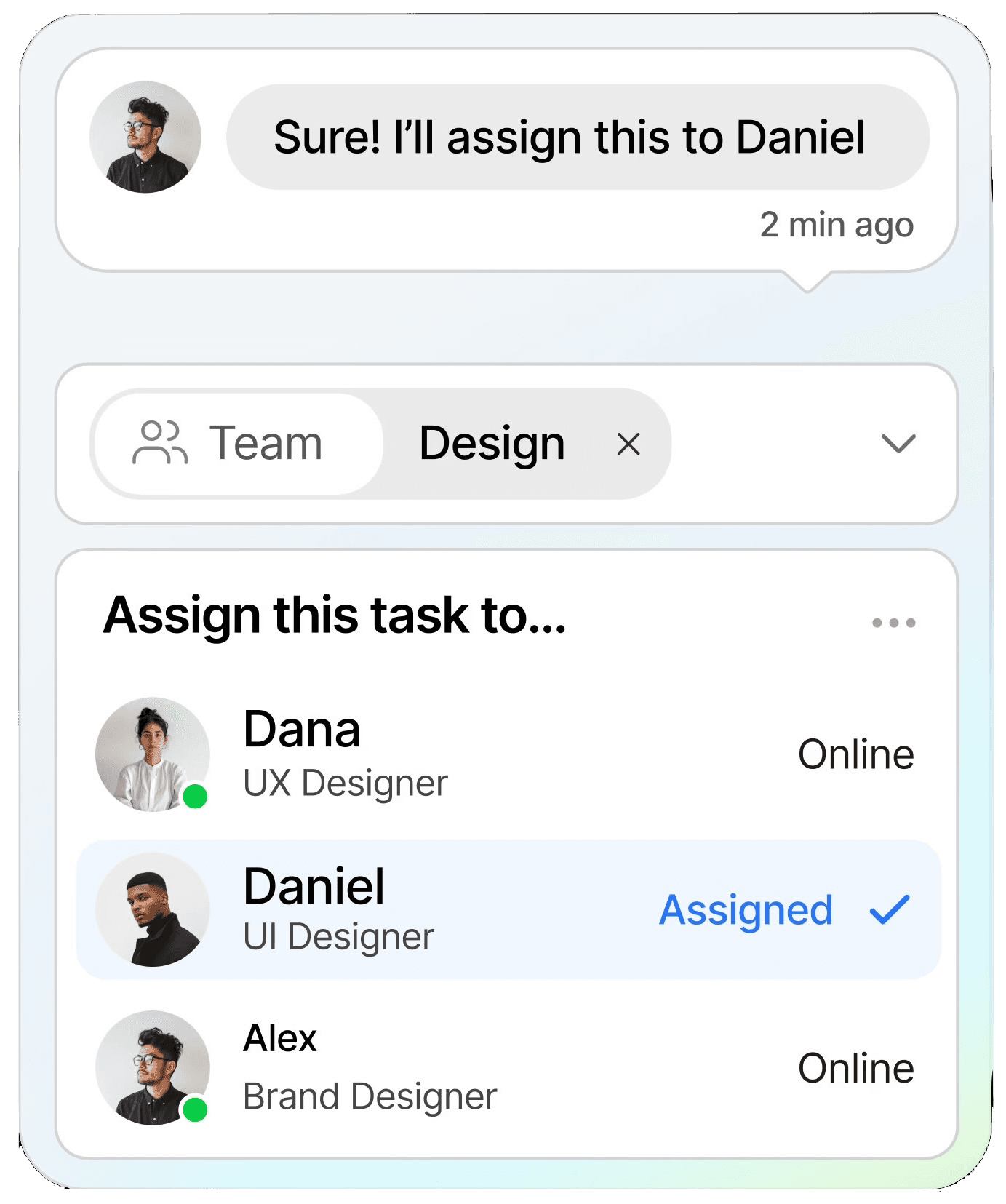
Replies from broadcast recipients come into ChatDaddy's shared team inbox as individual conversations. Each reply can be assigned to a specific agent, tagged, and followed up manually or by a chatbot. This means every broadcast campaign doubles as a lead generation event — you send to 5,000 contacts, 200 reply, and you now have 200 warm conversations in your inbox.
How is ChatDaddy different from WATI for WhatsApp broadcasting?
The main differences are speed, contact limits, and pricing transparency. ChatDaddy broadcasts at 20 messages/second (WATI at approximately 1/second). ChatDaddy offers unlimited contacts on all plans (WATI caps contacts and charges overage fees). ChatDaddy charges 0% markup on Meta API fees (WATI adds markup). ChatDaddy's coexistence feature lets you keep the WhatsApp Business App running alongside the API (WATI requires disconnecting it). ChatDaddy also offers a free plan; WATI does not.
ChatDaddy Team
ChatDaddy is a Meta ISV Partner and the leading WhatsApp business platform for 23,500+ businesses across 50+ countries. We help businesses of all sizes send smarter WhatsApp broadcasts, automate customer conversations, and grow revenue through the world's most-used messaging app.
chatdaddy.tech