WhatsApp API对接开发指南:0加价接入官方Business API
作者:ChatDaddy技术团队
2026年3月28日
最后更新:2026年3月28日
阅读时长约16分钟

你的技术团队已经决定接入WhatsApp Business API,产品经理也签字了——但打开Meta官方文档,面对密密麻麻的英文配置说明,还有ISV、BSP、Cloud API、On-Premises API这一堆概念,往往不知道从哪里下手。
更关键的问题:通过不同渠道接入,消息费用可能相差30%以上,而大多数技术团队在对接之前根本不知道这一点。
本文由ChatDaddy技术团队撰写,基于服务全球23,500+企业的实战经验,为中文技术团队提供一份完整的WhatsApp API对接指南:从接入方式选型、认证注册流程、Webhook配置,到核心API功能与代码示例,帮助你的团队以最低成本、最短周期完成对接。
WhatsApp Business API概述
WhatsApp Business API是Meta面向中大型企业开放的官方接口,允许企业通过程序化方式发送和接收消息、管理联系人、配置消息模板,并通过Webhook实时接收消息事件。与WhatsApp Business App(个人/小微企业)不同,API版本支持多用户并发、无限联系人和企业级自动化。
WhatsApp Business API的核心价值在于它将WhatsApp从一个"聊天工具"升级为一个可编程的企业级通讯渠道:
- 程序化消息发送 — 通过API主动触达客户,发送订单通知、验证码、营销消息
- Webhook实时推送 — 客户的每一条消息、每一个已读状态,都实时推送到你的服务器
- 消息模板管理 — 预先审批消息模板,在24小时服务窗口外主动触达客户
- 媒体消息支持 — 发送图片、视频、文档、位置、交互式按钮等富媒体内容
- 多号码管理 — 一个Business Account下可管理多个WhatsApp号码
Cloud API vs On-Premises API
Meta目前提供两种API托管方式:
| 对比维度 |
Cloud API(推荐) |
On-Premises API |
| 托管方 | Meta云端托管 | 企业自行部署 |
| 基础设施成本 | 无需服务器 | 需要专用服务器 |
| 维护工作量 | Meta负责版本升级 | 企业自行维护 |
| 消息吞吐量 | 最高每秒250条 | 取决于服务器配置 |
| 数据存储 | Meta服务器(美国) | 企业自有服务器 |
| 合规要求 | 适合大多数场景 | 数据本地化合规场景 |
| 开发门槛 | 低,REST API标准接口 | 高,需要Docker部署 |
对于绝大多数技术团队,Cloud API是推荐选择。Meta已于2025年宣布On-Premises API将于2026年底停止更新,所有新接入强烈建议使用Cloud API。
ISV vs BSP接入方式对比(0%加价关键)
通过不同渠道接入WhatsApp API,消息费用差异最高达30%。理解ISV和BSP的区别,是技术团队在选型阶段最需要弄清楚的成本问题。ChatDaddy作为Meta官方ISV合作伙伴,采用0%消息加价模式,消息费直接按Meta官方价格结算。
什么是BSP(商业解决方案提供商)
BSP(Business Solution Provider)是Meta认证的分销商,他们从Meta处批量购买API访问配额,然后转售给企业客户。BSP的商业模式通常包含两层收费:
- 平台订阅费 — 使用BSP平台功能的月费
- 消息加价 — 在Meta官方消息费基础上额外收取10%-30%的费用
举例:如果Meta官方收取0.05美元/对话,BSP可能向你收取0.06-0.065美元/对话。对于每月发送10万条对话的企业,这意味着每月额外支出1,000-1,500美元。
什么是ISV(独立软件供应商)
ISV(Independent Software Vendor)是Meta认证的技术合作伙伴,他们直接与Meta的API基础设施集成,为企业客户提供对接通道。ChatDaddy是Meta官方ISV合作伙伴,采用0%消息加价模式:
- 你的WhatsApp消息费直接按Meta官方定价结算
- ChatDaddy只收平台订阅费,不从消息费中抽佣
- 消息量越大,相比BSP节省越多
| 接入方式 |
平台费 |
消息加价 |
数据控制 |
对接复杂度 |
适合场景 |
| Meta直接接入 | 无 | 0% | 完全自主 | 极高(需完整开发) | 大型科技企业,有专职WhatsApp工程师 |
| BSP接入 | 有 | 10%-30% | 受限 | 低 | 只需简单发消息,消息量小 |
| ISV接入(ChatDaddy) | 有 | 0% | 较好 | 低至中 | 希望控制成本,同时需要完整平台功能 |
重要提示: 如果你的业务每月WhatsApp对话量超过5,000条,通过0%加价的ISV(如ChatDaddy)接入,相比BSP每年可节省数千美元消息费用。建议在选型前明确询问供应商的消息加价比例。
API对接完整流程
WhatsApp Business API对接分为四个阶段:Meta Business Account注册与验证、WhatsApp Business Account(WABA)创建、号码注册与认证、Webhook配置与测试。通过ChatDaddy接入,整个流程最快当天完成。
阶段一:Meta Business Suite注册
-
创建Meta Business Account
访问 business.facebook.com,用企业邮箱注册商业账户。需要提供企业名称、地址和联系信息。
-
完成企业身份验证
上传营业执照或其他企业证明文件。Meta审核通常需要1-3个工作日。已通过ChatDaddy接入的企业可使用简化验证流程。
-
创建WhatsApp Business Account(WABA)
在Meta Business Suite内创建WABA,或通过ChatDaddy的嵌入式注册流程(Embedded Signup)一步完成,无需手动操作Meta后台。
阶段二:号码注册与认证
-
准备WhatsApp号码
可以使用固定电话或手机号。该号码不能已在使用中的WhatsApp个人账号上(需先解绑)。建议使用企业专用号码。
-
号码验证(OTP)
Meta通过短信或语音电话发送6位验证码完成号码归属验证。
-
申请官方绿标(可选)
通过Meta官方验证的企业账号会显示绿色对勾标志,提升客户信任度。需要提交企业官网、品牌媒体报道等材料,审核1-2周。
阶段三:开发环境配置
-
获取访问令牌(Access Token)
在Meta Developer Portal创建应用,获取系统用户Token。建议使用永久Token(System User Token)而非短期Token,避免Token过期中断服务。
-
获取Phone Number ID和WABA ID
这两个ID是所有API调用的必要参数,在Meta Developer Portal的WhatsApp配置页面可以找到。
-
配置Webhook端点
提供一个可公开访问的HTTPS端点,用于接收Meta推送的消息事件。端点需要实现GET验证挑战和POST消息处理两个方法。
阶段四:Webhook配置详解
Webhook是接收WhatsApp消息的核心机制。每当客户发送消息、消息状态更新(已发送/已送达/已读),Meta都会向你配置的端点推送事件。
Webhook验证流程(GET请求):Meta发送三个参数到你的端点:
hub.mode — 固定值 "subscribe"hub.verify_token — 你在Meta后台设置的验证令牌hub.challenge — 需要原样返回的随机字符串
你的端点需要验证 hub.verify_token 正确后,返回 hub.challenge 的值(HTTP 200)。
跳过繁琐配置,直接开始使用
ChatDaddy提供嵌入式注册流程,5分钟完成WABA创建、号码注册、Webhook自动配置,无需手动操作Meta后台。
免费开始接入
核心API功能详解
WhatsApp Business API核心功能包括:发送消息(文本/媒体/交互式)、消息模板管理、媒体上传与下载、Webhook事件处理、联系人管理,以及流量控制与限速管理。
1. 消息发送API
所有消息通过同一个端点发送,通过 type 字段区分消息类型:
API端点:POST https://graph.facebook.com/v19.0/{phone-number-id}/messages
支持的消息类型及使用场景:
- text — 纯文本消息,日常客服回复
- image / video / audio / document — 媒体消息,产品图片、合同文件
- location — 位置消息,门店地址、配送位置
- interactive — 交互式消息,包含按钮(最多3个)或列表(最多10项)
- template — 消息模板,用于24小时服务窗口外主动触达客户
- reaction — 对消息做表情回应
2. 消息模板API
消息模板(Message Templates)是WhatsApp API中最重要的功能之一。只有经过Meta审批的模板,才能在24小时服务窗口之外主动向客户发送消息。
模板分类及费率(按Meta官方定价):
| 模板类别 |
使用场景 |
费率 |
是否需要客户授权 |
| 营销类(Marketing) | 促销、产品推荐、优惠活动 | 较高 | 需要opt-in |
| 实用类(Utility) | 订单确认、物流通知、账单提醒 | 中等 | 建议opt-in |
| 认证类(Authentication) | 验证码、登录验证 | 较低 | 无需(功能性消息) |
| 服务类(Service) | 客户主动发起的24h窗口内回复 | 免费(部分地区) | 无需 |
模板审批时间:通过ChatDaddy提交的模板,审批最快3-5分钟完成,远快于直接通过Meta提交的24-48小时。
3. 媒体API
发送媒体消息前,需要先将文件上传到Meta媒体服务器获取 media_id,然后在消息中引用该ID:
- 上传端点:
POST https://graph.facebook.com/v19.0/{phone-number-id}/media
- 下载端点:
GET https://graph.facebook.com/v19.0/{media-id}
文件大小限制:图片 5MB,视频 16MB,文档 100MB,音频 16MB。媒体文件在Meta服务器上保留30天。
4. Webhook事件类型
接入Webhook后,你将实时收到以下事件:
- messages — 客户发送的消息(文本/媒体/位置/按钮回调等)
- message_status — 消息状态更新(sent/delivered/read/failed)
- contacts — 联系人信息更新
- errors — 消息发送失败的错误详情
每个Webhook事件包含完整的消息元数据,包括发送者号码、时间戳、消息ID,以及消息内容。建议使用消息ID做幂等处理,避免重复处理同一消息。
ChatDaddy API优势:免开发即插即用
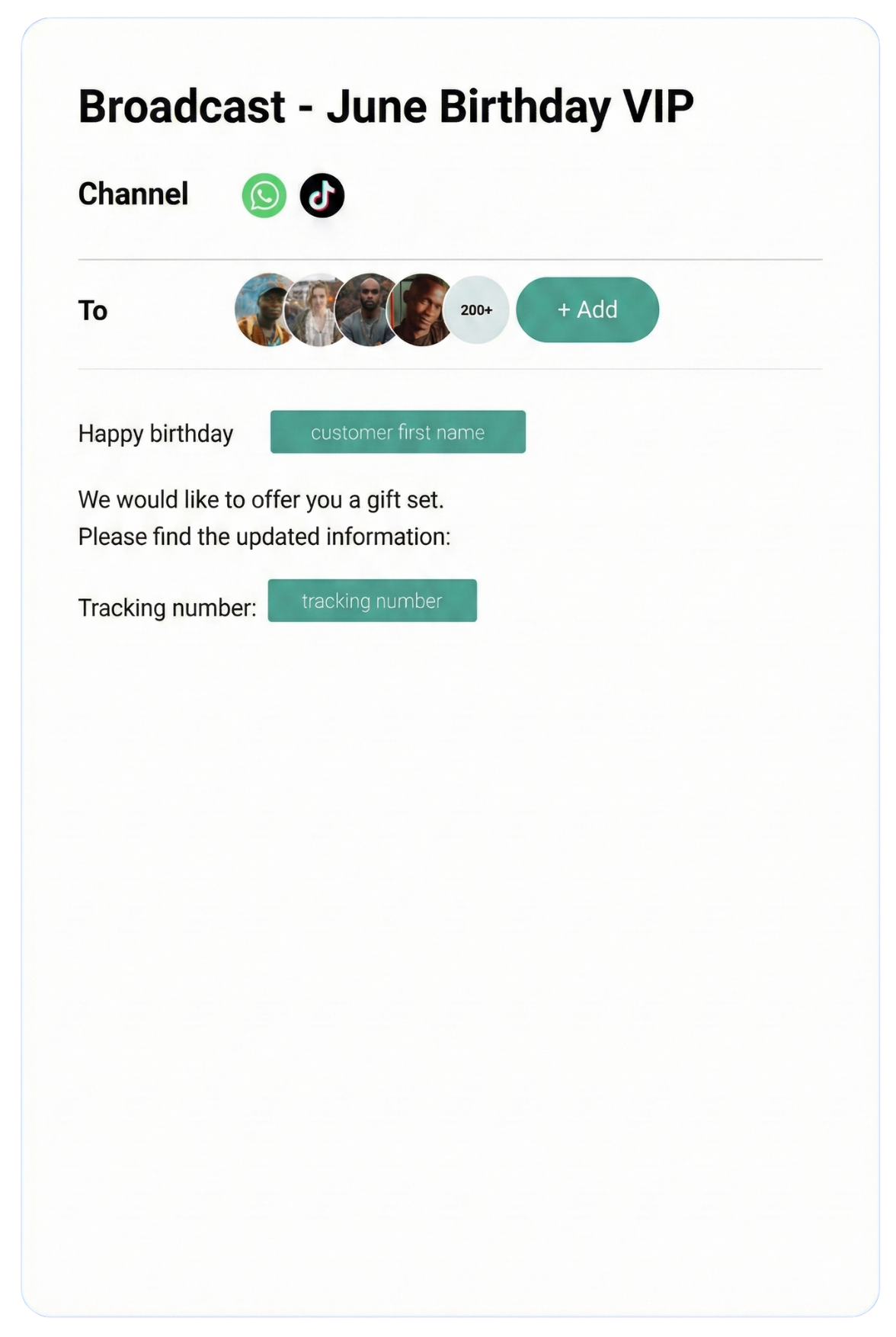
ChatDaddy为技术团队提供两种接入路径:无代码可视化配置(适合快速上线,无需开发资源)和开放API对接(适合深度集成,提供中文文档和技术支持)。两种方式均采用0%消息加价,消息费直接按Meta官方价格结算。
路径一:即插即用,无需开发
对于希望快速上线的团队,ChatDaddy提供完整的无代码配置界面:
- 嵌入式注册 — 5分钟完成WABA创建和号码注册,跳过Meta后台的繁琐操作
- 可视化Webhook管理 — 自动配置Webhook,无需手动编写验证逻辑
- 拖拽式自动化流程 — 无代码构建消息触发流程、关键词回复、分流逻辑
- 消息模板管理界面 — 可视化创建、提交、追踪模板审批状态
- 共存模式 — API平台与手机端WhatsApp Business App同号运行,独有功能
路径二:ChatDaddy开放API
对于需要深度集成的技术团队,ChatDaddy提供完整的RESTful API:
- 发送消息、管理联系人、获取对话记录、创建标签
- Webhook事件转发,将ChatDaddy平台事件推送到你的系统
- 中文API文档,配合中文技术支持
- Postman Collection,开箱即用的接口调试环境
路径三:第三方集成
ChatDaddy提供多种开箱即用的集成:
- Shopify / WooCommerce — 订单创建/支付/物流自动触发WhatsApp通知
- Zapier / Make(Integromat) — 连接5,000+工具,无需开发
- HubSpot / Salesforce — CRM数据双向同步
- Google Sheets — 直接从表格触发消息发送
中文技术支持
大多数WhatsApp API平台的技术支持是英文的,问题反馈需要跨语言沟通,效率低。ChatDaddy提供中文技术支持,包括:
- 中文API文档和对接教程
- 中文技术支持(工作日响应时间 < 4小时)
- 微信/WhatsApp技术答疑群
立即体验ChatDaddy API对接
免费方案包含完整API访问权限,无需信用卡,5分钟完成注册。中文文档,中文客服支持。
免费开始对接
代码示例
以下代码示例基于Meta WhatsApp Cloud API v19.0,演示发送文本消息、消息模板和Webhook处理的核心逻辑,适用于Python和Node.js环境。
发送文本消息(Python)
Python
import requests
import json
def send_whatsapp_message(to_number, message_text):
url = f"https://graph.facebook.com/v19.0/{PHONE_NUMBER_ID}/messages"
headers = {
"Authorization": f"Bearer {ACCESS_TOKEN}",
"Content-Type": "application/json"
}
payload = {
"messaging_product": "whatsapp",
"recipient_type": "individual",
"to": to_number,
"type": "text",
"text": {
"preview_url": False,
"body": message_text
}
}
response = requests.post(url, headers=headers, json=payload)
result = response.json()
if response.status_code == 200:
print(f"消息发送成功,消息ID: {result['messages'][0]['id']}")
else:
print(f"发送失败: {result['error']['message']}")
return result
send_whatsapp_message("8613812345678", "您好,感谢您的咨询!")
发送消息模板(Node.js)
JavaScript
const axios = require('axios');
async function sendTemplateMessage(toNumber, customerName, orderNumber) {
const url = `https://graph.facebook.com/v19.0/${PHONE_NUMBER_ID}/messages`;
const payload = {
messaging_product: "whatsapp",
to: toNumber,
type: "template",
template: {
name: "order_confirmation",
language: { code: "zh_CN" },
components: [
{
type: "header",
parameters: [
{ type: "text", text: orderNumber }
]
},
{
type: "body",
parameters: [
{ type: "text", text: customerName },
{ type: "text", text: orderNumber }
]
}
]
}
};
try {
const response = await axios.post(url, payload, {
headers: {
'Authorization': `Bearer ${ACCESS_TOKEN}`,
'Content-Type': 'application/json'
}
});
console.log('模板消息发送成功:', response.data.messages[0].id);
} catch (error) {
console.error('发送失败:', error.response?.data?.error?.message);
}
}
sendTemplateMessage("8613812345678", "张三", "ORD-2026-001234");
Webhook处理(Python / Flask)
Python
from flask import Flask, request, jsonify
import json
app = Flask(__name__)
VERIFY_TOKEN = "your_verify_token_here"
@app.route('/webhook', methods=['GET'])
def verify_webhook():
mode = request.args.get('hub.mode')
token = request.args.get('hub.verify_token')
challenge = request.args.get('hub.challenge')
if mode == 'subscribe' and token == VERIFY_TOKEN:
return challenge, 200
return 'Forbidden', 403
@app.route('/webhook', methods=['POST'])
def receive_webhook():
data = request.get_json()
try:
entry = data['entry'][0]['changes'][0]['value']
if 'messages' in entry:
message = entry['messages'][0]
sender = message['from']
msg_id = message['id']
msg_type = message['type']
if msg_type == 'text':
body = message['text']['body']
print(f"收到来自 {sender} 的消息: {body}")
if 'statuses' in entry:
status = entry['statuses'][0]
print(f"消息 {status['id']} 状态: {status['status']}")
except (KeyError, IndexError) as e:
print(f"解析Webhook数据异常: {e}")
return jsonify({"status": "ok"}), 200
if __name__ == '__main__':
app.run(port=5000)
关键注意事项:Webhook端点必须在收到事件后5秒内返回HTTP 200,否则Meta会认为事件未送达并重试。所有业务逻辑应异步处理(使用队列),不要在Webhook处理函数中执行耗时操作。
常见对接问题与解决方案
WhatsApp API对接中最常见的5类问题:消息发送失败(错误码解读)、Webhook验证失败、消息模板被拒、号码注册失败,以及24小时窗口限制处理策略。
问题一:消息发送返回错误码
常见错误码及解决方案:
| 错误码 |
错误描述 |
解决方案 |
| 130429 | 发送速率超限 | 实现指数退避重试,降低发送速率 |
| 131047 | 消息在24h窗口外,且未使用模板 | 改用已审批的消息模板发送 |
| 131026 | 接收方号码无效或未注册WhatsApp | 对接前验证号码是否为WhatsApp用户 |
| 131000 | 未知错误 | 查看 error.data.details 获取详细信息 |
| 100 | 无效的参数或缺少必要参数 | 检查请求体格式是否符合API文档规范 |
| 190 | 访问令牌无效或已过期 | 使用系统用户Token代替短期Token |
问题二:Webhook验证失败
常见原因和排查步骤:
- 端点不可公开访问 — 本地开发时使用ngrok创建公共隧道;生产环境确认安全组/防火墙开放443端口
- 未使用HTTPS — Meta要求Webhook端点必须是HTTPS,自签名证书不被接受
- 验证Token不匹配 — 检查代码中的
VERIFY_TOKEN 是否与Meta后台配置一致
- 未返回challenge原值 — 必须将
hub.challenge 的值原样以字符串形式返回,不能包装成JSON
问题三:消息模板被拒
Meta拒绝模板的常见原因:
- 模板内容含有Meta禁止的品类(医疗、金融产品需额外审核)
- 模板中包含不明确的变量占位符(变量内容需在提交时说明用途)
- 营销类模板缺少明确的opt-out机制("回复STOP退订"类文字)
- 模板与已有模板过于相似(被判定为重复提交)
通过ChatDaddy提交模板,我们的合规团队会在提交前审核内容,显著降低被拒概率,审批速度也快至3-5分钟。
问题四:24小时服务窗口限制
WhatsApp规定,只有在客户最近24小时内发过消息的情况下,才能发送自由格式消息。超出此窗口必须使用消息模板。
建议的处理策略:
- 在客户主动发消息后,立即采集意向信息(姓名、需求),存入CRM
- 对超过20小时未回复的对话,主动发送一条跟进消息延续窗口
- 对超过24小时的静默客户,使用已审批的实用类模板重新建立联系
- 对高价值客户,维护定期发送的营销模板订阅(确保已获得opt-in)
问题五:号码质量评级下降
如果大量用户举报你的消息或拦截,Meta会降低你的号码质量评级,严重时暂停发送权限。
- 只向明确同意接收消息的用户(opt-in)发送营销类模板
- 在每条营销消息中提供退订选项
- 发送频率不超过每周1-2次(营销类)
- 内容与客户实际需求高度相关,避免无差别群发
价格方案
ChatDaddy提供四个方案:免费版(1名用户)、Basic($119/月,5名用户)、Pro($299/月,10名用户)、Max($499/月,15名用户)。所有方案均支持无限联系人,消息费用0%加价直接按Meta官方价格结算。
| 方案 |
月费 |
用户数 |
消息加价 |
联系人 |
AI机器人 |
API访问 |
| 免费版 | $0 | 1名 | 0% | 无限 | 基础自动化 | 有限 |
| Basic | $119/月 | 5名 | 0% | 无限 | 无代码流程构建器 | 完整 |
| Pro | $299/月 | 10名 | 0% | 无限 | AI智能机器人 | 完整 |
| Max | $499/月 | 15名 | 0% | 无限 | AI智能机器人+高级功能 | 完整 |
所有方案均包含:
- WhatsApp Business API官方接入(Meta Cloud API)
- 0%消息加价,Meta消息费按官方价格直接结算
- 无限联系人存储
- 共存模式(API平台与手机端并行)
- 群发速率20条/秒(20倍标准速率)
- 消息模板3-5分钟审批
- 中文界面和中文技术支持
另需单独支付Meta官方WhatsApp消息费用(按对话类型和目标国家计费,可在Meta官方文档查看最新定价)。
0元开始接入WhatsApp Business API
免费方案无需信用卡。升级随时生效,随时可以降级。中文文档,5分钟完成对接。
立即免费注册
常见问题 FAQ
WhatsApp API对接需要多长时间?
通过ChatDaddy接入,使用嵌入式注册流程,最快当天完成WABA创建、号码注册并开始发送消息。企业身份验证通常需要1-3个工作日(已有Meta Business Account的企业更快)。自行通过Meta直接接入,从零开始通常需要3-7个工作日。
ISV接入和BSP接入有什么区别?对费用有什么影响?
BSP在Meta官方消息费基础上额外加价10%-30%。ISV如ChatDaddy采用0%加价模式,消息费直接按Meta官方价格结算,ChatDaddy只收平台订阅费。对于每月发送1万条对话的企业,选择0%加价ISV每年可节省约1,200-3,600美元消息费用。
WhatsApp API消息费怎么计算?
Meta按对话计费,而非单条消息。每个对话窗口为24小时,24小时内无论发送多少条消息,只计一个对话费用。对话分为营销类、实用类、认证类和服务类,费率因类型和目标国家不同而异。ChatDaddy用户直接按Meta官方价格支付,无额外加价。
没有技术团队,可以接入WhatsApp API吗?
完全可以。ChatDaddy提供全程无代码的可视化配置方案:5分钟完成注册、可视化自动化流程构建、拖拽式消息模板管理,所有功能无需编写任何代码。技术团队也可以通过ChatDaddy开放API进行深度集成,两种路径并行支持。
共存模式是什么?和普通API接入有何不同?
标准的WhatsApp API接入会将号码切换到纯API模式,手机端的WhatsApp Business App将无法再使用该号码。ChatDaddy独有的共存模式允许同一号码同时运行API平台(后台团队管理)和WhatsApp Business App(手机端),两者互不干扰。这对过渡期的团队尤其重要,实现零迁移成本。
WhatsApp API支持哪些消息类型?
支持文本、图片(JPEG/PNG,最大5MB)、视频(MP4,最大16MB)、音频(AAC/MP4,最大16MB)、文档(PDF/Word/Excel等,最大100MB)、位置、联系人卡片、交互式按钮消息(最多3个按钮)、交互式列表消息(最多10个选项)、消息模板(主动触达),以及表情回应。
一个WhatsApp Business Account可以管理多个号码吗?
可以。一个WABA下可以添加多个WhatsApp号码(Phone Number),例如按地区、按业务线或按品牌分开管理。ChatDaddy支持多号码统一管理,在一个平台界面内切换不同号码的对话和设置。
ChatDaddy技术团队
ChatDaddy是Meta官方ISV合作伙伴,服务全球23,500+企业,覆盖50+国家。本文由ChatDaddy技术团队基于实际对接经验编写,旨在帮助中文技术团队快速、低成本地完成WhatsApp Business API对接。如有技术问题,欢迎访问 chatdaddy.tech 或直接联系中文技术支持。