Omnichannel Messaging Platform: The Complete Guide for Businesses in 2026
By ChatDaddy Team
March 28, 2026
Last updated: March 28, 2026
11 min read
Your customers don't live on a single channel. They browse your Instagram, click a WhatsApp button, send a Facebook Messenger inquiry, and email your support team — sometimes all within the same week. If each of those conversations is siloed in a different app, your team is flying blind and your customers are frustrated by repeating themselves.
An omnichannel messaging platform solves this by pulling every channel into one unified workspace. One inbox. One view of every customer. One place to automate, route, and respond — regardless of where the message came from. In 2026, with 23,500+ businesses using ChatDaddy across Southeast Asia and beyond, the shift from single-channel chaos to omnichannel clarity is no longer optional for growth-focused businesses. This guide explains everything you need to know.
What Is an Omnichannel Messaging Platform?
An omnichannel messaging platform is a software system that aggregates customer conversations from multiple channels — WhatsApp, Facebook Messenger, Instagram DMs, email, SMS, and live chat — into a single shared inbox, allowing teams to manage, route, automate, and analyze all interactions from one dashboard without switching between apps.
The term "omnichannel" is often confused with "multichannel." The difference is critical:
- Multichannel means being present on many channels — but each is managed separately, with no shared context. A customer who messages you on WhatsApp and then sends an email gets treated as two different people.
- Omnichannel means those same channels are unified — the same customer profile, conversation history, and context follow them regardless of which channel they use next.
A true omnichannel messaging platform does four things simultaneously:
- Aggregates — every inbound message from every connected channel appears in one inbox
- Unifies — conversation history, contact data, and tags are linked to the customer, not the channel
- Automates — chatbots, routing rules, and workflows trigger across all channels based on message content, customer segment, or time of day
- Reports — analytics cover the full customer journey across channels, not just individual channel metrics
For businesses that rely on messaging to drive sales and support — which in 2026 means virtually every SME and enterprise — omnichannel is the infrastructure that separates businesses that scale from those that stall.
Why Businesses Need Omnichannel in 2026
Businesses need omnichannel messaging because modern customers use an average of 3-5 channels before making a purchase decision. Companies with strong omnichannel engagement retain 89% of their customers, compared to just 33% for companies with weak omnichannel strategies (Aberdeen Group). Faster response, full context, and no channel silos directly translate to higher conversion and retention rates.
The data makes the case clearly:
- 73% of customers use multiple channels during their buying journey (Harvard Business Review)
- 89% customer retention for businesses with strong omnichannel engagement vs. 33% for weak strategies (Aberdeen Group)
- 3x higher purchase frequency when customers shop using multiple channels vs. single-channel customers
- WhatsApp open rates of 95-98% vs. 18-22% for email — channel matters, but so does having both
- Response time under 5 minutes makes a lead 100x more likely to convert — only achievable with a unified inbox that surfaces all messages in one place
Beyond the numbers, consider the operational reality. A customer messages your Instagram DM asking about a product. Two days later, they send a WhatsApp message with the same question. Without omnichannel, your team has no idea this is the same person. You've now used two agent-hours, sent two sets of responses, and the customer still hasn't bought — because they've experienced friction, not service.
With an omnichannel platform, your agent sees both touchpoints on a single timeline, picks up the conversation with full context, and closes the sale in the next message.
"The businesses winning in 2026 aren't just on every channel — they're treating every channel as one conversation with the same customer." — ChatDaddy Growth Report, 2026
Key Channels in an Omnichannel Messaging Stack
The core channels in a modern omnichannel messaging platform are WhatsApp Business API, Facebook Messenger, Instagram Direct Messages, email, SMS, and website live chat. Each channel reaches a different audience segment and serves different stages of the customer journey. The most effective businesses use 3-5 of these channels together, unified in a single inbox.
1. WhatsApp Business API
WhatsApp is the anchor channel for any omnichannel strategy in 2026. With over 3 billion active users globally and near-universal adoption across Southeast Asia, the Middle East, India, and Latin America, WhatsApp delivers message open rates of 95-98% — no other channel comes close. Through the official WhatsApp Business API (not the free app), businesses can:
- Connect up to 5 WhatsApp numbers under one account
- Send broadcast messages to opted-in contacts at 20x the standard rate limit
- Build automated chatbot flows for sales qualification, support, and order management
- Enable multiple teammates to manage conversations simultaneously on the same number
WhatsApp is typically the highest-volume channel for businesses in Asia and the Middle East. It's where customers expect instant replies, and where the omnichannel inbox has the most immediate revenue impact.
2. Facebook Messenger
Facebook Messenger connects to your Facebook Business Page, capturing every inquiry from Facebook ads, Page posts, and organic messages. With 1.3+ billion monthly active users, Messenger remains a dominant customer acquisition channel — especially for businesses running Click-to-Messenger ads. Key use cases include:
- Lead capture from Facebook ad campaigns routed directly into your shared inbox
- Automated welcome messages and product catalog responses
- Re-engagement of prospects who interacted with your Facebook content
- Customer support for Facebook-native audiences who prefer not to move to WhatsApp
Messenger is available on ChatDaddy's Basic plan and above, integrating seamlessly with the same unified inbox where WhatsApp conversations live.
3. Instagram Direct Messages
Instagram is a discovery channel that converts through DMs. When a customer sees your product in a Story or Reel and taps "Message," that conversation needs to reach your team immediately — not get buried in an app your team checks once a day. Instagram DM integration in an omnichannel platform means:
- Every DM lands in the same inbox as WhatsApp and Messenger messages
- Automated responses to common questions (price, availability, shipping) trigger 24/7
- Story replies and comment-to-DM flows are captured and managed from one interface
- The customer's Instagram profile links to their full history if they've contacted you before
Instagram DM integration is available on ChatDaddy's Basic plan and above.
4. Email
Email remains essential for formal communication, transactional messages, and segments of your audience that are less mobile-first. In an omnichannel stack, email is not a replacement for WhatsApp — it's a complement. Use email for:
- Order confirmations and invoices that need a paper trail
- B2B prospects who prefer formal communication channels
- Audiences in markets where WhatsApp adoption is lower (North America, Japan)
- Newsletter and content marketing to drive customers toward WhatsApp or purchase
When email is unified with messaging channels, your team sees a customer's email history alongside their WhatsApp and Messenger threads — no more asking "Did someone already email them about this?"
5. SMS
SMS delivers 85-90% open rates and reaches customers who may not have smartphones or installed messaging apps. It's particularly effective for:
- Appointment reminders and delivery notifications
- Two-factor authentication and transactional alerts
- Re-engaging inactive contacts who haven't opened WhatsApp messages
- Markets where internet connectivity is intermittent
In an omnichannel platform, SMS conversations are threaded with the same contact's other channel interactions, so your team has full visibility regardless of which channel a reply comes through.
6. Website Live Chat
Live chat captures website visitors at their highest-intent moment — when they're actively browsing your product or service. Integrating live chat into your omnichannel platform means:
- Website chat conversations flow into the same inbox as all other channels
- Chatbots handle initial qualification 24/7, handing off to human agents when needed
- Visitors who start a chat and leave can be followed up via WhatsApp or email
- Agent response time and chat satisfaction scores are tracked alongside all other channel metrics
Features to Look For in an Omnichannel Messaging Platform
The essential features of an omnichannel messaging platform are: a unified inbox that aggregates all channels, intelligent routing and assignment rules, no-code chatbot and automation builder, unlimited or scalable contact management, broadcast and campaign tools, cross-channel analytics, CRM and integration capabilities, and team collaboration tools including internal notes and role-based access.
Unified Inbox
The unified inbox is the core of any omnichannel platform. All messages from all connected channels appear in one stream, sorted by recency, priority, or assignment. Your agents should never need to switch apps to find a message. Look for:
- Real-time sync — new messages appear instantly regardless of channel
- Channel labels — each message is visually tagged with its source (WhatsApp, Messenger, Instagram, etc.)
- Conversation threading — all messages with a single contact are grouped, regardless of channel
- Search — search by contact name, phone, keyword, or tag across all channels at once
Intelligent Routing and Assignment
When message volume scales, manually assigning conversations becomes a bottleneck. Smart routing automatically assigns incoming messages to the right agent or team based on:
- Channel (e.g., WhatsApp inquiries go to the sales team, email goes to support)
- Keywords (e.g., "urgent" or "refund" triggers escalation to a senior agent)
- Customer tags (e.g., VIP customers are routed to dedicated account managers)
- Business hours (e.g., after-hours messages trigger an automated response and queue for morning)
- Round-robin distribution across available agents for even workload balancing
No-Code Chatbot and Automation Builder
Automation is what separates an omnichannel platform from a simple multi-tab messaging app. A strong chatbot builder should:
- Require zero coding — drag-and-drop flow builder with pre-built templates
- Work across channels — one automation flow can trigger on WhatsApp, Messenger, or Instagram
- Handle complex logic — if/then branching, time delays, condition checks, and API calls
- Support AI responses — natural language understanding for open-ended questions, not just button-based menus
- Hand off gracefully — detect when a human agent is needed and transfer the conversation with full context
Unlimited or Scalable Contact Management
Many platforms charge per-contact fees that make scaling prohibitively expensive. As your business grows — from 1,000 contacts to 100,000 — your platform costs should not grow proportionally with contact count. ChatDaddy offers unlimited contacts on all paid plans, which means you can import your entire customer database, run broadcast campaigns to your full list, and never worry about per-contact charges.
Broadcast and Campaign Tools
Omnichannel platforms should enable proactive outreach, not just reactive support. Broadcast tools should allow:
- Audience segmentation by tags, channel, last-active date, purchase history, or custom fields
- Message template management with Meta approval workflow for WhatsApp
- Scheduled sends for optimal delivery timing
- Campaign performance tracking (delivery, open, click, reply rates)
- ChatDaddy's 20x broadcast rate advantage for high-volume campaigns
Cross-Channel Analytics
Single-channel metrics tell you how WhatsApp performed. Cross-channel analytics tell you how your business is performing. Look for dashboards that show:
- Total message volume by channel and time period
- Average response time per agent and per channel
- Resolution rates and customer satisfaction scores
- Conversion funnels from first contact to purchase, tracked across channels
- Team performance leaderboards for coaching and incentives
CRM Integrations
An omnichannel messaging platform should connect with your existing tech stack — not replace it. Core integrations to look for include Shopify, WooCommerce, HubSpot, Salesforce, Google Sheets, Zapier, and payment gateways. API access for custom integrations is essential for businesses with proprietary systems.
ChatDaddy as an Omnichannel Messaging Platform
ChatDaddy is an official Meta ISV Partner (not a BSP) offering an omnichannel messaging platform that unifies WhatsApp (up to 5 numbers), Facebook Messenger, and Instagram Direct Messages in a single shared inbox. It serves 23,500+ businesses with unlimited contacts on all paid plans, 20x WhatsApp broadcast rate, and a no-code chatbot builder. Plans start at $0 (Free) with paid tiers from $119/month.
ChatDaddy was built for exactly the businesses this guide describes: growing SMEs and mid-market companies in Southeast Asia, the Middle East, and beyond that use WhatsApp as their primary sales and support channel, but also need Facebook Messenger and Instagram under the same roof.
Meta ISV Partner — What That Means for Your Business
ChatDaddy is an official Meta Independent Software Vendor (ISV) Partner — a designation that's important to understand because it differs from a Business Solution Provider (BSP) in a way that directly affects your costs:
- BSP model: BSPs act as intermediaries. They buy WhatsApp API access in bulk and resell it, often adding a markup on top of Meta's official conversation fees. You pay BSP pricing, not Meta pricing.
- ISV model (ChatDaddy): As an ISV, ChatDaddy connects your business directly to Meta's API infrastructure. You pay Meta's official conversation rates with 0% markup. ChatDaddy charges only for the platform software, not for the message delivery layer.
For businesses sending tens of thousands of messages per month, the ISV vs BSP distinction can represent a significant cost saving. There are no hidden per-message markups, no tiered rate cards, and no surprises on your invoice.
Coexistence: Use the API and WhatsApp Business App on the Same Number
One of the most common barriers to upgrading from the free WhatsApp Business App is the fear of losing the app's simplicity for individual agents who handle their own conversations. ChatDaddy's coexistence feature eliminates this concern entirely.
With coexistence, your team can continue using the standard WhatsApp Business App on their phones while your central number is also connected to ChatDaddy's shared inbox and automation layer. There is no forced migration. No disruption to existing workflows. Agents who prefer the app keep using it. The shared inbox handles the volume that the app can't.
Channels Available on ChatDaddy
- WhatsApp Business API — up to 5 numbers per account, all plans
- Facebook Messenger — all plans
- Instagram Direct Messages — Basic plan and above
Core Platform Capabilities
- Unified shared inbox — all channels in one dashboard, real-time sync
- No-code chatbot builder — drag-and-drop flows with AI NLP, triggered across WhatsApp, Messenger, and Instagram
- Smart routing — rule-based assignment by channel, keyword, customer tag, or round-robin
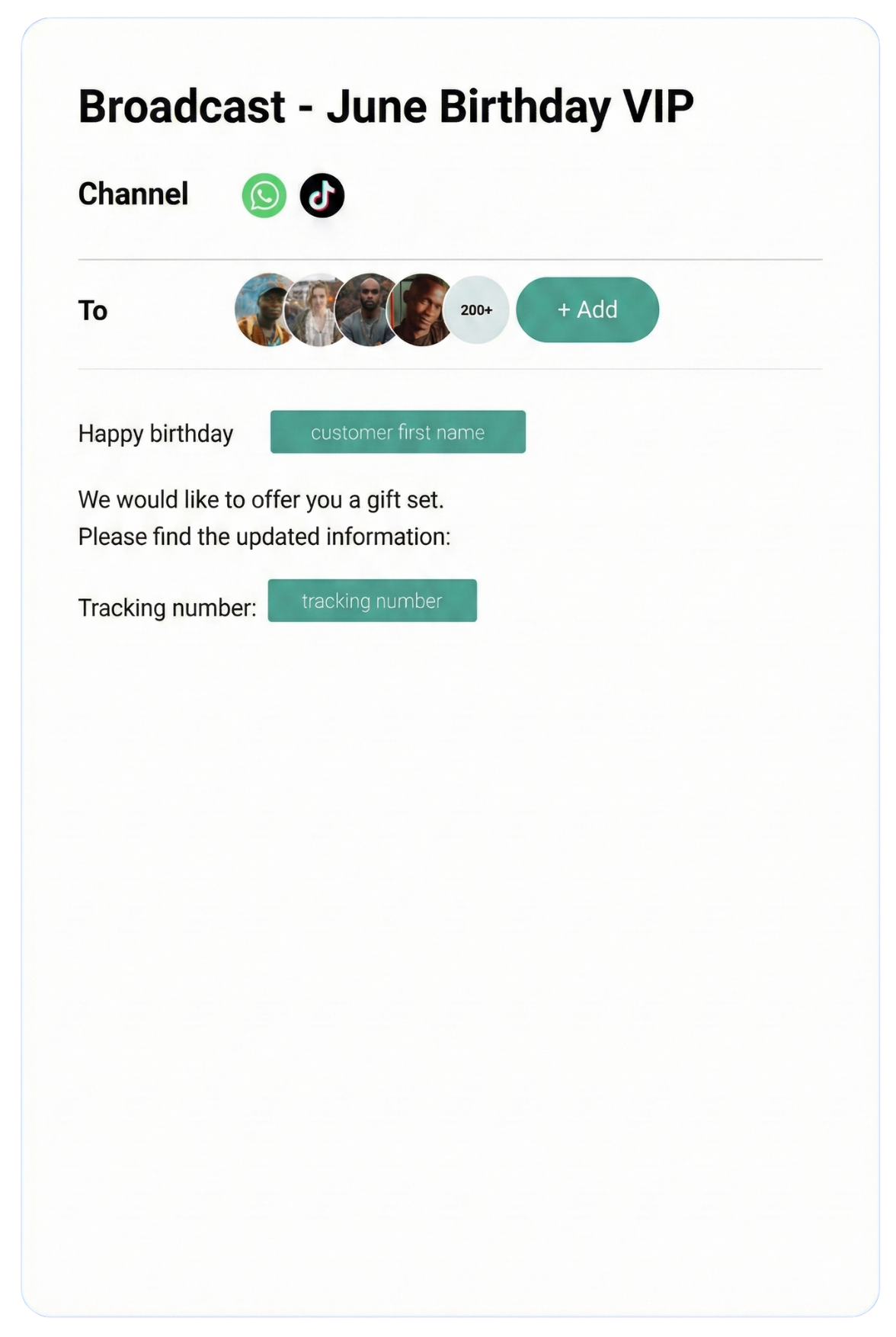
- Broadcast campaigns — 20x WhatsApp broadcast rate with segmentation and scheduling
- Unlimited contacts — all paid plans, no per-contact fees regardless of database size
- Team collaboration — internal notes, agent assignment, read receipts, team tags
- Analytics dashboard — response time, resolution rate, agent performance, campaign metrics
- Integrations — Shopify, WooCommerce, Google Sheets, Zapier, HubSpot, and REST API
Try ChatDaddy's Omnichannel Platform — Free Plan Available
Unify WhatsApp, Facebook Messenger, and Instagram in one inbox. Unlimited contacts on all paid plans. Join 23,500+ businesses.
Start Free Today
Omnichannel Messaging Platform Comparison Table
When comparing omnichannel messaging platforms in 2026, key differentiators are which channels are supported, whether contacts are unlimited or capped, the pricing model (per-seat vs. flat), WhatsApp API access type (ISV vs. BSP), and the availability of AI-powered automation. ChatDaddy leads for WhatsApp-first businesses in Asia and the Middle East.
| Feature |
ChatDaddy |
Respond.io |
WATI |
Trengo |
Freshdesk Messaging |
| WhatsApp API | Yes (ISV, 0% markup) | Yes (ISV) | Yes (ISV) | No | Yes |
| Facebook Messenger | Yes | Yes | No | Yes | Yes |
| Instagram DMs | Yes (Basic+) | Yes | No | Yes | Yes |
| Email | Via integration | Yes | No | Yes | Yes |
| SMS | Via integration | Yes | No | Yes | Yes |
| Live Chat | Via integration | Yes | No | Yes | Yes |
| Unlimited Contacts | Yes (all paid plans) | No (tiered) | No (tiered) | No (tiered) | No (tiered) |
| Free Plan | Yes ($0 / 1 teammate) | No | No | No | Yes (limited) |
| Starting Price | $119/mo | $99/mo | $49/mo | $113/mo | $19/agent/mo |
| AI Chatbot | Yes (Pro+) | Yes | Basic | Yes | Yes |
| 20x WA Broadcast Rate | Yes | No | No | No | No |
| Coexistence (API + App) | Yes | No | No | No | No |
| Best For | WhatsApp-first businesses, Asia/ME | Enterprise teams | India SMBs | European market | Support-heavy teams |
Choosing the Right Platform
The right omnichannel platform depends on your primary channel mix and growth stage:
- WhatsApp is your #1 channel — ChatDaddy is the clear choice. ISV status means 0% markup, 20x broadcast rate, and the coexistence feature are unique advantages that directly reduce costs and complexity.
- You need deep email + ticketing — Freshdesk or Trengo may be worth considering, though both sacrifice WhatsApp-specific capabilities.
- You're an enterprise team with complex CRM needs — Respond.io offers deeper Salesforce and HubSpot integrations at a higher price point.
- You're in India with budget constraints — WATI's entry price is lower, but contact and feature limits can become costly at scale.
For the majority of SMEs and mid-market businesses in Southeast Asia, the Middle East, and other WhatsApp-dominant markets, ChatDaddy's combination of unlimited contacts, 0% markup API access, and flat-rate pricing delivers the highest total value.
Pricing: ChatDaddy Omnichannel Platform
ChatDaddy's omnichannel messaging platform pricing in 2026 is: Free at $0/month for 1 teammate, Basic at $119/month for 5 teammates, Pro at $299/month for 10 teammates, and Max at $799/month for 15 teammates. All paid plans include unlimited contacts, WhatsApp + Facebook Messenger + Instagram (Basic+), no-code chatbot builder, broadcast messaging, and analytics. There are no per-contact fees.
ChatDaddy uses a flat monthly subscription model — you pay for the platform, not for your contact database size. This is a significant structural advantage over competitors who charge per-contact or per-message (beyond Meta's own API conversation fees).
| Plan |
Price (USD/month) |
Teammates |
Channels |
Key Inclusions |
| Free |
$0 |
1 |
WhatsApp, Facebook Messenger |
Shared inbox, basic chatbot, basic broadcast |
| Basic |
$119 |
5 |
WhatsApp (up to 5 numbers), Facebook Messenger, Instagram |
Full chatbot builder, broadcast campaigns, unlimited contacts, smart routing, analytics |
| Pro |
$299 |
10 |
WhatsApp (up to 5 numbers), Facebook Messenger, Instagram |
Everything in Basic + AI chatbot (NLP), advanced automation, REST API access, custom integrations |
| Max |
$799 |
15 |
WhatsApp (up to 5 numbers), Facebook Messenger, Instagram |
Everything in Pro + priority support, dedicated account manager, custom onboarding, SLA |
What Is Not Charged Extra
- Contacts — unlimited on all paid plans. Import your entire CRM database.
- Message storage — conversation history is retained without additional fees
- Chatbot sessions — no per-session or per-automation-run charges
- API markup — ChatDaddy as an ISV charges 0% above Meta's official conversation rates
What Is Charged Separately
- WhatsApp conversation fees — Meta charges per conversation (24-hour window). Rates vary by country and conversation category (marketing, utility, authentication, service). These go directly to Meta, not ChatDaddy.
For a business with 3,000 active contacts and a team of 8 agents, the Pro plan at $299/month competes directly with platforms like Respond.io ($99/month but charging extra per agent beyond 5 and per-contact tiers) — and often comes out cheaper in total cost of ownership once per-contact fees are factored in.
Get Started with ChatDaddy Omnichannel
WhatsApp + Facebook Messenger + Instagram — unified, automated, and analytics-ready. No contracts. Unlimited contacts.
Create Your Free Account
How to Implement Omnichannel Messaging in Your Business
Implementing an omnichannel messaging platform takes 4 steps: connect your channels (WhatsApp, Messenger, Instagram), configure routing rules and automation flows, train your team on the unified inbox, and set up analytics dashboards. Most businesses are fully operational within 1-3 days. ChatDaddy's onboarding team handles the WhatsApp Business API verification process.
Here is the practical implementation path for a business getting started with omnichannel messaging on ChatDaddy:
-
Create your account at app.chatdaddy.tech — the Free plan gives you immediate access to the inbox and basic features without a credit card.
-
Connect WhatsApp via the Business API — you'll need a Meta Business Manager account, a verified business (company registration documents), and a phone number that can receive SMS or voice calls. ChatDaddy's team guides you through this process; Meta verification typically takes 1-3 business days.
-
Connect Facebook Messenger and Instagram — these connect via OAuth in under 5 minutes. Simply authorize ChatDaddy to access your Facebook Page and Instagram Business Profile. All existing and new DMs start flowing into your shared inbox immediately.
-
Configure routing rules — set up which team or agent handles each channel, define escalation keywords, and configure business hours auto-responses for all channels at once.
-
Build your first chatbot flow — use a pre-built template (FAQ, lead qualification, appointment booking) and customize it for your business. Deploy the same flow across WhatsApp and Messenger simultaneously.
-
Import your contact database — upload via CSV. Tag contacts by segment, channel preference, purchase status, or any custom field. These tags drive segmented broadcast campaigns.
-
Train your team — the unified inbox requires minimal training. Most agents are productive within an hour of first use. Assign role-based access so managers can see all conversations while agents see only their assigned queue.
-
Launch and monitor — send your first broadcast campaign, monitor the analytics dashboard for response time and resolution rate, and iterate on your chatbot flows based on drop-off data.
Common Implementation Mistakes to Avoid
- Connecting channels before building routing rules — if all messages land in one unassigned queue, agents will cherry-pick easy conversations and ignore complex ones. Set up routing before going live.
- Launching a chatbot without a fallback — every automated flow needs a "hand off to human" trigger. Customers who can't get past your chatbot become lost leads.
- Not importing contact history — starting with a clean inbox is less useful than having your full contact database ready for segmented campaigns from day one.
- Ignoring analytics in the first 30 days — the first month's data is your baseline. Set benchmarks for response time and resolution rate early so you can measure improvement.
Frequently Asked Questions
What is an omnichannel messaging platform?
An omnichannel messaging platform is a software tool that connects multiple customer communication channels — such as WhatsApp, Facebook Messenger, Instagram DMs, email, SMS, and live chat — into a single unified inbox. Unlike multichannel tools that manage each channel separately, omnichannel platforms link all interactions to the same customer profile so your team has full context regardless of which channel a message comes from.
What is the difference between omnichannel and multichannel messaging?
Multichannel means your business is present on multiple channels, but each is managed in isolation — a WhatsApp conversation and an email from the same customer are treated as separate interactions with no shared history. Omnichannel means those channels are unified: the same customer profile, conversation timeline, and context are available across every channel. This is what enables consistent, personalized service at scale.
Does ChatDaddy support all messaging channels?
ChatDaddy's omnichannel platform natively supports WhatsApp Business API (up to 5 numbers), Facebook Messenger, and Instagram Direct Messages. Email, SMS, and website live chat can be connected via integrations (Zapier, REST API). The platform is optimized for WhatsApp-first businesses, particularly those in Southeast Asia and the Middle East where WhatsApp is the dominant customer channel.
Is ChatDaddy a BSP or an ISV?
ChatDaddy is an official Meta ISV (Independent Software Vendor) Partner — not a BSP (Business Solution Provider). The key difference is cost: BSPs act as intermediaries and often add a markup on top of Meta's official WhatsApp API conversation rates. As an ISV, ChatDaddy connects your business directly to Meta's infrastructure with 0% markup. You pay Meta's official rates for conversations, and ChatDaddy charges only for the platform software itself.
How many contacts can I have on ChatDaddy?
All ChatDaddy paid plans (Basic, Pro, Max) include unlimited contacts. There are no per-contact fees regardless of the size of your customer database. This means you can import your entire CRM — whether that's 1,000 or 500,000 contacts — and run broadcast campaigns to your full list without any additional charges. The Free plan has contact limitations; upgrading to Basic or above removes all contact caps.
What does "20x broadcast rate" mean for WhatsApp?
Meta's WhatsApp Business API has standard rate limits on how many messages a business can send per second. ChatDaddy's platform is configured to support 20x the standard broadcast throughput, meaning you can reach large contact lists significantly faster — critical for time-sensitive campaigns like flash sales, event reminders, or emergency notifications where delivery speed matters. This is a platform-level advantage over standard API implementations.
Can I keep using the WhatsApp Business App after connecting the API?
Yes. ChatDaddy's coexistence feature allows your business to use both the WhatsApp Business API (through ChatDaddy's shared inbox) and the standard WhatsApp Business App on the same phone number simultaneously. This means agents who prefer handling their own conversations via the app can continue doing so, while the ChatDaddy dashboard manages team-level routing, automation, and broadcasting. There is no forced migration.
How long does it take to set up an omnichannel messaging platform?
Facebook Messenger and Instagram can be connected to ChatDaddy in under 10 minutes via OAuth authorization. WhatsApp Business API setup requires Meta Business verification, which typically takes 1-3 business days depending on your documentation readiness. Once all channels are connected, configuring routing rules, chatbot flows, and importing contacts takes an additional 2-4 hours. Most businesses are fully operational within 3 business days of starting onboarding.
ChatDaddy Team
ChatDaddy is an official Meta ISV Partner and omnichannel messaging platform trusted by 23,500+ businesses globally. Headquartered in Kuala Lumpur, Malaysia, ChatDaddy helps businesses unify WhatsApp, Facebook Messenger, and Instagram into a single shared inbox — with unlimited contacts, 0% API markup, and no-code automation tools built for growing teams.